Azure Synapse Connector Guide
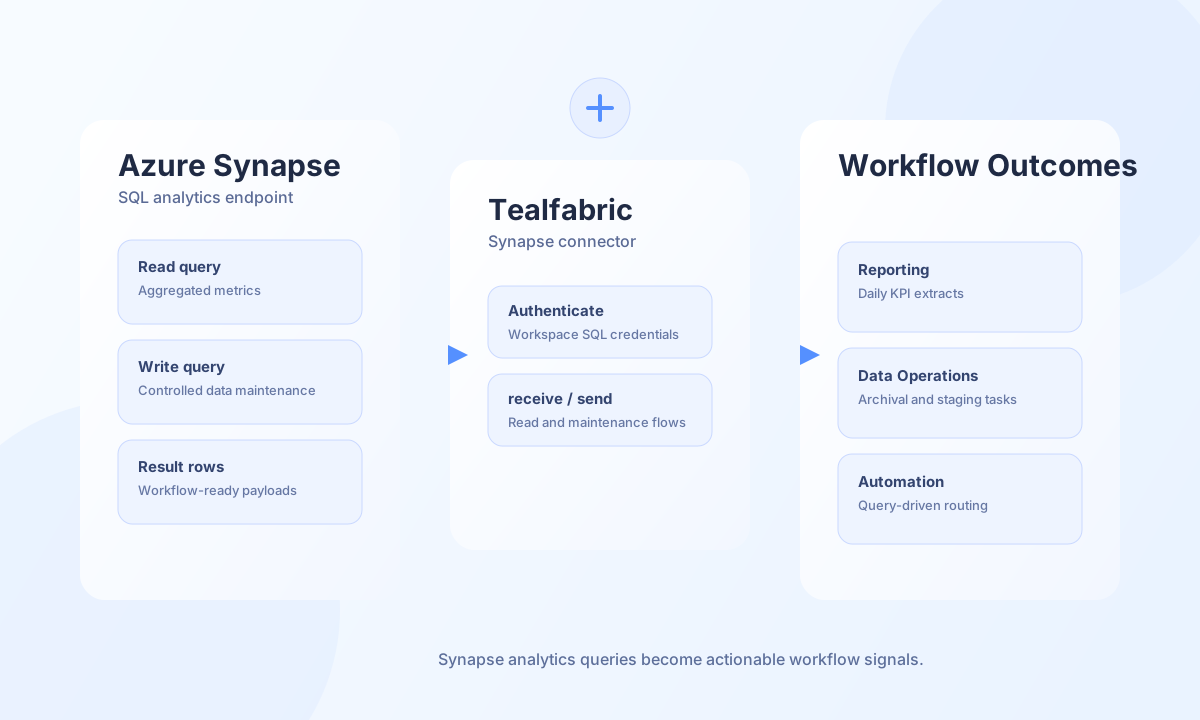
The Azure Synapse connector helps Tealfabric workflows query analytics data through Synapse SQL endpoints. It is a practical choice for reporting pipelines, warehouse synchronization, and post-processing tasks where workflow logic depends on SQL query results.
Document information
| Field | Value |
|---|---|
| Canonical URL | /docs/04_connecting-systems/connectors/a/azure-synapse |
| Version (published date) | 2026-06-17 |
| Tags | connectors, reference, azure-synapse |
| Connector ID | azure-synapse-1.0.0 |
Configuration and prerequisites
Before creating the integration, confirm the Synapse SQL endpoint, database name, and a service account with the least permissions required for your queries. Stable credentials and clear role assignment reduce runtime failures and improve auditability.
Configuration parameters are read from integration config (not call payload):
server(required fortestvalidation): Synapse SQL endpoint, such asworkspace.sql.azuresynapse.net.database(required fortestvalidation): Target database name.username(required fortestvalidation): Synapse SQL user.password(required fortestvalidation, sensitive): Password for the SQL user.timeout_seconds(optional, default30): Connection and request timeout in seconds.
test validates server, database, username, and password before running SELECT 1. The query operation does not pre-validate integration config; missing credentials surface as SQL driver errors, matching legacy connector behavior.
Run analytics queries with query
Use query for read or write SQL (T-SQL) against the configured Synapse SQL endpoint. Keep query windows bounded and selective to avoid unnecessary warehouse load.
const baseUrl = "https://api.example.com/api/v1";
const tenantId = "<TENANT_ID>";
const apiKey = "<API_KEY>";

async function getDailyRevenue(integrationId: string) {
  const response = await fetch(`${baseUrl}/integrations/${encodeURIComponent(integrationId)}/execute`, {
    method: "POST",
    headers: {
      "X-API-Key": apiKey,
      "X-Tenant-ID": tenantId,
      "Content-Type": "application/json",
    },
    body: JSON.stringify({
      operation: "query",
      query: `
        SELECT CAST(order_date AS date) AS order_day, SUM(total_amount) AS revenue
        FROM sales_orders
        WHERE order_date >= '2026-05-01'
        GROUP BY CAST(order_date AS date)
        ORDER BY order_day ASC
      `,
    }),
  });
  if (!response.ok) throw new Error(`Request failed: ${response.status}`);
  const payload = await response.json();
  return payload.data?.data ?? [];
}
curl -X POST "https://api.example.com/api/v1/integrations/<ENTITY_ID>/execute" \
-H "X-API-Key: <API_KEY>" \
-H "X-Tenant-ID: <TENANT_ID>" \
-H "Content-Type: application/json" \
-d '{
"operation": "query",
"query": "SELECT CAST(order_date AS date) AS order_day, SUM(total_amount) AS revenue FROM sales_orders WHERE order_date >= '\''2026-05-01'\'' GROUP BY CAST(order_date AS date) ORDER BY order_day ASC"
}'
{
  "success": true,
  "data": {
    "row_count": 1,
    "data": [
      {
        "order_day": "2026-05-01",
        "revenue": 12480.5
      }
    ]
  }
}
Validate connectivity with test
Use test during rollout to confirm endpoint reachability and credentials before enabling production workflows.
curl -X POST "https://api.example.com/api/v1/integrations/<ENTITY_ID>/execute" \
  -H "X-API-Key: <API_KEY>" \
  -H "X-Tenant-ID: <TENANT_ID>" \
  -H "Content-Type: application/json" \
  -d '{
    "operation": "test"
  }'
{
  "success": true,
  "data": {
    "message": "Synapse connection test successful",
    "details": {
      "server": "workspace.sql.azuresynapse.net",
      "database": "analytics"
    }
  }
}
test with missing required config:
{
  "success": false,
  "error": {
    "code": "VALIDATION",
    "message": "Configuration validation failed",
    "retriable": false
  },
  "metadata": {
    "processing_time_ms": 1
  }
}
Reliability guidance
Connection errors usually come from incorrect endpoint names or expired credentials, while runtime failures often come from unbounded SQL scans. Validate credentials with test before rollout, keep query predicates selective, and retry transient timeouts with controlled backoff.