AWS EventBridge Connector Guide
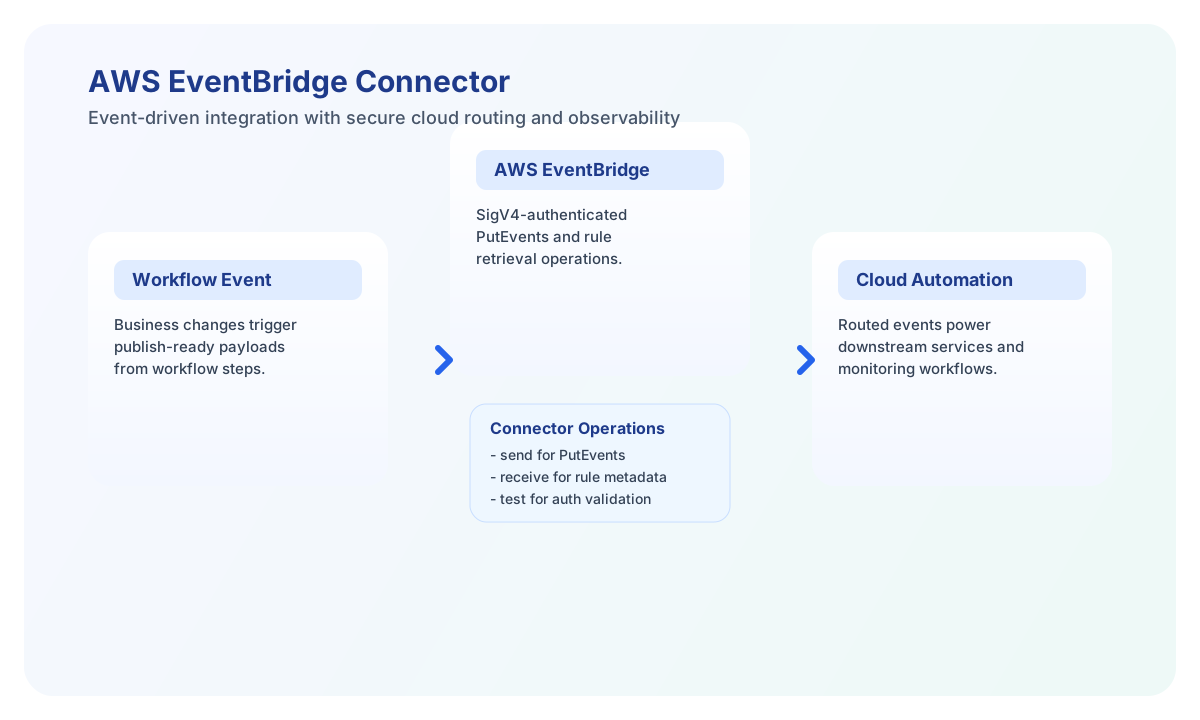
The AWS EventBridge connector helps Tealfabric workflows publish events to Amazon EventBridge event buses. Use it when workflow state changes, alerts, or transactional updates need to trigger downstream cloud automation through EventBridge rules and targets.
Document information
| Field | Value |
|---|---|
| Canonical URL | /docs/04_connecting-systems/connectors/a/aws-eventbridge |
| Version (published date) | 2026-05-08 |
| Tags | connectors, reference, aws-eventbridge |
| Connector ID | aws-eventbridge-1.0.0 |
Configuration and authentication
Configure the connector with IAM credentials that have EventBridge permissions scoped to the event buses your workflow will use. Required configuration values are access_key_id, secret_access_key, and region. Optional timeout_seconds defaults to 30.
The connector signs EventBridge Query API requests with AWS Signature Version 4 (POST to https://events.{region}.amazonaws.com/ with X-Amz-Target: AWSEvents_2015_10_07.{Action}). Run test after configuration to verify credentials and region access before enabling scheduled or high-volume runs.
Publish events with put_events
Use put_events to send one or more entries to EventBridge (PutEvents). Each entry in events is forwarded as an Entries item in the AWS API request. Include clear Source, DetailType, and Detail fields so downstream consumers can route events consistently. Detail must be a JSON string per the AWS API contract.
const baseUrl = "https://api.example.com/api/v1";
const tenantId = "<TENANT_ID>";
const apiKey = "<API_KEY>";

async function publishEvent(integrationId: string) {
  const response = await fetch(`${baseUrl}/integrations/${encodeURIComponent(integrationId)}/execute`, {
    method: "POST",
    headers: {
      "X-API-Key": apiKey,
      "X-Tenant-ID": tenantId,
      "Content-Type": "application/json",
    },
    body: JSON.stringify({
      operation: "put_events",
      events: [
        {
          EventBusName: "default",
          Source: "tealfabric.workflow",
          DetailType: "OrderStatusChanged",
          Detail: JSON.stringify({ order_id: "ORD-2209", status: "shipped" })
        }
      ]
    }),
  });
  if (!response.ok) throw new Error(`Request failed: ${response.status}`);
  return response.json();
}
curl -X POST "https://api.example.com/api/v1/integrations/<ENTITY_ID>/execute" \
-H "X-API-Key: <API_KEY>" \
-H "X-Tenant-ID: <TENANT_ID>" \
-H "Content-Type: application/json" \
-d '{
"operation": "put_events",
"events": [
{
"EventBusName": "default",
"Source": "tealfabric.workflow",
"DetailType": "OrderStatusChanged",
"Detail": "{\"order_id\":\"ORD-2209\",\"status\":\"shipped\"}"
}
]
}'
{
  "success": true,
  "data": {
    "event_count": 1,
    "failed_count": 0,
    "data": {
      "FailedEntryCount": 0,
      "Entries": [
        { "EventId": "a1b2c3d4-1111-2222-3333-abcdef123456" }
      ]
    }
  },
  "metadata": {
    "processing_time_ms": 128
  }
}
Validate connectivity with test
Use test to confirm IAM credentials and region configuration. The connector calls ListEventBuses and returns a success message with the configured region when authentication succeeds.
const baseUrl = "https://api.example.com/api/v1";
const tenantId = "<TENANT_ID>";
const apiKey = "<API_KEY>";

async function testEventBridgeConnection(integrationId: string) {
  const response = await fetch(`${baseUrl}/integrations/${encodeURIComponent(integrationId)}/execute`, {
    method: "POST",
    headers: {
      "X-API-Key": apiKey,
      "X-Tenant-ID": tenantId,
      "Content-Type": "application/json",
    },
    body: JSON.stringify({ operation: "test" }),
  });
  if (!response.ok) throw new Error(`Request failed: ${response.status}`);
  return response.json();
}
curl -X POST "https://api.example.com/api/v1/integrations/<ENTITY_ID>/execute" \
-H "X-API-Key: <API_KEY>" \
-H "X-Tenant-ID: <TENANT_ID>" \
-H "Content-Type: application/json" \
-d '{ "operation": "test" }'
{
  "success": true,
  "data": {
    "message": "EventBridge connection test successful",
    "details": {
      "region": "us-east-1"
    }
  },
  "metadata": {
    "processing_time_ms": 96
  }
}
Reliability and operations guidance
Most failures come from invalid IAM credentials, missing EventBridge permissions, clock skew affecting SigV4 signatures, or throttling under burst traffic. Validate IAM policy scope and monitor failed_count in put_events responses before proceeding with downstream workflow steps.
For production workflows, keep credentials rotated, monitor failed event entry counts, and always check connector success before proceeding.