Microsoft Azure cloud integrations guide
Document information
- Canonical URL:
/docs/04_connecting-systems/20_microsoft-azure-integrations - Version:
2026-05-08 - Tags:
integrations,azure,cloud
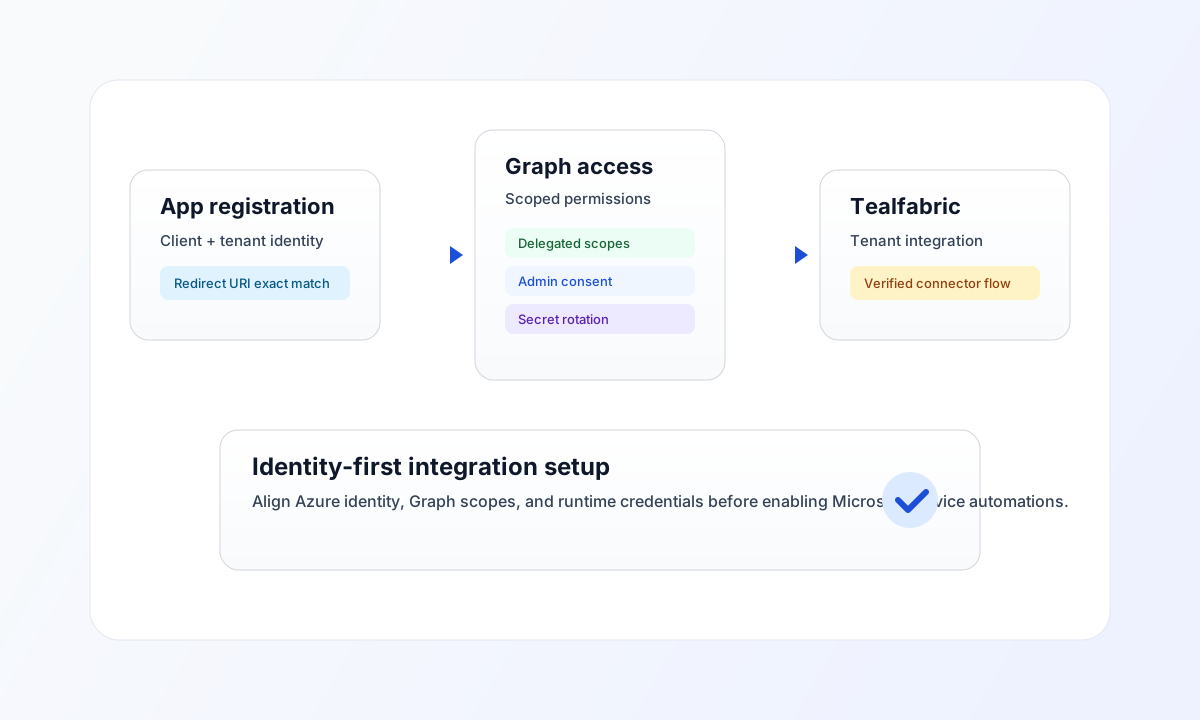
This guide explains how to configure Microsoft Entra ID (Azure AD) and Microsoft Graph access so Tealfabric integrations can authenticate and operate reliably. It focuses on production-ready setup for app registration, redirect URIs, permissions, secrets, and verification workflows.
Plan the Azure integration baseline
Start by deciding which Microsoft services your workflows require, such as Outlook, SharePoint, OneDrive, or Teams. This decision drives your Microsoft Graph scopes and helps you avoid over-privileged app registrations.
Use one app registration per environment, and keep credential ownership clear between platform administrators and integration operators. This structure makes incident response and key rotation significantly easier in production.
Configure app registration and permissions
In Azure Portal, create an app registration and add Tealfabric callback URLs under web authentication. The redirect URI must match exactly, including protocol and path, or authorization will fail with redirect mismatch errors.
For most integrations, start with delegated Graph permissions and grant only the scopes required by your process. If background service execution requires application permissions, grant admin consent intentionally and document why broader privilege is needed.
Common callback URI:
https://tealfabric.io/api/v1/oauth2/callback
Validate Microsoft Graph access in code
The following examples show a consistent Graph request pattern across TypeScript and JavaScript for a tenant-scoped integration.
const graphBaseUrl = "https://graph.microsoft.com/v1.0";
const tenantId = "<TENANT_ID>";
const apiKey = "<API_KEY>";

type Profile = {
  id: string;
  displayName: string;
  userPrincipalName: string;
};

async function fetchMyProfile(): Promise<Profile> {
  const response = await fetch(`${graphBaseUrl}/me`, {
    method: "GET",
    headers: {
      "X-API-Key": apiKey,
      "X-Tenant-ID": tenantId,
      "Content-Type": "application/json",
    },
  });

  if (!response.ok) throw new Error(`Request failed: ${response.status}`);
  const payload = (await response.json()) as Profile;
  if (!payload.id) throw new Error("Missing profile payload");
  return payload;
}
API verification request
Use this request after setup to confirm that credentials, consented scopes, and tenant context are valid.
curl -X GET "https://graph.microsoft.com/v1.0/me" \
  -H "X-API-Key: <API_KEY>" \
  -H "X-Tenant-ID: <TENANT_ID>" \
  -H "Content-Type: application/json"
{
  "id": "<ENTITY_ID>",
  "displayName": "Integration User",
  "userPrincipalName": "tealfabric-io@contoso.com"
}
Operate securely in production
Store client credentials in secure secret management, rotate secrets before expiry, and monitor sign-in plus audit events for unusual access. If authentication fails, verify redirect URI, tenant ID, and secret value first, then confirm the required Graph scopes are granted and consented.
For downstream service setup after identity is complete, continue with Microsoft 365 services integrations guide. For implementation patterns, use Integration connectors and WebApp async process trigger.