OAuth2 authentication guide
Document information
- Canonical URL:
/docs/04_connecting-systems/10_oauth2-authentication - Version:
2026-05-08 - Tags:
integrations,reference,oauth2-authentication
This guide explains how OAuth2 authentication works in Tealfabric integrations and how to keep token-based access reliable in production. It covers flow selection, configuration basics, scope handling, token lifecycle, and common failure patterns.
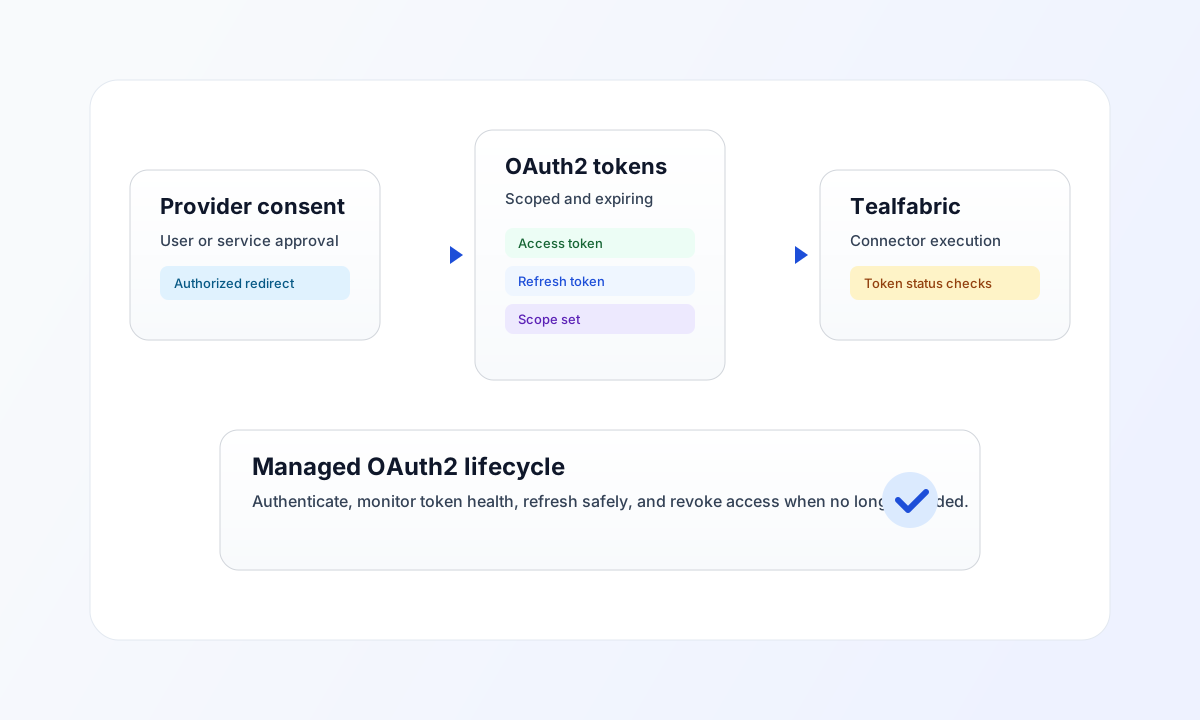
Choose the right OAuth2 flow
Most user-consent integrations use the authorization code flow, where users sign in at the provider and grant requested scopes. This is the preferred flow for Google, Microsoft, Slack, and other web-based providers because it keeps user authentication and consent explicit.
Client credentials flow is best for service-to-service integrations where no user sign-in is required. Resource owner password credentials can still appear in legacy systems, but it should be used only when provider support and your security policy allow it.
Configure OAuth2 integration parameters
Before authentication, confirm your connector has correct client_id, client_secret, redirect URI, and required scopes. Redirect URI mismatches and missing scopes are the two most common causes of failed OAuth setup, so validate them early.
After authentication, check token status and granted scopes in the integration UI. If required scopes are missing, update scope configuration and re-authorize so the provider can issue a token with the correct access level.
Validate OAuth2 usage in code
The examples below show the same authenticated API call pattern in TypeScript and JavaScript after OAuth2 tokens are available.
const baseUrl = "https://api.example.com/api/v1";
const tenantId = "<TENANT_ID>";
const apiKey = "<API_KEY>";

type ConnectionStatus = {
  authenticated: boolean;
  expires_at?: string;
  scopes?: string[];
};

async function getOauthStatus(integrationId: string): Promise<ConnectionStatus> {
  const response = await fetch(
    `${baseUrl}/oauth2/token-status?integration_id=${encodeURIComponent(integrationId)}`,
    {
      method: "GET",
      headers: {
        "X-API-Key": apiKey,
        "X-Tenant-ID": tenantId,
        "Content-Type": "application/json",
      },
    }
  );
  if (!response.ok) throw new Error(`Request failed: ${response.status}`);
  const payload = (await response.json()) as { data?: ConnectionStatus };
  if (!payload.data) throw new Error("Missing token status payload");
  return payload.data;
}
API check for token status
Use this request to quickly verify whether an integration is currently authenticated and which scopes were granted.
curl -X GET "https://api.example.com/api/v1/oauth2/token-status?integration_id=<ENTITY_ID>" \
  -H "X-API-Key: <API_KEY>" \
  -H "X-Tenant-ID: <TENANT_ID>" \
  -H "Content-Type: application/json"
{
  "success": true,
  "data": {
    "authenticated": true,
    "expires_at": "2026-05-10T08:15:00Z",
    "scopes": [
      "mail.read",
      "mail.send"
    ]
  }
}
Operate OAuth2 safely
Treat access and refresh tokens as secrets, request only minimum scopes, and remove access when an integration is no longer needed. If refresh fails repeatedly, re-authorize the integration and confirm provider-side app configuration has not changed.
For provider-specific setup, continue with Google Cloud integrations, Microsoft Azure cloud integrations, and Microsoft 365 services integrations.