Adyen Payment Connector Guide
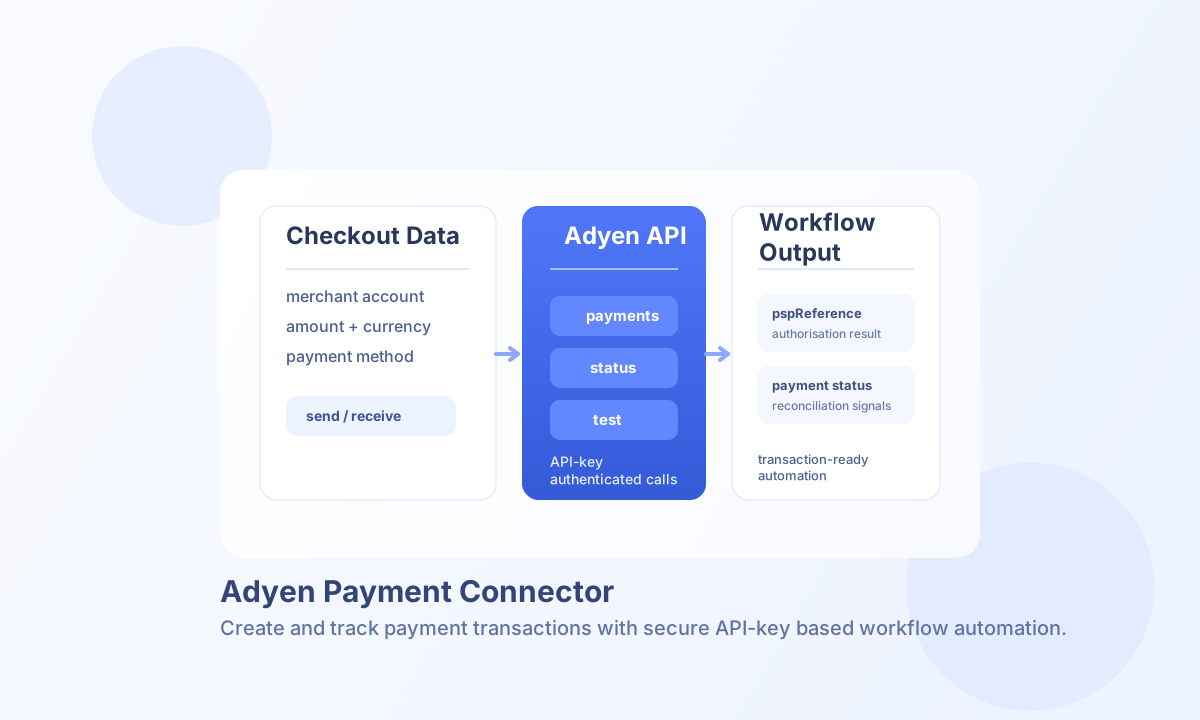
The Adyen connector lets Tealfabric workflows create and track payment transactions through Adyen Classic Payment API (PAL servlet) endpoints. It is useful for automating checkout, reconciliation, and payment-status workflows across order management and finance systems.
Document information
| Field | Value |
|---|---|
| Canonical URL | /docs/04_connecting-systems/connectors/a/adyen |
| Version (published date) | 2026-05-08 |
| Tags | connectors, reference, adyen |
| Connector ID | adyen-1.0.0 |
Configure authentication and environment
Set api_key to your Adyen API key and merchant_account to the merchant account that owns the transactions. Use the environment setting (test or live) so requests route to the correct PAL servlet base URL (pal-test.adyen.com or pal-live.adyen.com).
Set timeout_seconds high enough for payment calls that may include additional risk checks or downstream acquirer latency. Run test after configuration to confirm credentials and connectivity before enabling production workflows. The test operation validates required configuration and probes GET account on the configured PAL base URL.
Create payment requests with send
Use send to POST payment payloads to Adyen PAL servlet paths. When endpoint is omitted, the connector defaults to Payment/v68/payments. Provide the JSON body in data; when data is omitted, remaining callData fields (excluding integration config and routing keys) are used as the body, matching legacy connector behavior. merchantAccount is injected from integration config when absent in the body.
const baseUrl = "https://api.example.com/api/v1";
const tenantId = "<TENANT_ID>";
const apiKey = "<API_KEY>";

async function createPayment(integrationId: string) {
  const response = await fetch(`${baseUrl}/integrations/${encodeURIComponent(integrationId)}/execute`, {
    method: "POST",
    headers: {
      "X-API-Key": apiKey,
      "X-Tenant-ID": tenantId,
      "Content-Type": "application/json",
    },
    body: JSON.stringify({
      operation: "send",
      data: {
        reference: "ORDER-10087",
        amount: {
          currency: "EUR",
          value: 2599
        },
        paymentMethod: {
          type: "scheme",
          encryptedCardNumber: "test_4111111111111111",
          encryptedExpiryMonth: "03",
          encryptedExpiryYear: "2030",
          encryptedSecurityCode: "737"
        },
        returnUrl: "https://example.com/payments/return"
      }
    }),
  });
  if (!response.ok) throw new Error(`Request failed: ${response.status}`);
  return response.json();
}
curl -X POST "https://api.example.com/api/v1/integrations/<ENTITY_ID>/execute" \
-H "X-API-Key: <API_KEY>" \
-H "X-Tenant-ID: <TENANT_ID>" \
-H "Content-Type: application/json" \
-d '{
"operation": "send",
"data": {
"reference": "ORDER-10087",
"amount": {
"currency": "EUR",
"value": 2599
},
"paymentMethod": {
"type": "scheme",
"encryptedCardNumber": "test_4111111111111111",
"encryptedExpiryMonth": "03",
"encryptedExpiryYear": "2030",
"encryptedSecurityCode": "737"
},
"returnUrl": "https://example.com/payments/return"
}
}'
{
  "success": true,
  "data": {
    "message": "Adyen payment processed successfully",
    "result": {
      "pspReference": "<PSP_REFERENCE>",
      "resultCode": "Authorised",
      "merchantReference": "ORDER-10087"
    }
  }
}
Retrieve payment details with receive
Use receive for payment lookup and status checks. Provide endpoint for a custom GET path, or psp_reference (alias payment_reference) to fetch Payment/v68/payments/{pspReference}.
{
  "operation": "receive",
  "psp_reference": "<PSP_REFERENCE>"
}
{
  "success": true,
  "data": {
    "message": "Adyen data retrieved successfully",
    "result": {
      "pspReference": "<PSP_REFERENCE>",
      "resultCode": "Authorised"
    }
  }
}
Reliability and operational guidance
Most failures come from invalid API credentials, wrong environment selection, and schema mismatches in payment payloads. Validate mandatory fields before execution and keep test and live credentials isolated to prevent accidental cross-environment requests.
Adyen rate limits and transient errors can appear during traffic spikes, so implement retries with backoff for idempotent lookups. Keep test checks in deployment pipelines to catch credential and connectivity issues before release.