Amazon WorkMail Connector Guide
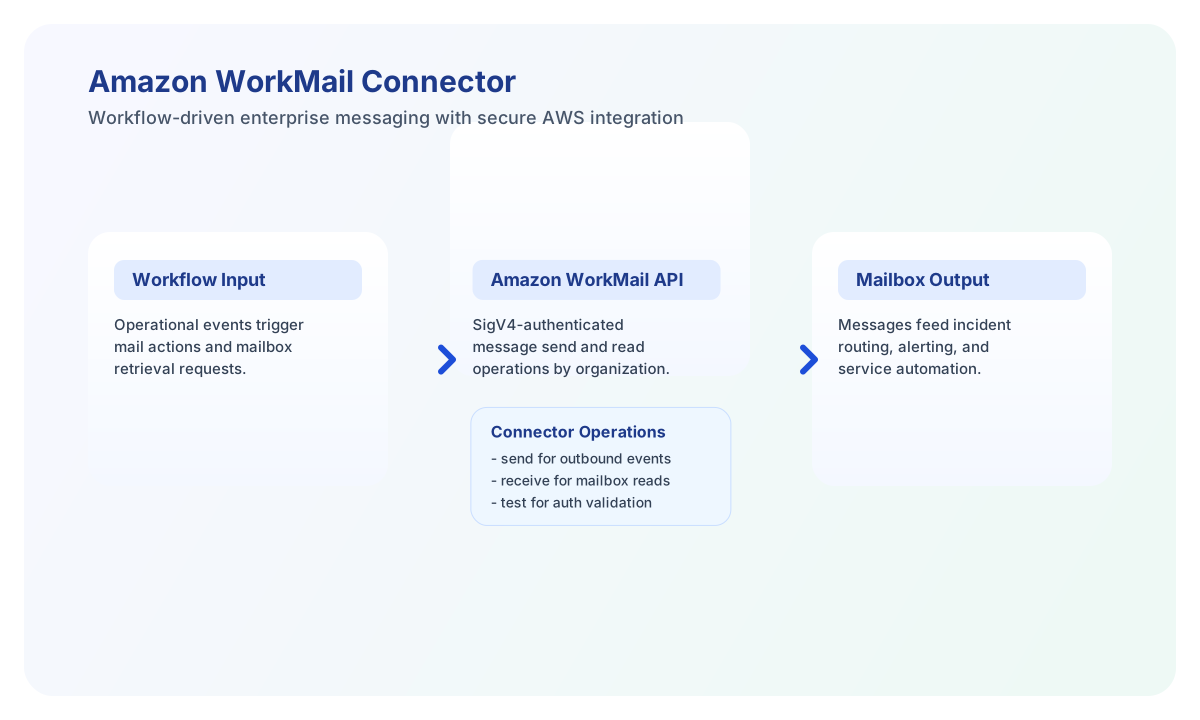
The Amazon WorkMail connector lets Tealfabric workflows send mail through the Amazon WorkMail JSON API using AWS Signature Version 4 credentials. Use it for organization-scoped outbound email from WorkMail mailboxes.
Document information
| Field | Value |
|---|---|
| Canonical URL | /docs/04_connecting-systems/connectors/a/amazon-workmail |
| Version (published date) | 2026-05-08 |
| Tags | connectors, reference, amazon-workmail |
| Connector ID | amazon-workmail-1.0.0 |
When to use this connector
Use this connector when a workflow must send email from a WorkMail mailbox in a specific organization. The connector calls WorkMailService.SendMail against https://workmail.{aws_region}.amazonaws.com/. Mailbox read (receive) is not implemented in this connector version (same limitation as the legacy PHP connector).
Configuration reference
Connector settings are stored in integration configuration and reused across executions.
aws_access_key_id(required fortest): AWS access key with WorkMail permissions. Alias:access_key_id.aws_secret_access_key(required fortest): AWS secret access key. Alias:secret_access_key.aws_region(required fortest): AWS region hosting the WorkMail organization (defaultus-east-1). Alias:region.organization_id(required fortest): WorkMail organization ID.timeout_seconds(optional): Request timeout in seconds (default30).
test validates all required configuration fields and calls DescribeOrganization. It returns Configuration validation failed when any required field is missing. send, receive, sync, and batch do not re-validate configuration on every call.
Send mail with send
Provide the mailbox user_id (WorkMail user ID used as From), to recipients, and subject. Use body or message for content and optional body_type (HTML default, or Text).
Payload aliases: userId for user_id, recipients for to, message for body.
const baseUrl = "https://api.example.com/api/v1";
const tenantId = "<TENANT_ID>";
const apiKey = "<API_KEY>";

async function sendWorkMailMessage(integrationId: string) {
  const response = await fetch(`${baseUrl}/integrations/${encodeURIComponent(integrationId)}/execute`, {
    method: "POST",
    headers: {
      "X-API-Key": apiKey,
      "X-Tenant-ID": tenantId,
      "Content-Type": "application/json",
    },
    body: JSON.stringify({
      operation: "send",
      user_id: "alerts@example.com",
      to: ["ops@example.com"],
      subject: "Workflow alert",
      body: "<p>Automated alert from Tealfabric workflow.</p>",
      body_type: "HTML",
    }),
  });
  if (!response.ok) throw new Error(`Request failed: ${response.status}`);
  const payload = await response.json();
  if (!payload.success) throw new Error(payload.error?.message ?? "Send failed");
  return payload.data;
}
curl -X POST "https://api.example.com/api/v1/integrations/<ENTITY_ID>/execute" \
-H "X-API-Key: <API_KEY>" \
-H "X-Tenant-ID: <TENANT_ID>" \
-H "Content-Type: application/json" \
-d '{
"operation": "send",
"user_id": "alerts@example.com",
"to": ["ops@example.com"],
"subject": "Workflow alert",
"body": "<p>Automated alert from Tealfabric workflow.</p>",
"body_type": "HTML"
}'
{
  "success": true,
  "data": {
    "message_count": 1,
    "data": {
      "MessageId": "<MESSAGE_ID>"
    }
  }
}
receive limitation
receive validates user_id then returns an error because mailbox read is not implemented in this connector version (WorkMail does not expose a simple list-messages API equivalent to the legacy connector stub).
sync and batch
sync runs optional outbound (send) and/or inbound (receive) legs, skipping empty legs using PHP-compatible empty() semantics. Nested leg results use legacy-flat shapes (success, message_count, data).
batch accepts operations or items with operation/type of send or receive and per-item data (or sibling fields as call data).
Test connection with test
test calls DescribeOrganization for the configured organization_id and returns organization details on success.
{
  "success": true,
  "data": {
    "message": "Amazon WorkMail connection test successful",
    "details": {
      "region": "us-east-1",
      "organization_id": "m-xxxxxxxx",
      "organization_name": "Example Org"
    }
  }
}
Reliability and security guidance
Most failures are caused by invalid AWS credentials, missing IAM WorkMail permissions, or region/organization mismatches. SigV4 signing in this connector matches the legacy placeholder implementation; production deployments should ensure credentials and IAM policies grant required WorkMail actions.
Always inspect the connector success field before downstream actions. Add retry with backoff for throttling (429) in production workflows.