AWS SageMaker Connector Guide
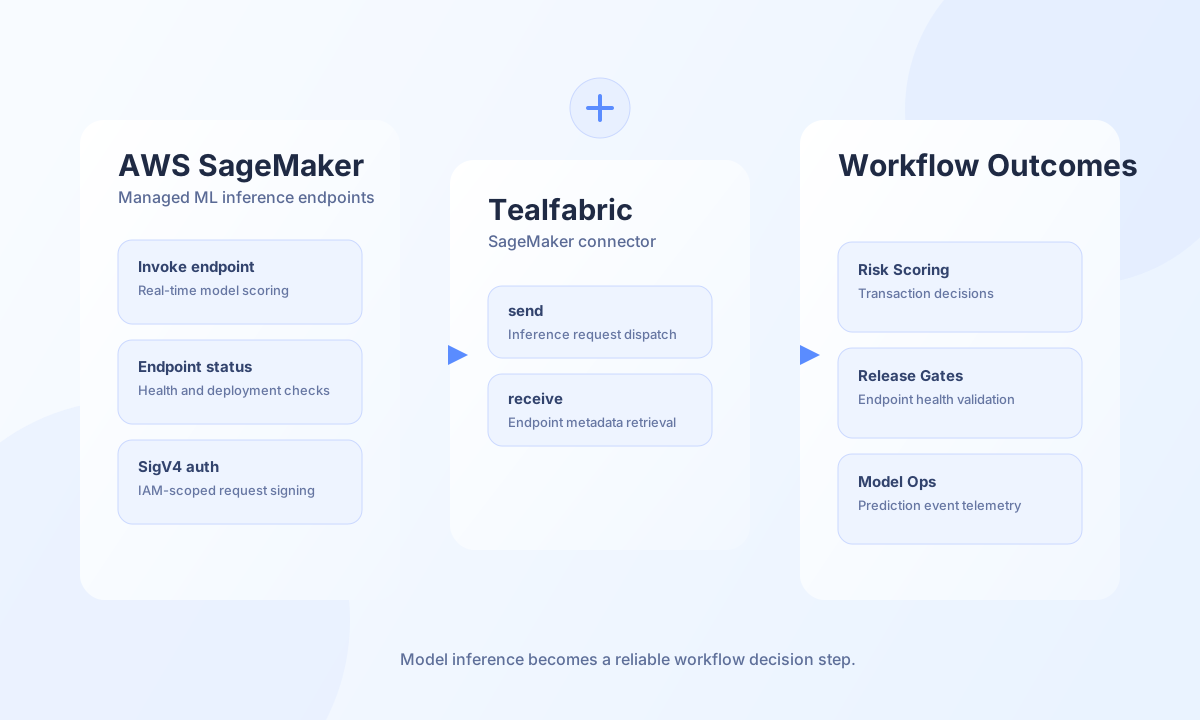
The AWS SageMaker connector helps Tealfabric workflows manage SageMaker control-plane resources: training jobs, inference endpoints, and ML pipelines. Requests are SigV4-signed JSON POST calls to https://sagemaker.{region}.amazonaws.com/ with x-amz-target headers (SageMaker_20170724.{Action}).
Document information
| Field | Value |
|---|---|
| Canonical URL | /docs/04_connecting-systems/connectors/a/aws-sagemaker |
| Version (published date) | 2026-05-08 |
| Tags | connectors, reference, aws-sagemaker |
| Connector ID | aws-sagemaker-1.0.0 |
Configuration and credentials
Before configuring this connector, create an IAM principal with only the SageMaker permissions required for your use case (for example sagemaker:CreateTrainingJob, sagemaker:CreateEndpoint, sagemaker:CreatePipeline, and sagemaker:ListTrainingJobs for connection tests). The connector signs requests with AWS Signature Version 4, so valid access keys and a region are required.
access_key_id(required): AWS access key ID.secret_access_key(required): AWS secret access key.region(required): AWS region, for exampleus-east-1.timeout_seconds(optional): Request timeout in seconds (default30).
Run test after configuration to verify credentials and region access via ListTrainingJobs.
Create a training job with create_training_job
Use create_training_job to start a SageMaker training job (CreateTrainingJob). Provide training_job_name, role_arn, and optional algorithm_specification, input_data_config, and output_data_config payloads matching the SageMaker API.
const baseUrl = "https://api.example.com/api/v1";
const tenantId = "<TENANT_ID>";
const apiKey = "<API_KEY>";

async function startTrainingJob(integrationId: string) {
  const response = await fetch(`${baseUrl}/integrations/${encodeURIComponent(integrationId)}/execute`, {
    method: "POST",
    headers: {
      "X-API-Key": apiKey,
      "X-Tenant-ID": tenantId,
      "Content-Type": "application/json",
    },
    body: JSON.stringify({
      operation: "create_training_job",
      training_job_name: "fraud-model-v3",
      role_arn: "arn:aws:iam::123456789012:role/SageMakerExecutionRole",
      algorithm_specification: {
        TrainingImage: "763104351884.dkr.ecr.us-east-1.amazonaws.com/pytorch-training:1.13.1-cpu-py39",
        TrainingInputMode: "File",
      },
      output_data_config: {
        S3OutputPath: "s3://ml-artifacts/training/fraud-model-v3/",
      },
    }),
  });
  if (!response.ok) throw new Error(`Request failed: ${response.status}`);
  return response.json();
}
curl -X POST "https://api.example.com/api/v1/integrations/<ENTITY_ID>/execute" \
-H "X-API-Key: <API_KEY>" \
-H "X-Tenant-ID: <TENANT_ID>" \
-H "Content-Type: application/json" \
-d '{
"operation": "create_training_job",
"training_job_name": "fraud-model-v3",
"role_arn": "arn:aws:iam::123456789012:role/SageMakerExecutionRole",
"algorithm_specification": {
"TrainingImage": "763104351884.dkr.ecr.us-east-1.amazonaws.com/pytorch-training:1.13.1-cpu-py39",
"TrainingInputMode": "File"
},
"output_data_config": {
"S3OutputPath": "s3://ml-artifacts/training/fraud-model-v3/"
}
}'
{
  "success": true,
  "data": {
    "success": true,
    "training_job_arn": "arn:aws:sagemaker:us-east-1:123456789012:training-job/fraud-model-v3",
    "data": {
      "TrainingJobArn": "arn:aws:sagemaker:us-east-1:123456789012:training-job/fraud-model-v3"
    }
  }
}
Deploy an endpoint with create_endpoint
Use create_endpoint to create an inference endpoint (CreateEndpoint) from an existing endpoint configuration.
async function deployEndpoint(integrationId: string) {
  const response = await fetch(`${baseUrl}/integrations/${encodeURIComponent(integrationId)}/execute`, {
    method: "POST",
    headers: {
      "X-API-Key": apiKey,
      "X-Tenant-ID": tenantId,
      "Content-Type": "application/json",
    },
    body: JSON.stringify({
      operation: "create_endpoint",
      endpoint_name: "fraud-risk-prod",
      endpoint_config_name: "fraud-risk-prod-config",
    }),
  });
  if (!response.ok) throw new Error(`Request failed: ${response.status}`);
  return response.json();
}
{
"success": true,
"data": {
"success": true,
"endpoint_arn": "arn:aws:sagemaker:us-east-1:123456789012:endpoint/fraud-risk-prod",
"data": {
"EndpointArn": "arn:aws:sagemaker:us-east-1:123456789012:endpoint/fraud-risk-prod"
}
}
}
Create a pipeline with create_pipeline
Use create_pipeline to register a SageMaker pipeline definition (CreatePipeline). Pass the pipeline definition as a JSON string in pipeline_definition.
{
  "success": true,
  "data": {
    "success": true,
    "pipeline_arn": "arn:aws:sagemaker:us-east-1:123456789012:pipeline/fraud-retrain",
    "data": {
      "PipelineArn": "arn:aws:sagemaker:us-east-1:123456789012:pipeline/fraud-retrain"
    }
  }
}
Validate configuration with test
The test operation calls ListTrainingJobs with an empty request body to verify IAM credentials, region, and SageMaker API access.
{
  "success": true,
  "data": {
    "success": true,
    "message": "SageMaker connection test successful",
    "details": {
      "region": "us-east-1"
    }
  }
}
Reliability guidance
Most production issues come from IAM permission gaps, region mismatches, or missing prerequisite resources (for example endpoint configurations before create_endpoint). Validate credentials with test before rollout and implement retries with backoff for transient throttling and timeout responses.