Azure RBAC Connector Guide
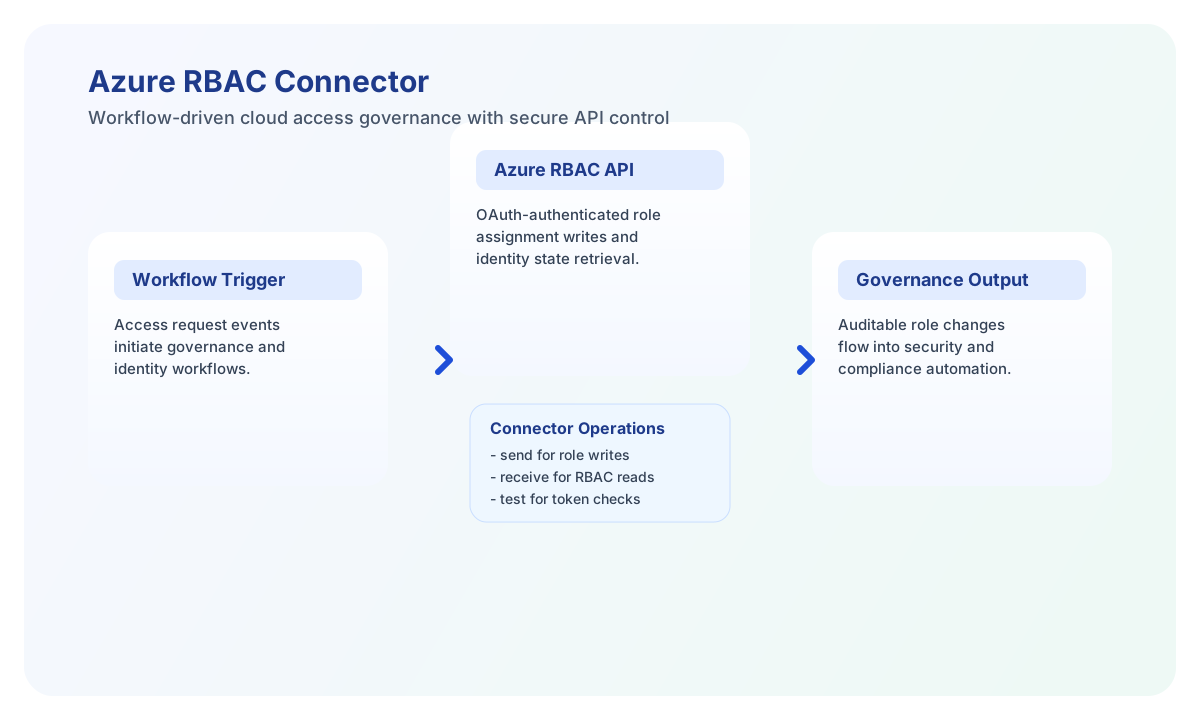
The Azure RBAC connector lets Tealfabric workflows manage role assignments and user-assigned managed identities through Azure Resource Manager APIs. It is useful for governance automation, access provisioning, and identity lifecycle workflows.
Document information
| Field | Value |
|---|---|
| Canonical URL | /docs/04_connecting-systems/connectors/a/azure-rbac |
| Version (published date) | 2026-05-08 |
| Tags | connectors, reference, azure-rbac |
| Connector ID | azure-rbac-1.0.0 |
Configure Azure application access
Set tenant_id, client_id, client_secret, and subscription_id from your Azure app registration and subscription configuration. The service principal behind these credentials must have sufficient RBAC permissions for the operations your workflow performs.
test validates required configuration (tenant_id, client_id, client_secret, subscription_id) before requesting an access token and listing subscription role definitions. Other operations (send, receive, execute) require valid credentials at runtime but do not run full config validation up front, matching legacy connector behavior.
Use timeout_seconds for longer list or assignment tasks and run test after setup. This confirms token issuance and subscription-level API reachability before you run production access workflows.
Manage assignments and identities with send
Use send to create role assignments or create user-assigned managed identities via Azure Resource Manager endpoints. Keep request payloads explicit and include the correct roleDefinitionId, principalId, and resource scope to avoid authorization errors.
const baseUrl = "https://api.example.com/api/v1";
const tenantId = "<TENANT_ID>";
const apiKey = "<API_KEY>";

async function createRoleAssignment(integrationId: string) {
  const response = await fetch(`${baseUrl}/integrations/${encodeURIComponent(integrationId)}/execute`, {
    method: "POST",
    headers: {
      "X-API-Key": apiKey,
      "X-Tenant-ID": tenantId,
      "Content-Type": "application/json",
    },
    body: JSON.stringify({
      operation: "send",
      endpoint: "subscriptions/<ENTITY_ID>/providers/Microsoft.Authorization/roleAssignments/<ENTITY_ID>?api-version=2022-04-01",
      method: "PUT",
      data: {
        properties: {
          roleDefinitionId: "/subscriptions/<ENTITY_ID>/providers/Microsoft.Authorization/roleDefinitions/<ENTITY_ID>",
          principalId: "<ENTITY_ID>",
          principalType: "ServicePrincipal"
        }
      }
    }),
  });
  if (!response.ok) throw new Error(`Request failed: ${response.status}`);
  return response.json();
}
curl -X POST "https://api.example.com/api/v1/integrations/<ENTITY_ID>/execute" \
-H "X-API-Key: <API_KEY>" \
-H "X-Tenant-ID: <TENANT_ID>" \
-H "Content-Type: application/json" \
-d '{
"operation": "send",
"endpoint": "subscriptions/<ENTITY_ID>/providers/Microsoft.Authorization/roleAssignments/<ENTITY_ID>?api-version=2022-04-01",
"method": "PUT",
"data": {
"properties": {
"roleDefinitionId": "/subscriptions/<ENTITY_ID>/providers/Microsoft.Authorization/roleDefinitions/<ENTITY_ID>",
"principalId": "<ENTITY_ID>",
"principalType": "ServicePrincipal"
}
}
}'
{
  "success": true,
  "data": {
    "message": "Azure RBAC operation completed successfully",
    "result": {
      "id": "/subscriptions/<ENTITY_ID>/providers/Microsoft.Authorization/roleAssignments/<ENTITY_ID>",
      "type": "Microsoft.Authorization/roleAssignments"
    }
  }
}
Retrieve RBAC data with receive
Use receive to list role assignments, role definitions, or managed identity resources for governance and audit workflows. Always include api-version and filter parameters that match the Azure endpoint you call.
const baseUrl = "https://api.example.com/api/v1";
const tenantId = "<TENANT_ID>";
const apiKey = "<API_KEY>";

async function listRoleAssignments(integrationId: string) {
  const response = await fetch(`${baseUrl}/integrations/${encodeURIComponent(integrationId)}/execute`, {
    method: "POST",
    headers: {
      "X-API-Key": apiKey,
      "X-Tenant-ID": tenantId,
      "Content-Type": "application/json",
    },
    body: JSON.stringify({
      operation: "receive",
      endpoint: "subscriptions/<ENTITY_ID>/providers/Microsoft.Authorization/roleAssignments",
      query: {
        "api-version": "2022-04-01",
        "filter": "principalId eq "<ENTITY_ID>""
      }
    }),
  });
  if (!response.ok) throw new Error(`Request failed: ${response.status}`);
  return response.json();
}
curl -X POST "https://api.example.com/api/v1/integrations/<ENTITY_ID>/execute" \
  -H "X-API-Key: <API_KEY>" \
  -H "X-Tenant-ID: <TENANT_ID>" \
  -H "Content-Type: application/json" \
  -d '{
    "operation": "receive",
    "endpoint": "subscriptions/<ENTITY_ID>/providers/Microsoft.Authorization/roleAssignments",
    "query": {
      "api-version": "2022-04-01",
      "$filter": "principalId eq '\''<ENTITY_ID>'\''"
    }
  }'
{
  "success": true,
  "data": {
    "message": "Azure RBAC data retrieved successfully",
    "assignment_count": 1,
    "items": [
      {
        "id": "/subscriptions/<ENTITY_ID>/providers/Microsoft.Authorization/roleAssignments/<ENTITY_ID>",
        "name": "<ENTITY_ID>",
        "type": "Microsoft.Authorization/roleAssignments"
      }
    ]
  }
}
When the ARM response includes a value array, the connector returns that array in data.items and sets data.assignment_count to its length. Otherwise it wraps the full decoded response as a single-element items array.
Call arbitrary ARM endpoints with execute
Use execute when you need an explicit HTTP method (default GET) and optional JSON body (body or data alias). Include api-version in the endpoint query string or as a separate query parameter on receive calls.
{
  "success": true,
  "data": {
    "message": "Azure RBAC method executed successfully",
    "result": {
      "value": []
    }
  }
}
Validate connectivity with test
Use test to confirm OAuth2 client-credentials token issuance and subscription-level ARM reachability before enabling scheduled automations. The probe lists role definitions under subscriptions/{subscription_id}/providers/Microsoft.Authorization/roleDefinitions.
{
  "success": true,
  "data": {
    "message": "Azure RBAC connection test successful",
    "details": {
      "tenant_id": "<TENANT_ID>",
      "subscription_id": "<ENTITY_ID>",
      "role_definitions_found": 42
    }
  }
}
Reliability and security guidance
Most failures are caused by missing service principal permissions, invalid identifiers, or Azure API throttling (429). Validate RBAC role grants for the app registration and apply retry with backoff for temporary throttling responses.
For secure operations, follow least-privilege RBAC assignment and audit changes through Azure Activity Logs. This helps keep access governance automation safe and traceable.