SugarCRM Connector Guide
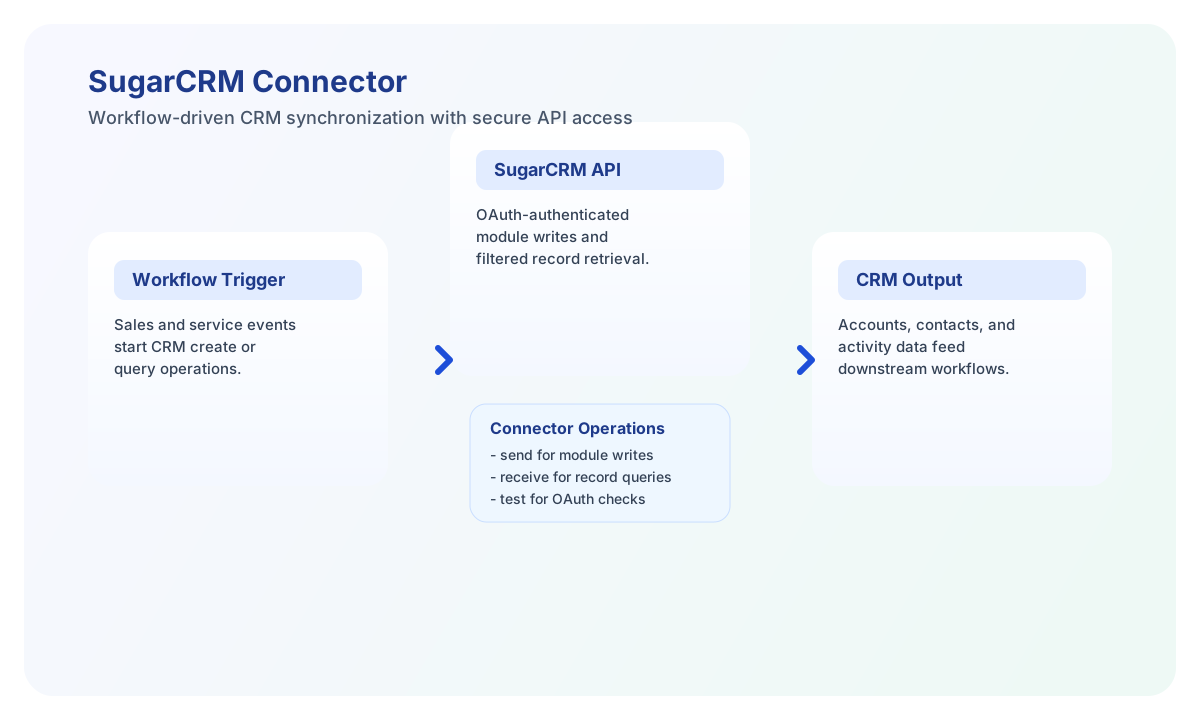
The SugarCRM connector helps Tealfabric workflows create, update, and read CRM records through SugarCRM REST APIs. It is useful for automating account and contact lifecycle processes across sales and customer operations.
Document information
| Field | Value |
|---|---|
| Canonical URL | /docs/04_connecting-systems/connectors/s/sugar-crm |
| Version (published date) | 2026-05-08 |
| Tags | connectors, reference, sugar-crm |
| Connector ID | sugar-crm-1.0.0 |
Configure SugarCRM OAuth access
Set base_url, client_id, client_secret, and redirect_uri using values from your SugarCRM OAuth application settings. The connector uses OAuth2 tokens for authenticated API access and can refresh tokens when a valid refresh_token is available.
Use timeout_seconds for larger queries and always run test after setup to confirm endpoint and token health. This prevents failed production runs caused by expired credentials or incorrect redirect configuration.
Create or update CRM data with send
Use send to create or update module records such as Accounts or Contacts. Keep module names and payload fields aligned with your SugarCRM instance schema so requests validate consistently.
const baseUrl = "https://api.example.com/api/v1";
const tenantId = "<TENANT_ID>";
const apiKey = "<API_KEY>";

async function createAccount(integrationId: string) {
  const response = await fetch(`${baseUrl}/integrations/${encodeURIComponent(integrationId)}/execute`, {
    method: "POST",
    headers: {
      "X-API-Key": apiKey,
      "X-Tenant-ID": tenantId,
      "Content-Type": "application/json",
    },
    body: JSON.stringify({
      operation: "send",
      endpoint: "Accounts",
      method: "POST",
      data: {
        name: "Acme North America",
        phone_office: "555-1234",
        billing_address_city: "New York",
        billing_address_country: "US"
      }
    }),
  });
  if (!response.ok) throw new Error(`Request failed: ${response.status}`);
  return response.json();
}
curl -X POST "https://api.example.com/api/v1/integrations/<ENTITY_ID>/execute" \
-H "X-API-Key: <API_KEY>" \
-H "X-Tenant-ID: <TENANT_ID>" \
-H "Content-Type: application/json" \
-d '{
"operation": "send",
"endpoint": "Accounts",
"method": "POST",
"data": {
"name": "Acme North America",
"phone_office": "555-1234",
"billing_address_city": "New York",
"billing_address_country": "US"
}
}'
{
  "success": true,
  "message_count": 1,
  "data": {
    "id": "<RECORD_ID>",
    "name": "Acme North America"
  },
  "response": {
    "id": "<RECORD_ID>",
    "name": "Acme North America"
  }
}
send returns the SugarCRM record in both data and response (legacy flat envelope). Use resource_id or id for updates (PUT/PATCH/DELETE).
Retrieve CRM records with receive
Use receive to list module records or fetch specific records with filters and field selection. Keeping queries focused improves response times and reduces unnecessary payload size.
const baseUrl = "https://api.example.com/api/v1";
const tenantId = "<TENANT_ID>";
const apiKey = "<API_KEY>";

async function listRecentAccounts(integrationId: string) {
  const response = await fetch(`${baseUrl}/integrations/${encodeURIComponent(integrationId)}/execute`, {
    method: "POST",
    headers: {
      "X-API-Key": apiKey,
      "X-Tenant-ID": tenantId,
      "Content-Type": "application/json",
    },
    body: JSON.stringify({
      operation: "receive",
      endpoint: "Accounts",
      query: {
        fields: "id,name,phone_office,date_modified",
        max_num: 20,
        order_by: "date_modified:desc"
      }
    }),
  });
  if (!response.ok) throw new Error(`Request failed: ${response.status}`);
  return response.json();
}
curl -X POST "https://api.example.com/api/v1/integrations/<ENTITY_ID>/execute" \
-H "X-API-Key: <API_KEY>" \
-H "X-Tenant-ID: <TENANT_ID>" \
-H "Content-Type: application/json" \
-d '{
"operation": "receive",
"endpoint": "Accounts",
"query": {
"fields": "id,name,phone_office,date_modified",
"max_num": 20,
"order_by": "date_modified:desc"
}
}'
{
  "success": true,
  "message_count": 2,
  "data": [
    {
      "id": "<RECORD_ID>",
      "name": "Acme North America",
      "phone_office": "555-1234"
    },
    {
      "id": "<RECORD_ID>",
      "name": "Acme Europe",
      "phone_office": "555-5678"
    }
  ],
  "total_size": 2
}
List responses unwrap records[] when present; top-level JSON arrays and single-record objects are also supported.
Test connection with test
Run test after OAuth setup. It validates client_id, client_secret, and redirect_uri, confirms an access_token is present, and probes GET rest/v11/ping.
{
  "success": true,
  "message": "SugarCRM connection test successful",
  "details": {
    "api_base_url": "https://your-instance.sugarcrm.com"
  }
}
On failure, test returns { "success": false, "error": "..." } without throwing.
Reliability guidance
Most failures come from expired OAuth tokens, insufficient module permissions, or invalid module field names. Validate OAuth setup and module access in SugarCRM admin before scaling workflow usage.
For production stability, use filtered queries, implement retry with backoff for transient failures, and always check success before downstream processing. This keeps CRM synchronization robust during peak usage.