SOAP API Connector Guide
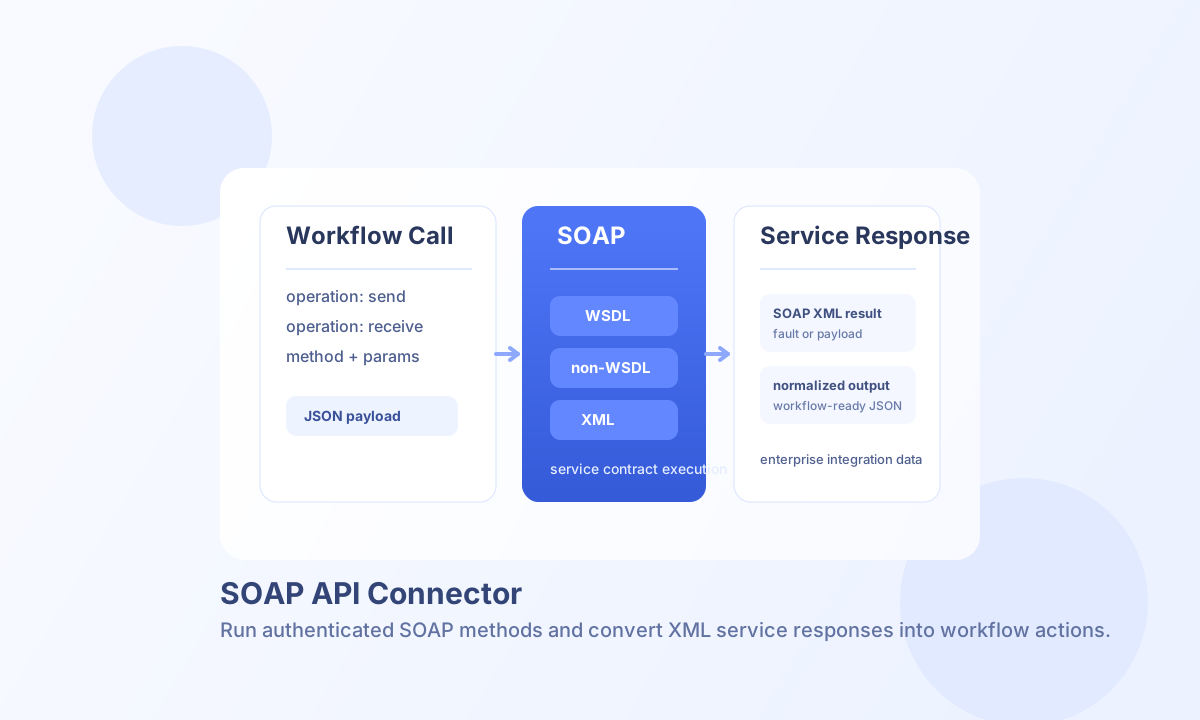
The SOAP API connector helps Tealfabric workflows call SOAP web services for enterprise systems that still rely on WSDL-defined operations. It supports both read and write patterns so you can automate record creation, status updates, and data retrieval without custom SOAP client code.
Document information
| Field | Value |
|---|---|
| Canonical URL | /docs/04_connecting-systems/connectors/s/soap |
| Version (published date) | 2026-05-08 |
| Tags | connectors, reference, soap |
| Connector ID | soap-1.0.0 |
Configure the SOAP service
Set endpoint_url to your SOAP service endpoint and prefer a WSDL URL when available, such as one ending in ?wsdl. WSDL mode improves method discovery and parameter validation, which reduces runtime errors during integration.
If your service requires custom header-based authentication, set auth_header and auth_value in connector configuration. Use timeout_seconds for long-running methods and run test before enabling production schedules.
Execute write operations with send
Use send for SOAP methods that create or update data. The method name and payload structure must match your SOAP service contract.
const baseUrl = "https://api.example.com/api/v1";
const tenantId = "<TENANT_ID>";
const apiKey = "<API_KEY>";

async function createCustomer(integrationId: string) {
  const response = await fetch(`${baseUrl}/integrations/${encodeURIComponent(integrationId)}/execute`, {
    method: "POST",
    headers: {
      "X-API-Key": apiKey,
      "X-Tenant-ID": tenantId,
      "Content-Type": "application/json",
    },
    body: JSON.stringify({
      operation: "send",
      method: "CreateCustomer",
      params: {
        name: "Jordan Blake",
        email: "jordan.blake@example.com",
        status: "active"
      }
    }),
  });
  if (!response.ok) throw new Error(`Request failed: ${response.status}`);
  return response.json();
}
curl -X POST "https://api.example.com/api/v1/integrations/<ENTITY_ID>/execute" \
-H "X-API-Key: <API_KEY>" \
-H "X-Tenant-ID: <TENANT_ID>" \
-H "Content-Type: application/json" \
-d '{
"operation": "send",
"method": "CreateCustomer",
"params": {
"name": "Jordan Blake",
"email": "jordan.blake@example.com",
"status": "active"
}
}'
{
  "success": true,
  "data": {
    "customerId": "<ENTITY_ID>",
    "status": "created",
    "message": "Customer created successfully"
  }
}
Execute read operations with receive
Use receive for SOAP methods that return records, status data, or report output. Keep method parameters explicit to avoid ambiguous payload mapping in services with overloaded methods.
const baseUrl = "https://api.example.com/api/v1";
const tenantId = "<TENANT_ID>";
const apiKey = "<API_KEY>";

async function getCustomer(integrationId: string, customerId: string) {
  const response = await fetch(`${baseUrl}/integrations/${encodeURIComponent(integrationId)}/execute`, {
    method: "POST",
    headers: {
      "X-API-Key": apiKey,
      "X-Tenant-ID": tenantId,
      "Content-Type": "application/json",
    },
    body: JSON.stringify({
      operation: "receive",
      method: "GetCustomer",
      params: { customerId }
    }),
  });
  if (!response.ok) throw new Error(`Request failed: ${response.status}`);
  return response.json();
}
curl -X POST "https://api.example.com/api/v1/integrations/<ENTITY_ID>/execute" \
-H "X-API-Key: <API_KEY>" \
-H "X-Tenant-ID: <TENANT_ID>" \
-H "Content-Type: application/json" \
-d '{
"operation": "receive",
"method": "GetCustomer",
"params": {
"customerId": "<ENTITY_ID>"
}
}'
{
  "success": true,
  "data": {
    "customerId": "<ENTITY_ID>",
    "name": "Jordan Blake",
    "email": "jordan.blake@example.com",
    "status": "active"
  }
}
WSDL and non-WSDL guidance
WSDL mode is generally safer because method contracts can be discovered and validated automatically, which reduces integration drift over time. Non-WSDL mode works when legacy systems expose only a service endpoint, but you must manage method names and parameter shape manually.
If your SOAP provider changes contracts frequently, schedule regular test runs so failures are detected before business-critical jobs execute.
Troubleshooting and reliability
SOAP faults usually indicate method name mismatches, invalid parameter structure, or service-side validation errors. Connection failures are typically caused by endpoint reachability, TLS issues, or missing network access from your execution environment.
For stable operations, implement retry logic for transient failures, keep payloads aligned with service documentation, and monitor response times for methods with large XML payloads.