SQLite Connector Guide
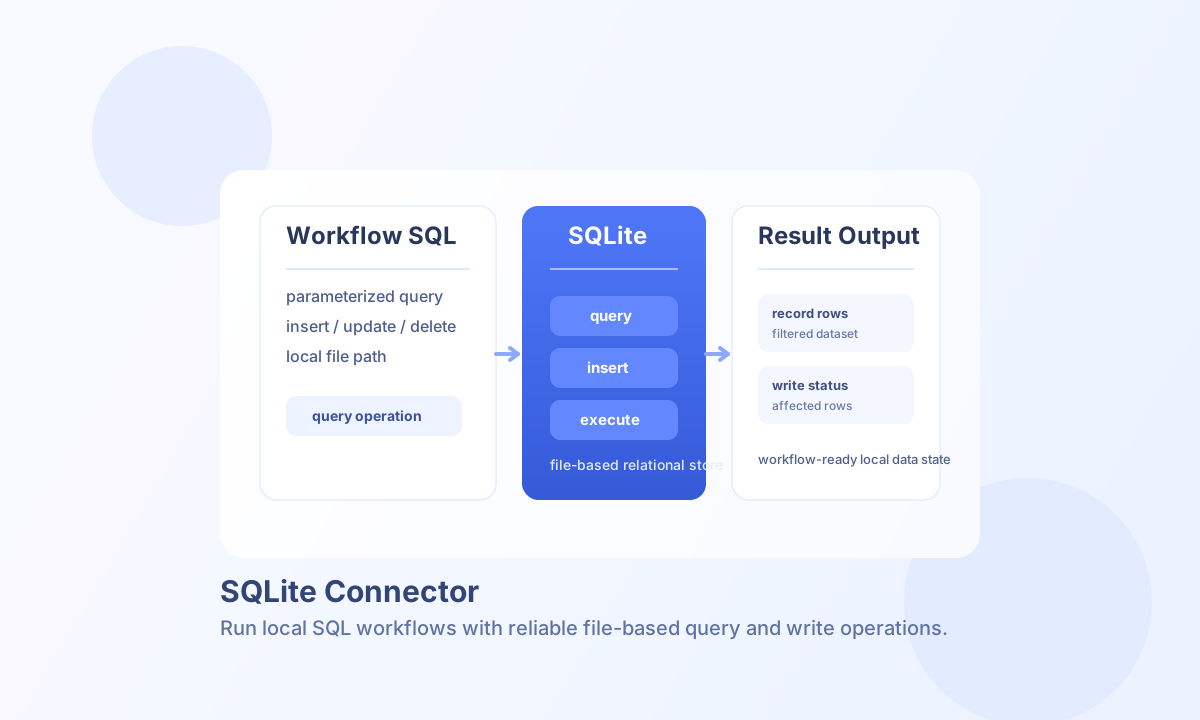
The SQLite connector lets Tealfabric workflows run SQL operations against a local SQLite database file. It is useful for lightweight data persistence, local analytics workflows, and integration tasks where a single-file relational database is sufficient.
Document information
| Field | Value |
|---|---|
| Canonical URL | /docs/04_connecting-systems/connectors/s/sqlite |
| Version (published date) | 2026-05-08 |
| Tags | connectors, reference, sqlite |
| Connector ID | sqlite-1.0.0 |
Configure database access
Set database_path on the integration to the SQLite database file your workflow should use. The process running the connector must have file permissions for read and, if needed, write operations.
Use read_only for reporting or audit workloads that should never modify data, and tune timeout_seconds to control lock-wait behavior for busy databases. Run test before scheduling production workflows to confirm path and access validity.
test is the only operation that validates integration configuration (database_path required, parent directory writable). Other operations (query, insert, update, delete, execute) proceed directly to the SQLite driver, matching legacy connector behavior.
Run reads with query
Use query for SELECT operations and parameterized reads that return record sets to your workflow. Bind parameters with a named object (@column placeholders) or a positional array (? placeholders).
const baseUrl = "https://api.example.com/api/v1";
const tenantId = "<TENANT_ID>";
const apiKey = "<API_KEY>";

async function listOpenInvoices(integrationId: string) {
  const response = await fetch(`${baseUrl}/integrations/${encodeURIComponent(integrationId)}/execute`, {
    method: "POST",
    headers: {
      "X-API-Key": apiKey,
      "X-Tenant-ID": tenantId,
      "Content-Type": "application/json",
    },
    body: JSON.stringify({
      operation: "query",
      sql: "SELECT id, customer_name, total FROM invoices WHERE status = @status ORDER BY created_at DESC LIMIT @limit",
      params: { status: "open", limit: 25 }
    }),
  });
  if (!response.ok) throw new Error(`Request failed: ${response.status}`);
  return response.json();
}
curl -X POST "https://api.example.com/api/v1/integrations/<ENTITY_ID>/execute" \
-H "X-API-Key: <API_KEY>" \
-H "X-Tenant-ID: <TENANT_ID>" \
-H "Content-Type: application/json" \
-d '{
"operation": "query",
"sql": "SELECT id, customer_name, total FROM invoices WHERE status = @status ORDER BY created_at DESC LIMIT @limit",
"params": {"status": "open", "limit": 25}
}'
{
  "success": true,
  "data": {
    "row_count": 2,
    "rows": [
      {"id": 101, "customer_name": "Acme Corp", "total": 425.5},
      {"id": 102, "customer_name": "Globex", "total": 99.0}
    ],
    "data": [
      {"id": 101, "customer_name": "Acme Corp", "total": 425.5},
      {"id": 102, "customer_name": "Globex", "total": 99.0}
    ]
  }
}
Write records with insert, update, and delete
Use insert to add new rows (table + values/data), update to modify existing rows (table, values/data, optional where), and delete to remove rows (table + required where). The where object supports equality (column: value) and operator tuples (column: [">", 10], column: ["IN", [1, 2, 3]]).
delete requires a non-empty where clause as a safety guard. For migrations or multi-statement tasks, execute runs arbitrary SQL and returns rows for reader statements or change counts for writes.
Test connection
test runs SELECT 1 and returns connection metadata when configuration is valid.
{
  "success": true,
  "data": {
    "message": "SQLite connection test successful",
    "details": {
      "database_path": "/data/app.db",
      "read_only": false
    }
  }
}
When database_path is missing or the parent directory is not writable, test returns Configuration validation failed.
Reliability and limitations
SQLite allows multiple readers but has limited concurrent write throughput, so long-running writes can block other operations. Keep transactions short and avoid high-frequency write concurrency in the same file.
Common failures include invalid file paths, missing file permissions, and SQL syntax errors. Parameterized queries, pre-flight test checks, and clear transaction boundaries improve operational reliability.