SAML 2.0 Provider Connector Guide
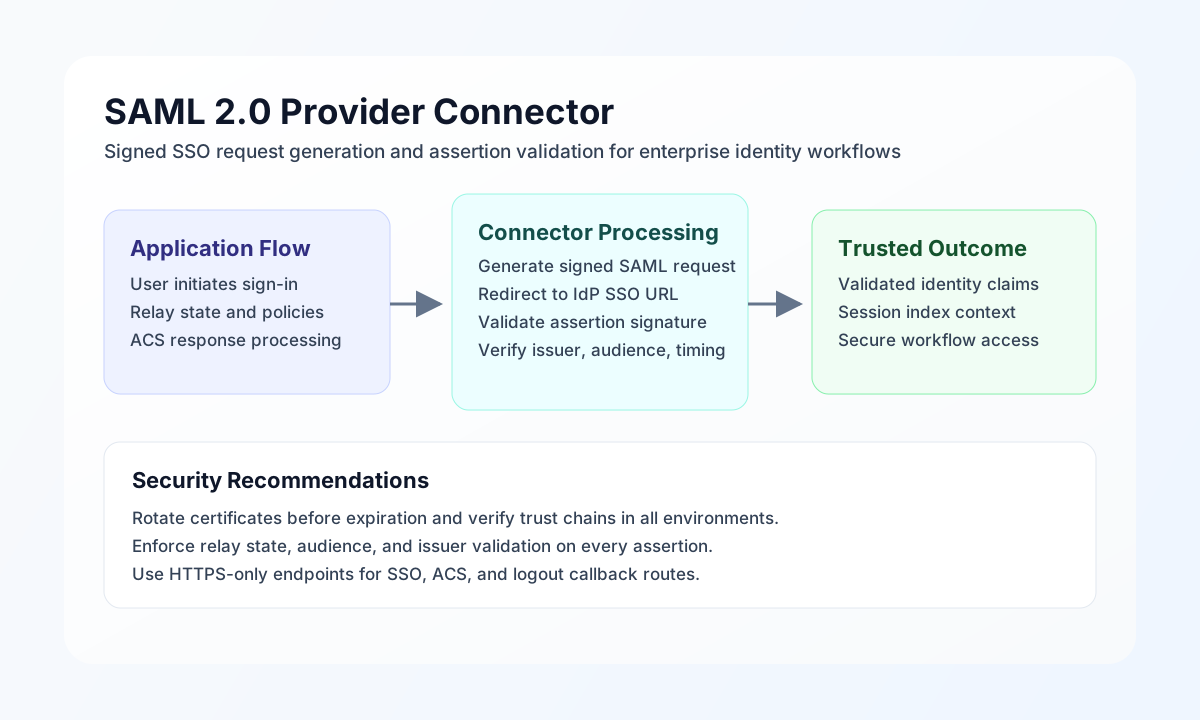
The SAML 2.0 Provider connector lets Tealfabric workflows initiate SSO and validate SAML assertions from identity providers. It builds AuthnRequest and LogoutRequest XML locally (HTTP-Redirect or HTTP-POST bindings) and does not make outbound HTTP calls from the connector runtime.
Document information
| Field | Value |
|---|---|
| Canonical URL | /docs/04_connecting-systems/connectors/s/saml2-provider |
| Version (published date) | 2026-05-08 |
| Tags | connectors, reference, saml2-provider |
| Connector ID | saml2-provider-1.0.0 |
Configuration and security setup
Configure the connector with IdP metadata values and certificate material. Required values are idp_entity_id, sp_entity_id, idp_sso_url, certificate, and private_key. Optional values include idp_slo_url and timeout_seconds.
Run test to verify required configuration and X.509 certificate PEM parsing. The connector does not contact the IdP during test.
Initiate sign-on with sso
Use sso to generate a SAML AuthnRequest. The default binding is HTTP-Redirect, which returns data.redirect_url. Set binding to HTTP-POST to receive a base64-encoded data.saml_request and data.idp_sso_url for form POST.
Supported callData fields: relay_state (optional), binding (HTTP-Redirect or HTTP-POST, optional).
const baseUrl = "https://api.example.com/api/v1";
const tenantId = "<TENANT_ID>";
const apiKey = "<API_KEY>";

async function initiateSso(integrationId: string) {
  const response = await fetch(`${baseUrl}/integrations/${encodeURIComponent(integrationId)}/execute`, {
    method: "POST",
    headers: {
      "X-API-Key": apiKey,
      "X-Tenant-ID": tenantId,
      "Content-Type": "application/json",
    },
    body: JSON.stringify({
      operation: "sso",
      relay_state: "https://app.example.com/auth/complete",
      binding: "HTTP-Redirect"
    }),
  });
  if (!response.ok) throw new Error(`Request failed: ${response.status}`);
  return response.json();
}
curl -X POST "https://api.example.com/api/v1/integrations/<ENTITY_ID>/execute" \
-H "X-API-Key: <API_KEY>" \
-H "X-Tenant-ID: <TENANT_ID>" \
-H "Content-Type: application/json" \
-d '{
"operation": "sso",
"relay_state": "https://app.example.com/auth/complete",
"binding": "HTTP-Redirect"
}'
{
  "success": true,
  "data": {
    "message": "SAML SSO redirect URL generated",
    "binding": "HTTP-Redirect",
    "redirect_url": "https://idp.example.com/sso?SAMLRequest=...&RelayState=...",
    "relay_state": "https://app.example.com/auth/complete"
  }
}
Single logout with slo
Use slo to generate a LogoutRequest redirect URL. Requires idp_slo_url in connector configuration. Optional callData: name_id, session_index, relay_state.
{
  "success": true,
  "data": {
    "message": "SAML Single Logout URL generated",
    "redirect_url": "https://idp.example.com/slo?SAMLRequest=...",
    "relay_state": ""
  }
}
Validate assertions with validate
Use validate to decode (when the payload is strict base64) and verify that the SAML response XML contains at least one Assertion element in the SAML 2.0 assertion namespace. This matches legacy structural validation; it does not verify XML signatures, conditions, audience, or issuer.
{
  "success": true,
  "data": {
    "message": "SAML assertion validated successfully",
    "assertion_count": 1
  }
}
Connection test with test
test validates required configuration and parses the configured X.509 certificate PEM.
{
  "success": true,
  "data": {
    "message": "SAML 2.0 Provider connection test successful",
    "details": {
      "idp_entity_id": "https://idp.example.com/metadata",
      "sp_entity_id": "https://sp.example.com/saml2",
      "idp_sso_url": "https://idp.example.com/sso"
    }
  }
}
Reliability guidance
Most production issues come from certificate mismatches, expired assertions, or incorrect SP/IdP entity identifiers. Validate certificates proactively, keep time synchronization accurate, and enforce strict audience and issuer checks in your application layer when cryptographic assertion verification is required.
For safe SSO operation, use HTTPS-only endpoints, validate relay state values in your callback handler, and monitor certificate expiration with planned rotation windows.