SAP Ariba Connector Guide
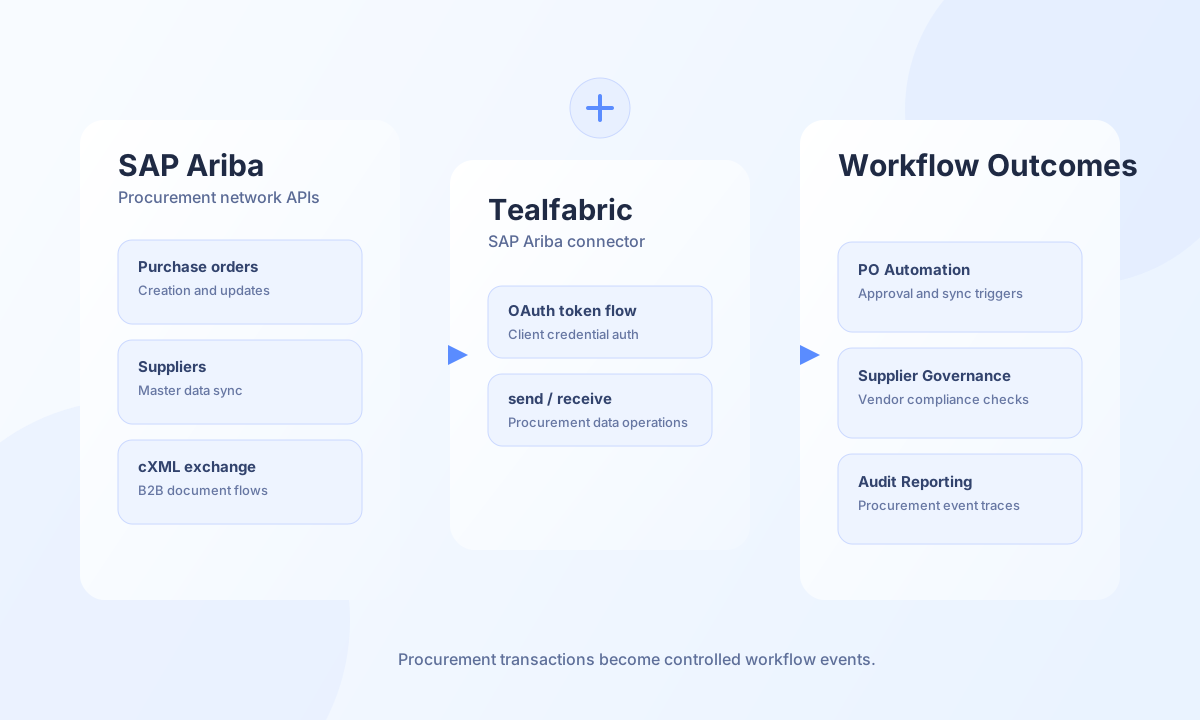
The SAP Ariba connector helps Tealfabric workflows automate procurement operations across Ariba APIs. It is useful for purchase-order synchronization, supplier updates, and B2B exchange scenarios where cXML or API payloads must move reliably between systems.
Document information
| Field | Value |
|---|---|
| Canonical URL | /docs/04_connecting-systems/connectors/s/sap-ariba |
| Version (published date) | 2026-05-08 |
| Tags | connectors, reference, sap-ariba |
| Connector ID | sap-ariba-1.0.0 |
Configuration and authentication
Before creating the integration, register an OAuth client in SAP Ariba and grant only the permissions needed for your procurement workflows. Confirm your Ariba realm and endpoint values with your platform administrator to avoid tenant mismatches. The connector uses OAuth2 client credentials (grant_type=client_credentials with realm in the token request) and obtains a Bearer token before each operation.
base_url(required): SAP Ariba API base URL (trailing slashes are stripped).client_id(required): OAuth client ID.client_secret(required): OAuth client secret.realm(required): Ariba realm identifier.timeout_seconds(optional): Request timeout in seconds, default30.
API calls are sent to {base_url}/api/{endpoint} with Authorization: Bearer and Content-Type: application/json. The endpoint value is the path segment after /api/ (no leading slash).
Send procurement data with send
Use send to create or update procurement entities such as purchase orders and suppliers. Provide endpoint, optional method (default POST), and data for the JSON body.
const baseUrl = "https://api.example.com/api/v1";
const tenantId = "<TENANT_ID>";
const apiKey = "<API_KEY>";

async function createPurchaseOrder(integrationId: string) {
  const response = await fetch(`${baseUrl}/integrations/${encodeURIComponent(integrationId)}/execute`, {
    method: "POST",
    headers: {
      "X-API-Key": apiKey,
      "X-Tenant-ID": tenantId,
      "Content-Type": "application/json",
    },
    body: JSON.stringify({
      operation: "send",
      endpoint: "purchase_orders",
      method: "POST",
      data: {
        orderNumber: "PO-2026-0041",
        supplierId: "SUP-9001",
        orderDate: "2026-05-08",
        lines: [
          { lineNumber: 1, itemId: "LAPTOP-15", quantity: 5, unitPrice: 1200 }
        ],
      },
    }),
  });
  if (!response.ok) throw new Error(`Request failed: ${response.status}`);
  const payload = await response.json();
  return payload.data?.result;
}
curl -X POST "https://api.example.com/api/v1/integrations/<ENTITY_ID>/execute" \
-H "X-API-Key: <API_KEY>" \
-H "X-Tenant-ID: <TENANT_ID>" \
-H "Content-Type: application/json" \
-d '{
"operation": "send",
"endpoint": "purchase_orders",
"method": "POST",
"data": {
"orderNumber": "PO-2026-0041",
"supplierId": "SUP-9001",
"orderDate": "2026-05-08",
"lines": [
{"lineNumber": 1, "itemId": "LAPTOP-15", "quantity": 5, "unitPrice": 1200}
]
}
}'
{
  "success": true,
  "data": {
    "success": true,
    "message": "SAP Ariba operation completed successfully",
    "result": {
      "orderNumber": "PO-2026-0041",
      "status": "Submitted"
    }
  }
}
Retrieve entities with receive
Use receive to fetch procurement records for reconciliation, approval checks, and reporting workflows. Provide endpoint and optional query parameters. List responses extract suppliers or purchase_orders arrays when present; otherwise the full response is wrapped as a single item.
const baseUrl = "https://api.example.com/api/v1";
const tenantId = "<TENANT_ID>";
const apiKey = "<API_KEY>";

async function listSuppliers(integrationId: string) {
  const response = await fetch(`${baseUrl}/integrations/${encodeURIComponent(integrationId)}/execute`, {
    method: "POST",
    headers: {
      "X-API-Key": apiKey,
      "X-Tenant-ID": tenantId,
      "Content-Type": "application/json",
    },
    body: JSON.stringify({
      operation: "receive",
      endpoint: "suppliers",
      query: { limit: 25, offset: 0 },
    }),
  });
  if (!response.ok) throw new Error(`Request failed: ${response.status}`);
  const payload = await response.json();
  return payload.data?.items ?? [];
}
curl -X POST "https://api.example.com/api/v1/integrations/<ENTITY_ID>/execute" \
-H "X-API-Key: <API_KEY>" \
-H "X-Tenant-ID: <TENANT_ID>" \
-H "Content-Type: application/json" \
-d '{
"operation": "receive",
"endpoint": "suppliers",
"query": { "limit": 25, "offset": 0 }
}'
{
  "success": true,
  "data": {
    "success": true,
    "message": "SAP Ariba data retrieved successfully",
    "record_count": 1,
    "items": [
      {
        "supplierId": "SUP-9001",
        "name": "Example Supplier"
      }
    ]
  }
}
Execute arbitrary API methods with execute
Use execute when you need a specific HTTP method and path combination. Body precedence is body, then data, then []. JSON is sent only for POST/PUT/PATCH when the body is non-empty (PHP !empty($body) semantics).
{
  "operation": "execute",
  "endpoint": "catalogs",
  "method": "GET"
}
Test connection with test
The test operation validates configuration (base_url, client_id, client_secret, realm), obtains an OAuth token, and performs GET api/suppliers (legacy path composition: {base_url}/api/api/suppliers). No callData is required.
{
  "success": true,
  "data": {
    "message": "SAP Ariba connection test successful",
    "details": {
      "base_url": "https://api.ariba.com",
      "realm": "YOUR_REALM"
    }
  }
}
Reliability guidance
Most production failures come from missing OAuth scopes, realm mismatches, and unbounded list queries. Validate credentials and permissions with test before go-live, paginate large retrieval operations, and apply backoff for 429 and transient network errors. API requests follow up to three HTTP redirects (matching legacy cURL CURLOPT_MAXREDIRS); the OAuth token endpoint does not follow redirects.