Square API Connector Guide
The Square connector helps Tealfabric workflows create payment requests, read transaction outcomes, and drive follow-up automation for orders and customer communications. It is useful when your workflow needs a reliable payment step with clear status handling.
Document information
| Field | Value |
|---|---|
| Canonical URL | /docs/04_connecting-systems/connectors/s/square |
| Version (published date) | 2026-05-08 |
| Tags | connectors, reference, square |
| Connector ID | square-1.0.0 |
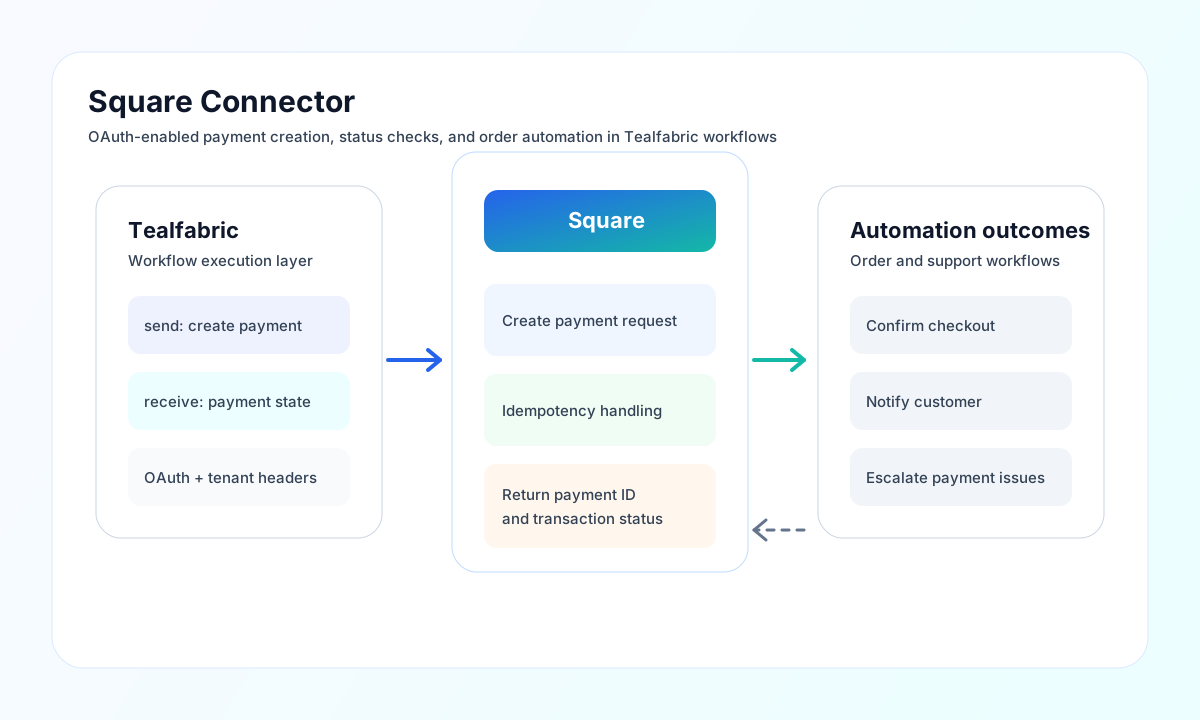
Configure OAuth credentials and environment
Set client_id, client_secret, and redirect_uri from your Square developer application, then complete the OAuth flow to obtain access_token and refresh_token. Keep scopes minimal and aligned with your workflow requirements, such as payment and order read or write access.
Use environment to separate sandbox testing from production traffic, and set timeout_seconds to match your expected API response times. Run test before enabling live workflows so credential and environment mismatches are caught early.
The test operation validates client_id, client_secret, and redirect_uri in addition to checking the access token. Other operations (send, receive, sync, batch) require only a valid access_token.
Create a payment with send
Use send for create or update operations, including payment creation. Always provide a unique idempotency_key for payment requests so retried calls do not create duplicate charges.
const baseUrl = "https://api.example.com/api/v1";
const tenantId = "<TENANT_ID>";
const apiKey = "<API_KEY>";

async function createSquarePayment(integrationId: string) {
  const response = await fetch(`${baseUrl}/integrations/${encodeURIComponent(integrationId)}/execute`, {
    method: "POST",
    headers: {
      "X-API-Key": apiKey,
      "X-Tenant-ID": tenantId,
      "Content-Type": "application/json",
    },
    body: JSON.stringify({
      operation: "send",
      endpoint: "v2/payments",
      method: "POST",
      data: {
        source_id: "cnon:card-nonce-ok",
        idempotency_key: "ord-100045-pay-01",
        amount_money: {
          amount: 2599,
          currency: "USD"
        },
        location_id: "<ENTITY_ID>"
      }
    }),
  });
  if (!response.ok) throw new Error(`Request failed: ${response.status}`);
  return response.json();
}
curl -X POST "https://api.example.com/api/v1/integrations/<ENTITY_ID>/execute" \
-H "X-API-Key: <API_KEY>" \
-H "X-Tenant-ID: <TENANT_ID>" \
-H "Content-Type: application/json" \
-d '{
"operation": "send",
"endpoint": "v2/payments",
"method": "POST",
"data": {
"source_id": "cnon:card-nonce-ok",
"idempotency_key": "ord-100045-pay-01",
"amount_money": {
"amount": 2599,
"currency": "USD"
},
"location_id": "<ENTITY_ID>"
}
}'
{
  "success": true,
  "data": {
    "message_count": 1,
    "data": {
      "payment": {
        "id": "<ENTITY_ID>",
        "status": "COMPLETED",
        "amount_money": {
          "amount": 2599,
          "currency": "USD"
        }
      }
    },
    "response": {
      "payment": {
        "id": "<ENTITY_ID>",
        "status": "COMPLETED",
        "amount_money": {
          "amount": 2599,
          "currency": "USD"
        }
      }
    }
  }
}
Read transaction state with receive
Use receive for list and detail queries, such as checking recent payments, reconciling order status, or validating settlement outcomes. List responses are normalized from objects[], top-level JSON arrays, or single-resource payloads into the data array. For large result sets, paginate using API cursors so workflow steps remain predictable and performant.
Reliability and operational guidance
Most production issues come from expired OAuth tokens, missing scope permissions, and duplicate request retries without stable idempotency keys. Validate token freshness and scopes first, then verify that idempotency keys are unique per payment intent.
For stable payment automation, keep sandbox and production credentials separated, handle transient failures with backoff, and log payment IDs for audit trails. This gives you clearer reconciliation and safer incident recovery.