SAP Integration Suite Connector Guide
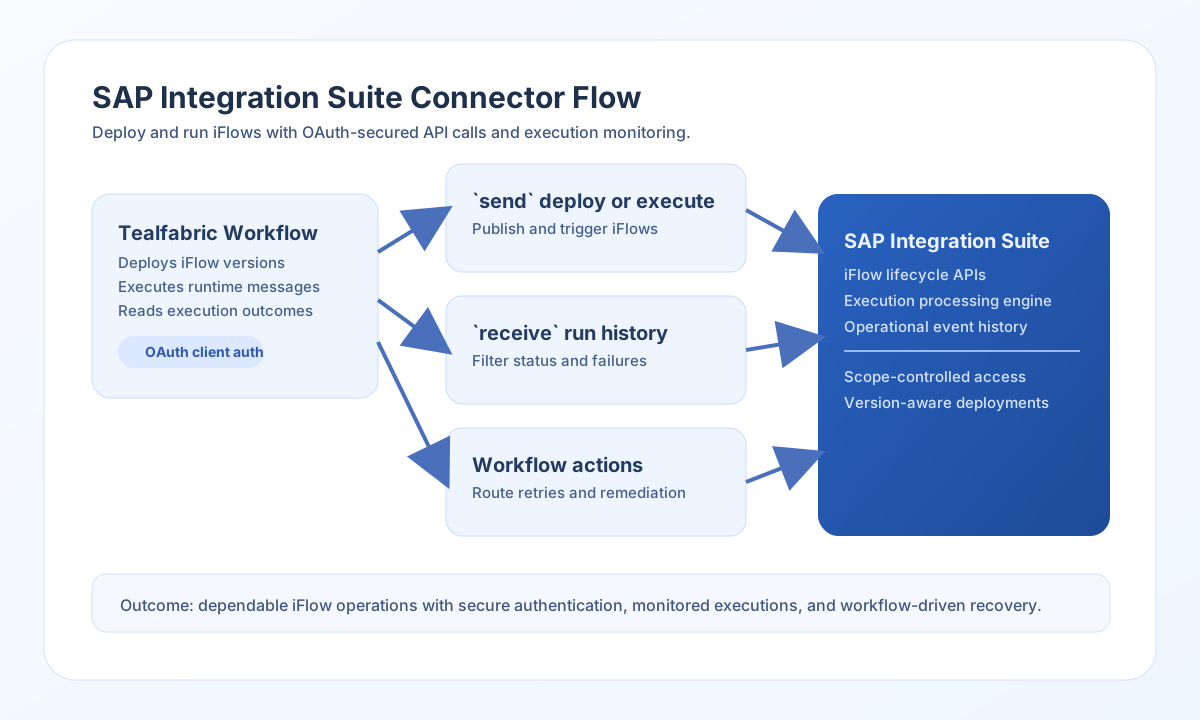
The SAP Integration Suite connector allows Tealfabric workflows to manage and run integration flows in SAP Cloud Integration (CPI). It is useful when you need to deploy iFlows, trigger message processing, and collect run history as part of operational automation.
Document information
| Field | Value |
|---|---|
| Canonical URL | /docs/04_connecting-systems/connectors/s/sap-integration-suite |
| Version (published date) | 2026-05-08 |
| Tags | connectors, reference, sap-integration-suite |
| Connector ID | sap-integration-suite-1.0.0 |
Configure OAuth access
Set base_url to your SAP Integration Suite tenant endpoint (for example https://your-tenant.it-cpitrial.cfapps.eu10.hana.ondemand.com) and configure client_id plus client_secret for an OAuth client with the required API scopes. This connector uses OAuth2 client credentials against {base_url}/oauth/token.
Use timeout_seconds for larger deployments or slower network conditions. Run test once to confirm the connector can obtain an access token and reach GET api/v1/IntegrationPackages. The test operation is the only operation that validates full connector configuration up front; other operations rely on the remote API and token endpoint when credentials are missing.
Deploy or execute iFlows with send
Use send for deployment and execution actions against paths relative to base_url. Provide endpoint (for example api/v1/IntegrationDesigntimeArtifacts) and optional method (default POST). When data is omitted, the full call payload (excluding worker-injected config keys) is sent as the JSON body; when data is present, only that value is sent. JSON bodies are attached only for POST/PUT/PATCH when the body is non-empty per legacy PHP !empty($body) semantics.
const baseUrl = "https://api.example.com/api/v1";
const tenantId = "<TENANT_ID>";
const apiKey = "<API_KEY>";

async function deployIflow(integrationId: string) {
  const response = await fetch(`${baseUrl}/integrations/${encodeURIComponent(integrationId)}/execute`, {
    method: "POST",
    headers: {
      "X-API-Key": apiKey,
      "X-Tenant-ID": tenantId,
      "Content-Type": "application/json",
    },
    body: JSON.stringify({
      operation: "send",
      endpoint: "api/v1/IntegrationDesigntimeArtifacts",
      method: "POST",
      data: {
        Name: "CustomerSyncFlow",
        PackageId: "CustomerIntegration"
      }
    }),
  });
  if (!response.ok) throw new Error(`Request failed: ${response.status}`);
  return response.json();
}
curl -X POST "https://api.example.com/api/v1/integrations/<ENTITY_ID>/execute" \
-H "X-API-Key: <API_KEY>" \
-H "X-Tenant-ID: <TENANT_ID>" \
-H "Content-Type: application/json" \
-d '{
"operation": "send",
"endpoint": "api/v1/IntegrationDesigntimeArtifacts",
"method": "POST",
"data": {
"Name": "CustomerSyncFlow",
"PackageId": "CustomerIntegration"
}
}'
{
  "success": true,
  "data": {
    "message": "SAP CPI operation completed successfully",
    "result": {
      "d": {
        "Name": "CustomerSyncFlow"
      }
    }
  },
  "metadata": {
    "processing_time_ms": 842
  }
}
Retrieve flow state and run history with receive
Use receive to GET CPI resources. Provide endpoint and optional query as a flat object (encoded with PHP http_build_query semantics) or as a raw query string. List results are normalized from OData-style d.results when present; otherwise the connector wraps the payload in items and sets flow_count.
const baseUrl = "https://api.example.com/api/v1";
const tenantId = "<TENANT_ID>";
const apiKey = "<API_KEY>";

async function listIntegrationPackages(integrationId: string) {
  const response = await fetch(`${baseUrl}/integrations/${encodeURIComponent(integrationId)}/execute`, {
    method: "POST",
    headers: {
      "X-API-Key": apiKey,
      "X-Tenant-ID": tenantId,
      "Content-Type": "application/json",
    },
    body: JSON.stringify({
      operation: "receive",
      endpoint: "api/v1/IntegrationPackages",
      query: {
        "$top": 25
      }
    }),
  });
  if (!response.ok) throw new Error(`Request failed: ${response.status}`);
  return response.json();
}
curl -X POST "https://api.example.com/api/v1/integrations/<ENTITY_ID>/execute" \
-H "X-API-Key: <API_KEY>" \
-H "X-Tenant-ID: <TENANT_ID>" \
-H "Content-Type: application/json" \
-d '{
"operation": "receive",
"endpoint": "api/v1/IntegrationPackages",
"query": { "$top": 25 }
}'
{
  "success": true,
  "data": {
    "message": "SAP CPI data retrieved successfully",
    "flow_count": 3,
    "items": [
      { "Id": "CustomerIntegration", "Name": "Customer Integration" }
    ]
  },
  "metadata": {
    "processing_time_ms": 512
  }
}
Arbitrary CPI API calls with execute
Use execute when you need full control over HTTP method and body. The body is taken from body, then data, then defaults to [] (legacy body ?? data ?? []). Endpoint validation uses the execute-specific error message when endpoint is missing.
{
  "operation": "execute",
  "endpoint": "api/v1/MessageProcessingLogs",
  "method": "GET"
}
Test connection with test
The test operation validates configuration (base_url, client_id, client_secret), obtains an OAuth token, and calls GET api/v1/IntegrationPackages. On configuration failure the connector returns Configuration validation failed (legacy testConnection semantics).
{
  "success": true,
  "data": {
    "message": "SAP CPI connection test successful",
    "details": {
      "base_url": "https://your-tenant.it-cpitrial.cfapps.eu10.hana.ondemand.com",
      "packages_found": 5
    }
  },
  "metadata": {
    "processing_time_ms": 1204
  }
}
Reliability guidance
Most connector issues are caused by missing OAuth scopes, invalid flow identifiers, or deployment artifact validation errors. Validate scopes and flow IDs before deploying automation to production environments.
For better runtime stability, monitor execution history, add retry logic for 429 and transient 5xx responses, and use versioned deployment patterns for iFlows. This improves recoverability while reducing rollout risk.