SendGrid Connector Guide
The SendGrid connector lets Tealfabric workflows send transactional email and retrieve delivery-related resources through the SendGrid API. It is commonly used for user notifications, lifecycle messaging, and status-aware communication workflows.
Document information
| Field | Value |
|---|---|
| Canonical URL | /docs/04_connecting-systems/connectors/s/sendgrid |
| Version (published date) | 2026-05-08 |
| Tags | connectors, reference, sendgrid |
| Connector ID | sendgrid-1.0.0 |
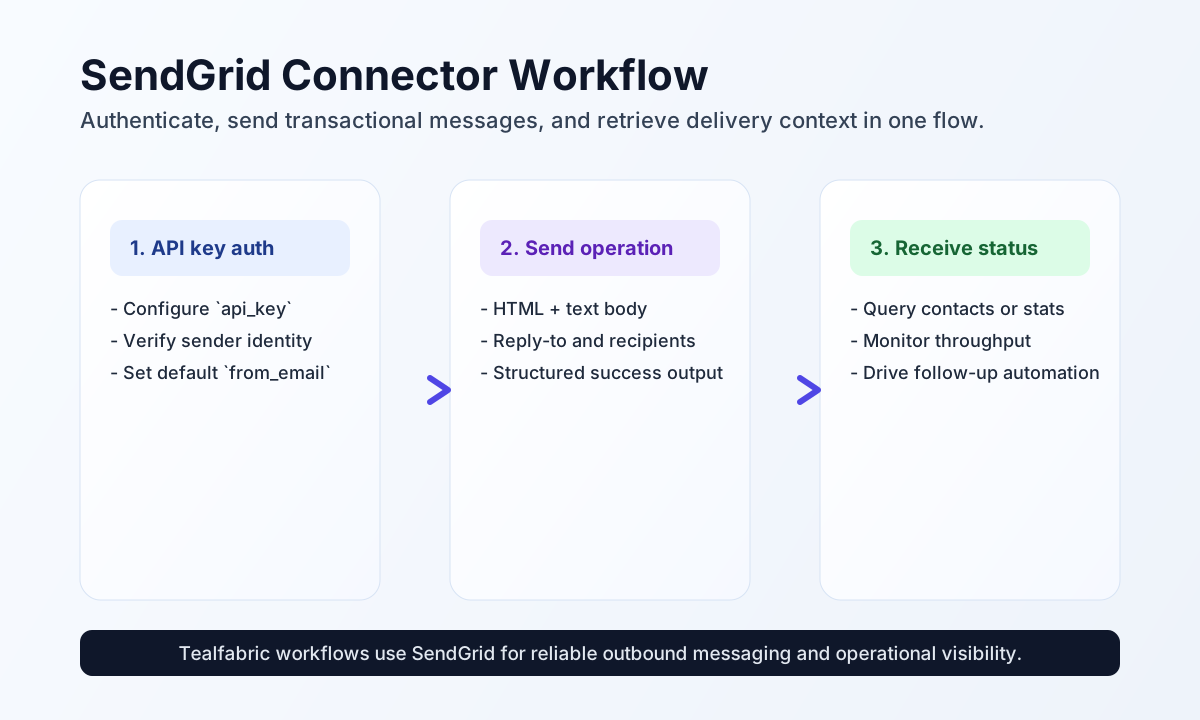
Configure sender and API access
Configure the connector with your SendGrid API key and verified sender address so workflows can send email safely and consistently. This centralizes authentication and sender identity outside individual step payloads.
Required settings are api_key and from_email. Optional settings include from_name, base_url, and timeout_seconds. Verify sender identity in SendGrid before production sends to avoid authorization failures.
Send transactional email with send
Use send when workflows need to deliver operational, transactional, or lifecycle notifications. Include both HTML and text content when possible for client compatibility.
const baseUrl = "https://api.example.com/api/v1";
const tenantId = "<TENANT_ID>";
const apiKey = "<API_KEY>";

async function sendWelcomeEmail(integrationId: string) {
  const response = await fetch(`${baseUrl}/integrations/${encodeURIComponent(integrationId)}/execute`, {
    method: "POST",
    headers: {
      "X-API-Key": apiKey,
      "X-Tenant-ID": tenantId,
      "Content-Type": "application/json",
    },
    body: JSON.stringify({
      operation: "send",
      to: "recipient@example.com",
      subject: "Welcome to Tealfabric",
      html: "<h1>Welcome</h1><p>Your account is ready to use.</p>",
      text: "Welcome. Your account is ready to use.",
      reply_to: "support@example.com"
    }),
  });
  if (!response.ok) throw new Error(`Request failed: ${response.status}`);
  return response.json();
}
curl -X POST "https://api.example.com/api/v1/integrations/<ENTITY_ID>/execute" \
-H "X-API-Key: <API_KEY>" \
-H "X-Tenant-ID: <TENANT_ID>" \
-H "Content-Type: application/json" \
-d '{
"operation": "send",
"to": "recipient@example.com",
"subject": "Welcome to Tealfabric",
"html": "<h1>Welcome</h1><p>Your account is ready to use.</p>",
"text": "Welcome. Your account is ready to use.",
"reply_to": "support@example.com"
}'
{
  "success": true,
  "data": {
    "success": true,
    "message_count": 1,
    "data": {},
    "response": {}
  }
}
Retrieve SendGrid resources with receive
Use receive to access resource endpoints such as contacts or stats for delivery monitoring and reporting workflows. Keep endpoint and query parameters explicit to avoid ambiguous API calls.
const baseUrl = "https://api.example.com/api/v1";
const tenantId = "<TENANT_ID>";
const apiKey = "<API_KEY>";

async function getContacts(integrationId: string) {
  const response = await fetch(`${baseUrl}/integrations/${encodeURIComponent(integrationId)}/execute`, {
    method: "POST",
    headers: {
      "X-API-Key": apiKey,
      "X-Tenant-ID": tenantId,
      "Content-Type": "application/json",
    },
    body: JSON.stringify({
      operation: "receive",
      endpoint: "marketing/contacts",
      query: {
        page_size: 20
      }
    }),
  });
  if (!response.ok) throw new Error(`Request failed: ${response.status}`);
  return response.json();
}
curl -X POST "https://api.example.com/api/v1/integrations/<ENTITY_ID>/execute" \
-H "X-API-Key: <API_KEY>" \
-H "X-Tenant-ID: <TENANT_ID>" \
-H "Content-Type: application/json" \
-d '{
"operation": "receive",
"endpoint": "marketing/contacts",
"query": {
"page_size": 20
}
}'
{
  "success": true,
  "data": {
    "message_count": 1,
    "data": [
      {
        "email": "recipient@example.com",
        "first_name": "Avery"
      }
    ],
    "total_size": 1
  }
}
Reliability guidance
Most failures come from invalid API keys, unverified sender identity, and rate-limit pressure during bursts. If operations fail, validate API key scope first, then confirm sender verification, and finally add pacing and retries for throttled responses.
For consistent deliverability, include plain-text fallbacks, monitor API responses, and keep batch volume controlled. These practices reduce rejection risk and improve campaign reliability for automated workflows.