SAP BTP Connector Guide
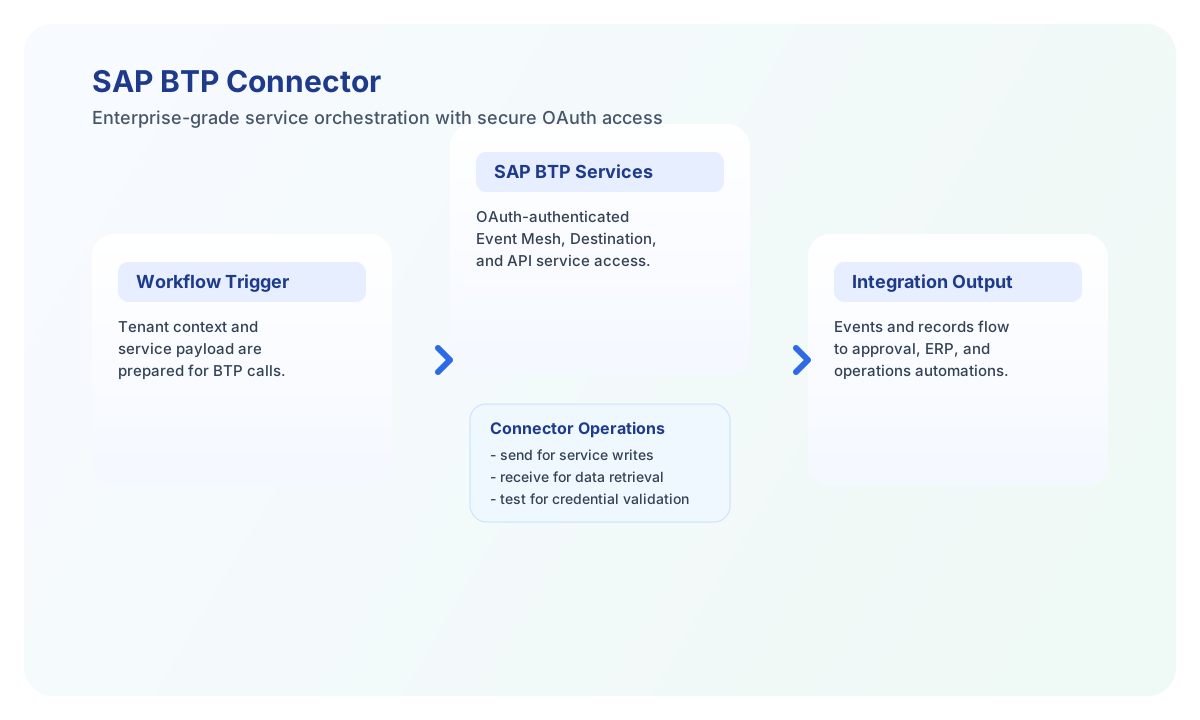
The SAP BTP connector lets Tealfabric workflows send and receive data through SAP Business Technology Platform services such as Event Mesh, Destination, and API Management. It is designed for enterprise integrations where secure OAuth-based access and controlled service operations are required.
Document information
| Field | Value |
|---|---|
| Canonical URL | /docs/04_connecting-systems/connectors/s/sap-btp |
| Version (published date) | 2026-05-08 |
| Tags | connectors, reference, sap-btp |
| Connector ID | sap-btp-1.0.0 |
Configure SAP BTP authentication
Set base_url to your SAP BTP API endpoint, and provide client_id, client_secret, and tenant_id from the service instance credentials in SAP BTP Cockpit. The connector uses OAuth2 Client Credentials and manages access token refresh during execution.
Use timeout_seconds for slower service operations, especially when workflows trigger external integrations or process larger payloads. Before production rollout, run test to confirm tenant and credential access.
Send data to SAP BTP services with send
Use send to publish events to Event Mesh or call write-oriented APIs in Destination or API Management contexts. Keep payloads explicit and service-aligned so troubleshooting remains clear across teams.
const baseUrl = "https://api.example.com/api/v1";
const tenantId = "<TENANT_ID>";
const apiKey = "<API_KEY>";

async function publishBtpEvent(integrationId: string) {
  const response = await fetch(`${baseUrl}/integrations/${encodeURIComponent(integrationId)}/execute`, {
    method: "POST",
    headers: {
      "X-API-Key": apiKey,
      "X-Tenant-ID": tenantId,
      "Content-Type": "application/json",
    },
    body: JSON.stringify({
      operation: "send",
      service: "EventMesh",
      event_type: "BusinessEvent",
      event_data: {
        eventType: "com.sap.business.order.updated",
        eventVersion: "1.0",
        data: {
          orderId: "ORD-10027",
          status: "Completed"
        }
      }
    }),
  });
  if (!response.ok) throw new Error(`Request failed: ${response.status}`);
  return response.json();
}
curl -X POST "https://api.example.com/api/v1/integrations/<ENTITY_ID>/execute" \
-H "X-API-Key: <API_KEY>" \
-H "X-Tenant-ID: <TENANT_ID>" \
-H "Content-Type: application/json" \
-d '{
"operation": "send",
"service": "EventMesh",
"event_type": "BusinessEvent",
"event_data": {
"eventType": "com.sap.business.order.updated",
"eventVersion": "1.0",
"data": {
"orderId": "ORD-10027",
"status": "Completed"
}
}
}'
{
  "success": true,
  "message": "BTP operation completed successfully",
  "event_id": "EVT-9081"
}
Retrieve service data with receive
Use receive to pull events, destinations, or API-managed data from SAP BTP services. Add filters and limits to keep workflow runs efficient and make monitoring easier.
const baseUrl = "https://api.example.com/api/v1";
const tenantId = "<TENANT_ID>";
const apiKey = "<API_KEY>";

async function fetchDestinations(integrationId: string) {
  const response = await fetch(`${baseUrl}/integrations/${encodeURIComponent(integrationId)}/execute`, {
    method: "POST",
    headers: {
      "X-API-Key": apiKey,
      "X-Tenant-ID": tenantId,
      "Content-Type": "application/json",
    },
    body: JSON.stringify({
      operation: "receive",
      service: "Destination",
      destination_name: "ERP_BACKEND",
      top: 25
    }),
  });
  if (!response.ok) throw new Error(`Request failed: ${response.status}`);
  return response.json();
}
curl -X POST "https://api.example.com/api/v1/integrations/<ENTITY_ID>/execute" \
-H "X-API-Key: <API_KEY>" \
-H "X-Tenant-ID: <TENANT_ID>" \
-H "Content-Type: application/json" \
-d '{
"operation": "receive",
"service": "Destination",
"destination_name": "ERP_BACKEND",
"top": 25
}'
{
  "success": true,
  "message": "BTP data retrieved successfully",
  "record_count": 1,
  "destinations": [
    {
      "name": "ERP_BACKEND",
      "type": "HTTP",
      "url": "https://erp.example.com/api"
    }
  ]
}
Reliability and operational guidance
Most production issues involve invalid OAuth credentials, missing service permissions, or API throttling (429). Validate service bindings in SAP BTP, keep permissions scoped to required operations, and monitor token and secret lifecycles.
For resilient workflows, implement retry with exponential backoff for transient failures and check connector success values before running dependent steps. This keeps enterprise process chains stable when SAP-side services are busy.