Snowflake Connector Guide
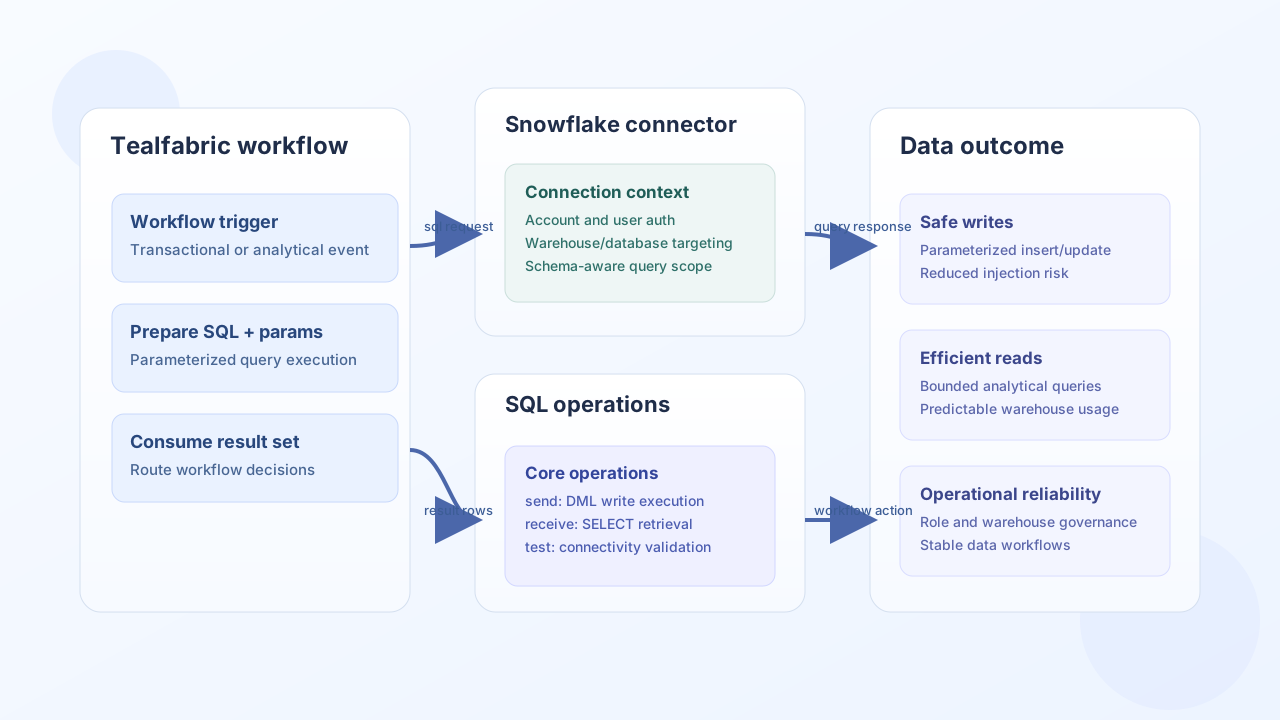
The Snowflake connector lets Tealfabric workflows execute SQL statements against Snowflake warehouses through the Snowflake SQL API. It is useful when workflows need to insert transactional data and query curated datasets in one controlled integration.
Document information
| Field | Value |
|---|---|
| Canonical URL | /docs/04_connecting-systems/connectors/s/snowflake |
| Version (published date) | 2026-06-17 |
| Tags | connectors, reference, snowflake |
| Connector ID | snowflake-1.0.0 |
Configuration and authentication
Configure Snowflake account access with a service user scoped to the required warehouse, database, and schema. The connector authenticates to https://{account}.snowflakecomputing.com/api/v2/statements with HTTP Basic credentials derived from username and password.
account(required): Snowflake account identifier (for examplexy12345.us-east-1).username(required): Snowflake user name.password(required): Snowflake password.warehouse(required): Compute warehouse name.database(required): Database name.schema(optional): Defaults toPUBLIC.timeout_seconds(optional): Request timeout in seconds (default30).
Only test performs full configuration validation and returns the generic Configuration validation failed message when required parameters are missing. Other operations load configuration and rely on Snowflake SQL API responses when parameters are incomplete.
Operation reference
send: execute DML/DDL viaPOST /api/v2/statements; returnsmessage_countandrows_affected.receive: execute row-returning SQL; SQL API array rows are mapped to objects usingresultSetMetaData.rowTypecolumn names.sync: optional outboundsendand/or inboundreceive; nested results use legacy flat operation payloads.batch: run multiple statements insideBEGIN/COMMIT(orROLLBACKon partial failure).test: validate configuration and probeCURRENT_ACCOUNT(),CURRENT_DATABASE(),CURRENT_SCHEMA(), andCURRENT_USER().
Positional params/parameters arrays are converted to Snowflake SQL API bindings (1, 2, … with type/value). Pre-built binding objects are passed through unchanged.
Write data with send
Use send for INSERT, UPDATE, and DELETE statements. Always use parameterized SQL (? placeholders) to reduce injection risk and improve query stability.
curl -X POST "https://api.example.com/api/v1/integrations/<INTEGRATION_ID>/execute" \
  -H "X-API-Key: <API_KEY>" \
  -H "X-Tenant-ID: <TENANT_ID>" \
  -H "Content-Type: application/json" \
  -d '{
    "operation": "send",
    "query": "INSERT INTO orders (order_id, customer_id, total_amount) VALUES (?, ?, ?)",
    "params": ["ord-1001", "cust-42", 129.5]
  }'
{
  "success": true,
  "data": {
    "message_count": 1,
    "rows_affected": 1
  }
}
Read data with receive
Use receive for SELECT queries that feed reporting or downstream workflow decisions. Keep result sets bounded with selective predicates and limits to avoid unnecessary warehouse load.
curl -X POST "https://api.example.com/api/v1/integrations/<INTEGRATION_ID>/execute" \
  -H "X-API-Key: <API_KEY>" \
  -H "X-Tenant-ID: <TENANT_ID>" \
  -H "Content-Type: application/json" \
  -d '{
    "operation": "receive",
    "query": "SELECT order_id, customer_id, total_amount FROM orders WHERE total_amount > ? ORDER BY created_at DESC LIMIT 10",
    "params": [100]
  }'
{
  "success": true,
  "data": {
    "message_count": 2,
    "total_size": 2,
    "data": [
      {"ORDER_ID": "ord-1001", "CUSTOMER_ID": "cust-42", "TOTAL_AMOUNT": "129.5"},
      {"ORDER_ID": "ord-1002", "CUSTOMER_ID": "cust-77", "TOTAL_AMOUNT": "244.9"}
    ]
  }
}
Test connectivity with test
curl -X POST "https://api.example.com/api/v1/integrations/<INTEGRATION_ID>/execute" \
  -H "X-API-Key: <API_KEY>" \
  -H "X-Tenant-ID: <TENANT_ID>" \
  -H "Content-Type: application/json" \
  -d '{
    "operation": "test"
  }'
{
  "success": true,
  "data": {
    "message": "Snowflake connection test successful",
    "details": {
      "account": "XY12345",
      "database": "ANALYTICS",
      "schema": "PUBLIC",
      "user": "SVC_TEALFABRIC"
    }
  }
}
Reliability guidance
Most production Snowflake issues come from warehouse availability, role permission drift, and unbounded query patterns. Use least-privilege roles, parameterized SQL, and explicit limits on large reads. These practices reduce both failure rates and warehouse spend while keeping workflows predictable.