Google Workspace Admin Directory Connector Guide
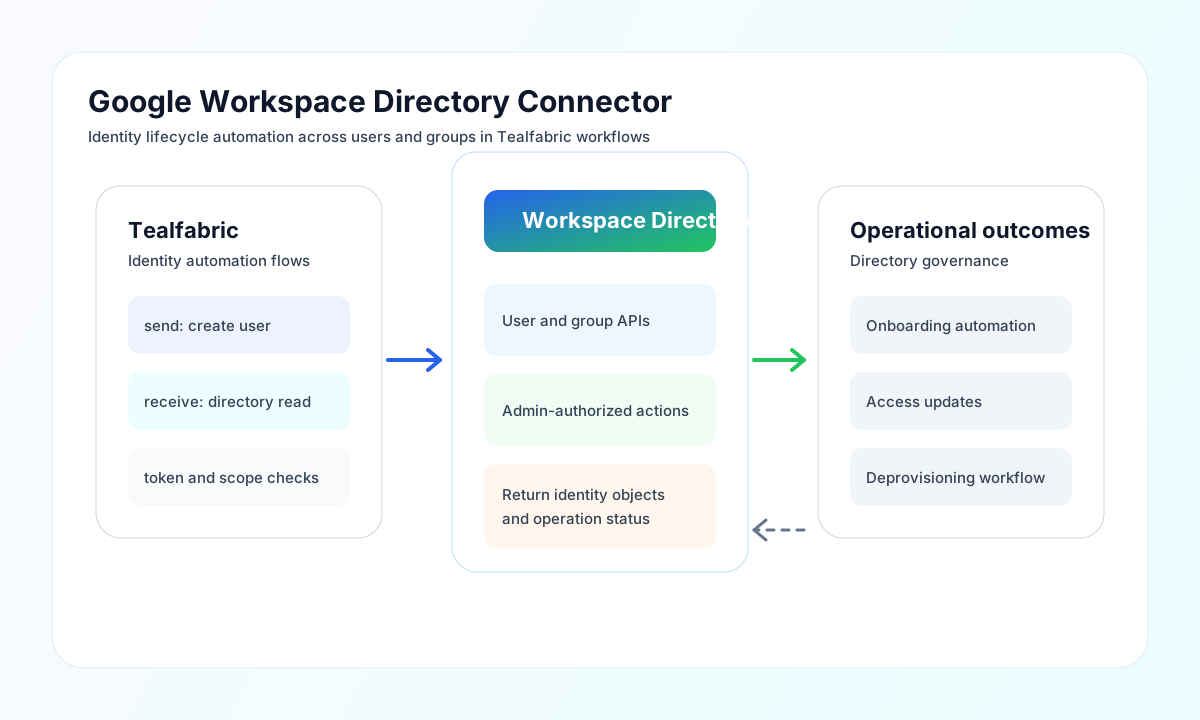
The Google Workspace Directory connector lets Tealfabric workflows manage users and groups through the Admin SDK Directory API. It is useful for identity lifecycle automation, onboarding and offboarding workflows, and directory synchronization between systems.
Document information
| Field | Value |
|---|---|
| Canonical URL | /docs/04_connecting-systems/connectors/g/google-workspace-directory |
| Version (published date) | 2026-05-08 |
| Tags | connectors, reference, google-workspace-directory |
| Connector ID | google-workspace-directory-1.0.0 |
Configure OAuth credentials and admin access
Set client_id and client_secret from your Google Cloud OAuth setup, then provide either access_token or refresh_token for authenticated calls. Keep the configured admin principal scoped to the minimum permissions required for the user and group operations in your workflow.
Optionally configure redirect_uri, scope, and timeout_seconds based on your OAuth and runtime requirements. Run test after setup to confirm the connector can authenticate and reach Directory API endpoints.
Create directory users with send
Use send to create or update users and groups by providing a Directory API endpoint and request payload. Keep endpoint and field naming consistent with Google Admin SDK schema so automations are easier to maintain.
const baseUrl = "https://api.example.com/api/v1";
const tenantId = "<TENANT_ID>";
const apiKey = "<API_KEY>";

async function createWorkspaceUser(integrationId: string) {
  const response = await fetch(`${baseUrl}/integrations/${encodeURIComponent(integrationId)}/execute`, {
    method: "POST",
    headers: {
      "X-API-Key": apiKey,
      "X-Tenant-ID": tenantId,
      "Content-Type": "application/json",
    },
    body: JSON.stringify({
      operation: "send",
      endpoint: "users",
      method: "POST",
      data: {
        primaryEmail: "new.user@mycompany.com",
        name: {
          givenName: "New",
          familyName: "User"
        },
        password: "TempPassw0rd!"
      }
    }),
  });
  if (!response.ok) throw new Error(`Request failed: ${response.status}`);
  return response.json();
}
curl -X POST "https://api.example.com/api/v1/integrations/<ENTITY_ID>/execute" \
-H "X-API-Key: <API_KEY>" \
-H "X-Tenant-ID: <TENANT_ID>" \
-H "Content-Type: application/json" \
-d '{
"operation": "send",
"endpoint": "users",
"method": "POST",
"data": {
"primaryEmail": "new.user@mycompany.com",
"name": {
"givenName": "New",
"familyName": "User"
},
"password": "TempPassw0rd!"
}
}'
{
  "success": true,
  "data": {
    "id": "<ENTITY_ID>",
    "primaryEmail": "new.user@mycompany.com"
  }
}
Retrieve directory data with receive
Use receive to list users, fetch a single user, or query group resources using path-based endpoints and query parameters. Use focused filters and pagination settings to keep results manageable for downstream processing.
Reliability and admin governance guidance
Common failures include insufficient admin rights, expired tokens, incorrect endpoint paths, and domain mismatches in user identifiers. Validate OAuth token state and admin role permissions first, then verify path and query values.
For robust identity workflows, log directory object IDs, apply retry-with-backoff for transient API errors, and keep provisioning and deprovisioning operations idempotent. This reduces operational drift and improves auditability.