Gmail IMAP Extensions Connector Guide
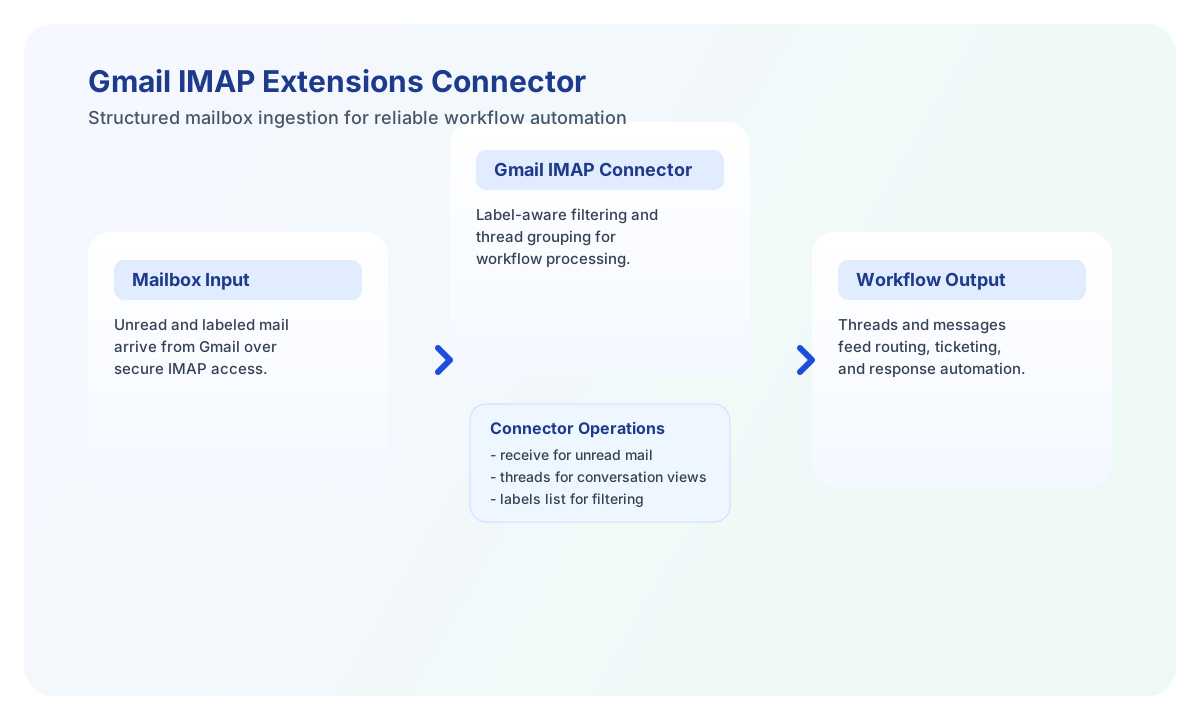
The Gmail IMAP Extensions connector lets Tealfabric workflows read Gmail messages with Gmail-aware IMAP behaviors such as label filters and X-GM-* metadata. It is useful for support automation, mailbox monitoring, and message-driven operations that depend on unread or labeled email flows.
Document information
| Field | Value |
|---|---|
| Canonical URL | /docs/04_connecting-systems/connectors/g/gmail-imap-extensions |
| Version (published date) | 2026-05-08 |
| Tags | connectors, reference, gmail-imap-extensions |
| Connector ID | gmail-imap-extensions-1.0.0 |
Configure Gmail IMAP access
Set username to the Gmail address and password to a Google App Password, not the account login password. Gmail IMAP access requires two-step verification and an app password for secure non-browser authentication.
Use optional settings like mailbox, timeout_seconds, and custom imap_host or imap_port only when you need non-default behavior. The backend-next runtime uses ImapFlow and mailparser (not the legacy ext-imap extension). Run test before production workflows to validate connectivity and label listing.
Test connectivity with test
Use test to confirm IMAP authentication, mailbox access, and Gmail label discovery. Successful responses include mailbox message counts and how many non-INBOX label paths were listed.
{
  "success": true,
  "data": {
    "message": "Gmail IMAP Extensions connection test successful",
    "details": {
      "host": "imap.gmail.com",
      "port": 993,
      "username": "ops@example.com",
      "message_count": 1284,
      "labels_count": 12
    }
  },
  "metadata": {
    "processing_time_ms": 842
  }
}
Retrieve messages with receive
Use receive to fetch messages matching search_criteria and optional label filters. Results follow legacy imap_search UID order (oldest matches first, up to limit). Set include_body to false when you only need headers and Gmail metadata.
const baseUrl = "https://api.example.com/api/v1";
const tenantId = "<TENANT_ID>";
const apiKey = "<API_KEY>";

async function readUnreadSupportMail(integrationId: string) {
  const response = await fetch(`${baseUrl}/integrations/${encodeURIComponent(integrationId)}/execute`, {
    method: "POST",
    headers: {
      "X-API-Key": apiKey,
      "X-Tenant-ID": tenantId,
      "Content-Type": "application/json",
    },
    body: JSON.stringify({
      operation: "receive",
      search_criteria: "UNSEEN",
      label: "Support",
      limit: 20,
      include_body: true
    }),
  });
  if (!response.ok) throw new Error(`Request failed: ${response.status}`);
  return response.json();
}
curl -X POST "https://api.example.com/api/v1/integrations/<ENTITY_ID>/execute" \
-H "X-API-Key: <API_KEY>" \
-H "X-Tenant-ID: <TENANT_ID>" \
-H "Content-Type: application/json" \
-d '{
"operation": "receive",
"search_criteria": "UNSEEN",
"label": "Support",
"limit": 20,
"include_body": true
}'
{
  "success": true,
  "data": {
    "message_count": 2,
    "emails": [
      {
        "uid": "8021",
        "message_number": 42,
        "subject": "Need access reset",
        "from": [{ "name": "Customer", "email": "customer@example.com" }],
        "to": [{ "name": "", "email": "ops@example.com" }],
        "labels": ["Support"],
        "thread_id": "18f2a1b2c3d4e5f6",
        "gmail_message_id": "18f2a1b2c3d4e5f6",
        "flags": ["Unseen"]
      }
    ]
  },
  "metadata": {
    "processing_time_ms": 1204
  }
}
Poll unread mail with sync
sync is the same as receive, but defaults search_criteria to UNSEEN when that key is omitted from call data. An explicitly empty search_criteria string is preserved and is not coerced to UNSEEN.
List labels with labels
Use labels with action: "list" (default) to return Gmail label mailbox paths. Label add/remove validates uids and labels, then returns a not-implemented error matching the legacy connector.
{
  "success": true,
  "data": {
    "labels": ["Support", "Billing"],
    "count": 2
  }
}
Group conversations with threads
Use threads when workflows need conversation-level processing. The legacy connector's getMessageThreadId stub always returns null, so both legacy and backend-next currently return an empty threads array with message_count: 0. The limit callData field is accepted for parity.
{
  "success": true,
  "data": {
    "message_count": 0,
    "threads": []
  }
}
Limitations and reliability guidance
The labels operation currently supports listing labels, while label add and remove flows are not fully implemented in this connector. When include_body is true, the connector returns RFC822 source via ImapFlow and parsed body_text/body_html via mailparser, rather than legacy imap_body() text extraction. Each of body, body_text, body_html, and attachments[].data that exceeds MAIL_BODY_INLINE_MAX_BYTES (default 51200 UTF-8 bytes) is written under .cache/mail-bodies/ and replaced with the matching *_path, *_bytes, and *_spooled fields. Use read_file on those paths for the full part; do not rely on reading the whole integration-results JSON.
Most failures come from invalid app-password setup, network timeouts, or Gmail rate limits. Use app passwords with two-step verification and tune connection settings (imap_host, imap_port, use_ssl, timeout_seconds) before high-frequency runs.