Gmail SMTP Sender Connector Guide
The Gmail SMTP Sender connector sends outbound email from Tealfabric workflows through Gmail SMTP. It is useful for transactional notifications, invoice delivery, status alerts, and other send-only email automation.
Document information
| Field | Value |
|---|---|
| Canonical URL | /docs/04_connecting-systems/connectors/g/gmail-smtp-sender |
| Version (published date) | 2026-05-08 |
| Tags | connectors, reference, gmail-smtp-sender |
| Connector ID | gmail-smtp-sender-1.0.0 |
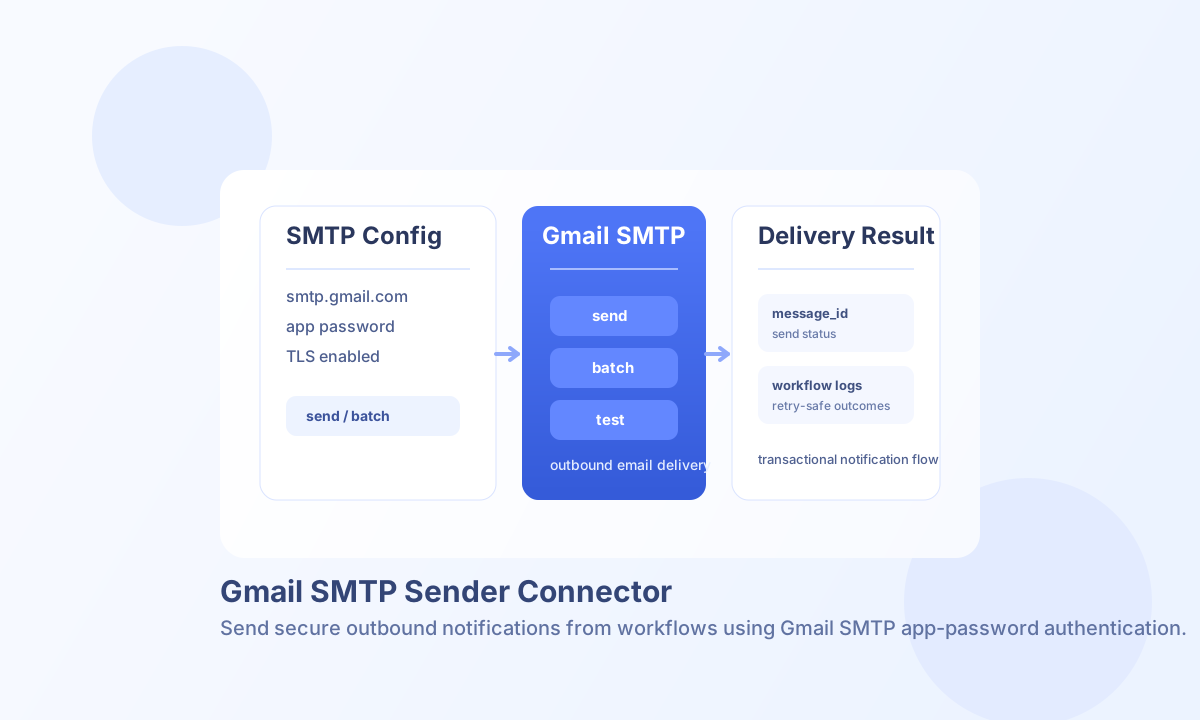
Configure SMTP credentials
Set smtp_host to smtp.gmail.com, smtp_port to 587, and enable TLS so credentials and message data are encrypted in transit. Use the Gmail account in username and store a Google App Password in password instead of a regular account password.
Set from_email as the default sender identity, then optionally add from_name, use_tls, and timeout_seconds for sender branding and delivery control. Run the connector test operation before moving to production schedules.
Send a single message with send
Use send to deliver a single outbound email with plain text or HTML content. You can include cc, bcc, reply_to, and sender overrides when each message needs custom routing.
const baseUrl = "https://api.example.com/api/v1";
const tenantId = "<TENANT_ID>";
const apiKey = "<API_KEY>";

async function sendOrderEmail(integrationId: string) {
  const response = await fetch(`${baseUrl}/integrations/${encodeURIComponent(integrationId)}/execute`, {
    method: "POST",
    headers: {
      "X-API-Key": apiKey,
      "X-Tenant-ID": tenantId,
      "Content-Type": "application/json",
    },
    body: JSON.stringify({
      operation: "send",
      to: "customer@example.com",
      cc: ["billing@example.com"],
      subject: "Order received",
      body: "Thanks for your order. Your receipt is available in your account.",
      html_body: "<h1>Order received</h1><p>Thanks for your order.</p>",
      reply_to: "support@example.com"
    }),
  });
  if (!response.ok) throw new Error(`Request failed: ${response.status}`);
  return response.json();
}
curl -X POST "https://api.example.com/api/v1/integrations/<ENTITY_ID>/execute" \
-H "X-API-Key: <API_KEY>" \
-H "X-Tenant-ID: <TENANT_ID>" \
-H "Content-Type: application/json" \
-d '{
"operation": "send",
"to": "customer@example.com",
"cc": ["billing@example.com"],
"subject": "Order received",
"body": "Thanks for your order. Your receipt is available in your account.",
"html_body": "<h1>Order received</h1><p>Thanks for your order.</p>",
"reply_to": "support@example.com"
}'
{
  "success": true,
  "data": {
    "message_count": 1,
    "message_id": "gmail_smtp_..."
  },
  "metadata": {
    "processing_time_ms": 842
  }
}
Test SMTP connectivity with test
Use test to validate integration configuration and perform an SMTP handshake (EHLO, optional STARTTLS, AUTH LOGIN, QUIT) without sending a message. Configuration validation failures return Configuration validation failed, matching legacy testConnection() behavior.
{
  "success": true,
  "data": {
    "message": "Gmail SMTP connection test successful",
    "details": {
      "smtp_host": "smtp.gmail.com",
      "smtp_port": 587,
      "use_tls": true,
      "from_email": "you@gmail.com"
    }
  }
}
Send campaign-style batches with batch
Use batch when you need to send multiple outbound messages in one workflow step. Pass operations or items as an array of send payloads. The connector continues on per-item failure and returns aggregate successful_operations and message_count counters.
{
  "success": true,
  "data": {
    "message_count": 2,
    "total_operations": 2,
    "successful_operations": 2,
    "results": [
      {
        "index": 0,
        "success": true,
        "result": {
          "success": true,
          "message_count": 1,
          "message_id": "gmail_smtp_..."
        }
      }
    ]
  }
}
Operational notes and troubleshooting
This connector is send-only and does not support inbox retrieval operations such as receive or sync. If you need mailbox reads, use a Gmail inbox connector designed for message retrieval workflows.
Authentication errors usually indicate an invalid app password or Gmail account security mismatch, while connection errors typically indicate host, port, TLS, or firewall misconfiguration. To improve reliability, throttle large batches and retry transient failures with gradual backoff.