MLflow Tracking Connector Guide
The MLflow Tracking connector lets Tealfabric workflows create experiments and log metrics and parameters against MLflow runs on a tracking server. Use it to persist experiment metadata from training pipelines and feed run signals into downstream governance or deployment workflows.
Document information
| Field | Value |
|---|---|
| Canonical URL | /docs/04_connecting-systems/connectors/m/mlflow |
| Version (published date) | 2026-05-08 |
| Tags | connectors, reference, mlflow |
| Connector ID | mlflow-1.0.0 |
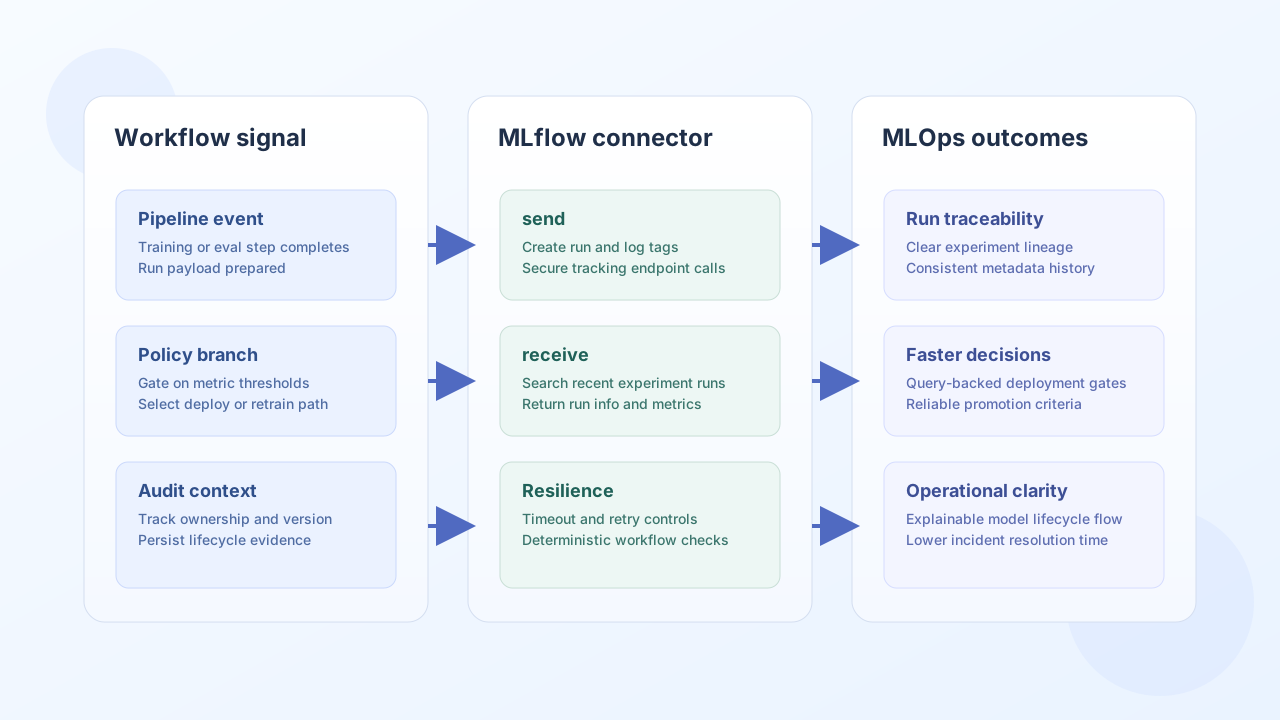
Configuration and connection setup
Configure the connector with your MLflow tracking server base URI. The connector does not send authentication headers; if your deployment requires auth, terminate TLS and auth at a gateway in front of the tracking server.
tracking_uri(required): base URI for the MLflow tracking server (for examplehttps://mlflow.example.com).timeout_seconds(optional): request timeout in seconds (default30).
Create an experiment with create_experiment
Use create_experiment to register a new experiment by name. The connector calls POST /api/2.0/mlflow/experiments/create and returns success with data.experiment_id and data.data (full MLflow response).
const baseUrl = "https://api.example.com/api/v1";
const tenantId = "<TENANT_ID>";
const apiKey = "<API_KEY>";

async function createMlflowExperiment(integrationId: string) {
  const response = await fetch(`${baseUrl}/integrations/${encodeURIComponent(integrationId)}/execute`, {
    method: "POST",
    headers: {
      "X-API-Key": apiKey,
      "X-Tenant-ID": tenantId,
      "Content-Type": "application/json",
    },
    body: JSON.stringify({
      operation: "create_experiment",
      name: "fraud-model-training",
    }),
  });
  if (!response.ok) throw new Error(`Request failed: ${response.status}`);
  return response.json();
}
curl -X POST "https://api.example.com/api/v1/integrations/<ENTITY_ID>/execute" \
-H "X-API-Key: <API_KEY>" \
-H "X-Tenant-ID: <TENANT_ID>" \
-H "Content-Type: application/json" \
-d '{
"operation": "create_experiment",
"name": "fraud-model-training"
}'
{
  "success": true,
  "data": {
    "experiment_id": "42",
    "data": {
      "experiment_id": "42"
    }
  }
}
Log run metrics and parameters
Use log_metric and log_param to append tracking metadata to an existing MLflow run. Both operations require run_id, key, and value. The connector sets timestamp automatically for log_metric.
{
  "operation": "log_metric",
  "run_id": "5e8d6f7b4f6c4a0c9f9d2a8f18b0aa11",
  "key": "f1_score",
  "value": 0.94
}
{
  "success": true,
  "data": {
    "data": {}
  }
}
{
  "operation": "log_param",
  "run_id": "5e8d6f7b4f6c4a0c9f9d2a8f18b0aa11",
  "key": "model_version",
  "value": "v3.2.1"
}
Validate connectivity with test
Run test to validate required integration configuration (tracking_uri) and probe GET /api/2.0/mlflow/experiments/search. On configuration failure the connector returns Configuration validation failed. Non-test operations do not perform upfront configuration validation; they attempt the MLflow API call directly.
{
  "success": true,
  "data": {
    "message": "MLflow connection test successful",
    "details": {
      "tracking_uri": "https://mlflow.example.com"
    }
  }
}
Reliability guidance
Most MLflow integration failures are caused by incorrect tracking_uri values, network timeouts on long-running logging bursts, or upstream HTTP errors from the tracking server. Validate connectivity with test first, check every operation response for success, and increase timeout_seconds when logging large batches of metrics.