Microsoft Exchange Web Services (EWS) Connector Guide
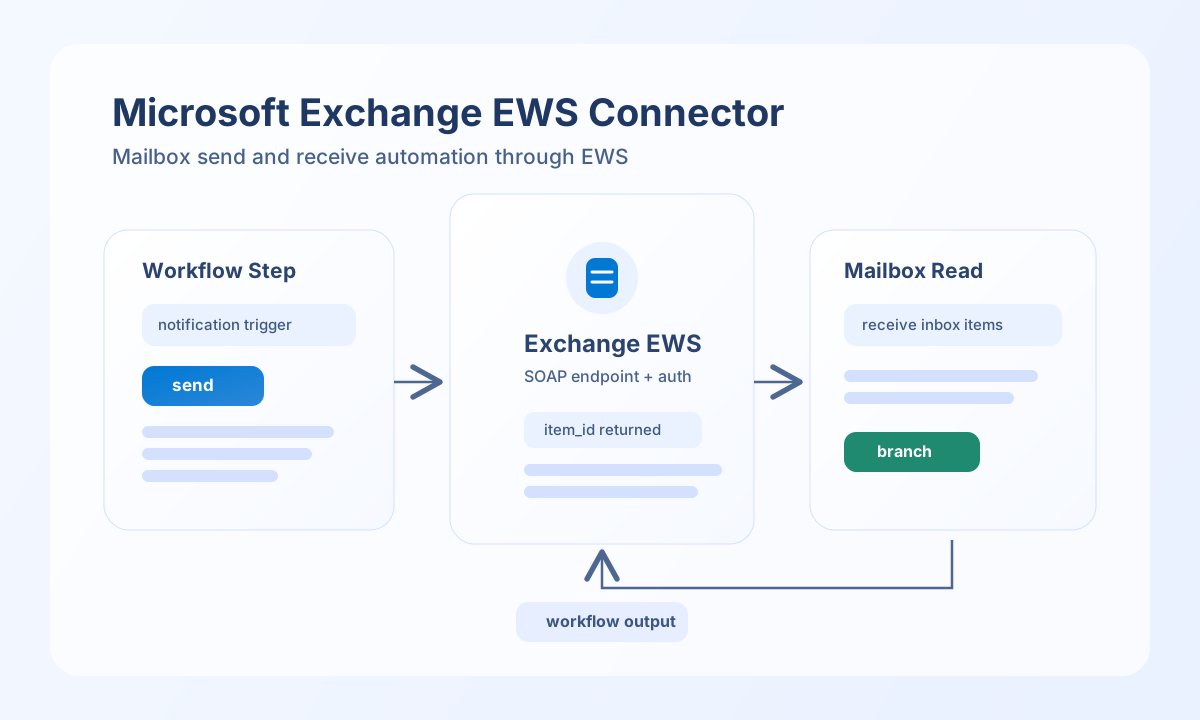
The Microsoft Exchange Web Services connector lets Tealfabric workflows send and retrieve Exchange mailbox data through EWS SOAP endpoints. It supports send, receive, sync, batch, and test operations aligned with the legacy PHP connector.
Document information
| Field | Value |
|---|---|
| Canonical URL | /docs/04_connecting-systems/connectors/m/microsoft-exchange-ews |
| Version (published date) | 2026-06-17 |
| Tags | connectors, reference, microsoft-exchange-ews |
| Connector ID | microsoft-exchange-ews-1.0.0 |
Configure EWS authentication
Set ews_url to your Exchange endpoint, for example https://outlook.office365.com/EWS/Exchange.asmx, and provide mailbox credentials through username and password. Choose auth_type based on your environment (basic or ntlm), and include domain when NTLM is required.
Set version to match your Exchange environment (Exchange2007_SP1, Exchange2010, Exchange2013, or Exchange2016) and tune timeout_seconds for larger SOAP responses. Run test before enabling production workflows so endpoint reachability and authentication behavior are confirmed early.
oauth2 is listed in configuration metadata but is not implemented in either the legacy or native connector; use Basic or NTLM for this connector version.
Send email with send
Only item_type email is implemented. Calendar, contact, and task types return validation errors matching legacy behavior.
Required callData fields: subject and to (alias recipients). Optional: body (alias message), body_type (default HTML).
const baseUrl = "https://api.example.com/api/v1";
const tenantId = "<TENANT_ID>";
const apiKey = "<API_KEY>";

async function sendExchangeEmail(integrationId: string) {
  const response = await fetch(`${baseUrl}/integrations/${encodeURIComponent(integrationId)}/execute`, {
    method: "POST",
    headers: {
      "X-API-Key": apiKey,
      "X-Tenant-ID": tenantId,
      "Content-Type": "application/json",
    },
    body: JSON.stringify({
      operation: "send",
      data: {
        item_type: "email",
        subject: "Daily operations summary",
        body: "All monitored systems are healthy.",
        to: ["ops-team@example.com"]
      }
    }),
  });
  if (!response.ok) throw new Error(`Request failed: ${response.status}`);
  return response.json();
}
curl -X POST "https://api.example.com/api/v1/integrations/<ENTITY_ID>/execute" \
-H "X-API-Key: <API_KEY>" \
-H "X-Tenant-ID: <TENANT_ID>" \
-H "Content-Type: application/json" \
-d '{
"operation": "send",
"data": {
"item_type": "email",
"subject": "Daily operations summary",
"body": "All monitored systems are healthy.",
"to": ["ops-team@example.com"]
}
}'
{
  "success": true,
  "data": {
    "message_count": 1,
    "data": {
      "raw_xml": "<!-- CreateItem SOAP response body -->"
    }
  }
}
Retrieve mailbox data with receive
Use receive with item_type email or message to run EWS FindItem against a distinguished folder. Only email retrieval is implemented; calendar, contact, and task types return validation errors matching legacy behavior.
Optional callData: folder (default inbox), limit (alias max_items, default 100).
const baseUrl = "https://api.example.com/api/v1";
const tenantId = "<TENANT_ID>";
const apiKey = "<API_KEY>";

async function fetchInboxItems(integrationId: string) {
  const response = await fetch(`${baseUrl}/integrations/${encodeURIComponent(integrationId)}/execute`, {
    method: "POST",
    headers: {
      "X-API-Key": apiKey,
      "X-Tenant-ID": tenantId,
      "Content-Type": "application/json",
    },
    body: JSON.stringify({
      operation: "receive",
      data: {
        item_type: "email",
        folder: "inbox",
        limit: 20
      }
    }),
  });
  if (!response.ok) throw new Error(`Request failed: ${response.status}`);
  return response.json();
}
curl -X POST "https://api.example.com/api/v1/integrations/<ENTITY_ID>/execute" \
-H "X-API-Key: <API_KEY>" \
-H "X-Tenant-ID: <TENANT_ID>" \
-H "Content-Type: application/json" \
-d '{
"operation": "receive",
"data": {
"item_type": "email",
"folder": "inbox",
"limit": 20
}
}'
{
  "success": true,
  "data": {
    "message_count": 1,
    "emails": {
      "raw_xml": "<!-- FindItem SOAP response body -->"
    }
  }
}
sync, batch, and test
sync: optionaloutbound(send callData) and/orinbound(receive callData); skips empty legs using legacy PHPempty()semantics.batch:operationsoritemsarray; each entry supportsoperation/typeofsendorreceivewith per-item continuation.test: EWSGetFolderagainst distinguished folderinbox; returnsdata.messageanddata.details(ews_url,version,auth_type).
Production guidance
EWS traffic can become heavy when querying large folders, so limit response windows and request only the fields your workflow needs. This improves latency and lowers the chance of timeout failures.
Authentication issues usually come from expired credentials, mailbox permission changes, or incorrect auth mode selection. Re-test the connector after credential rotations and monitor recurring SOAP faults to detect configuration drift early.
Related resources
For schema and operation details, see the Microsoft EWS documentation.