Mistral AI Connector Guide
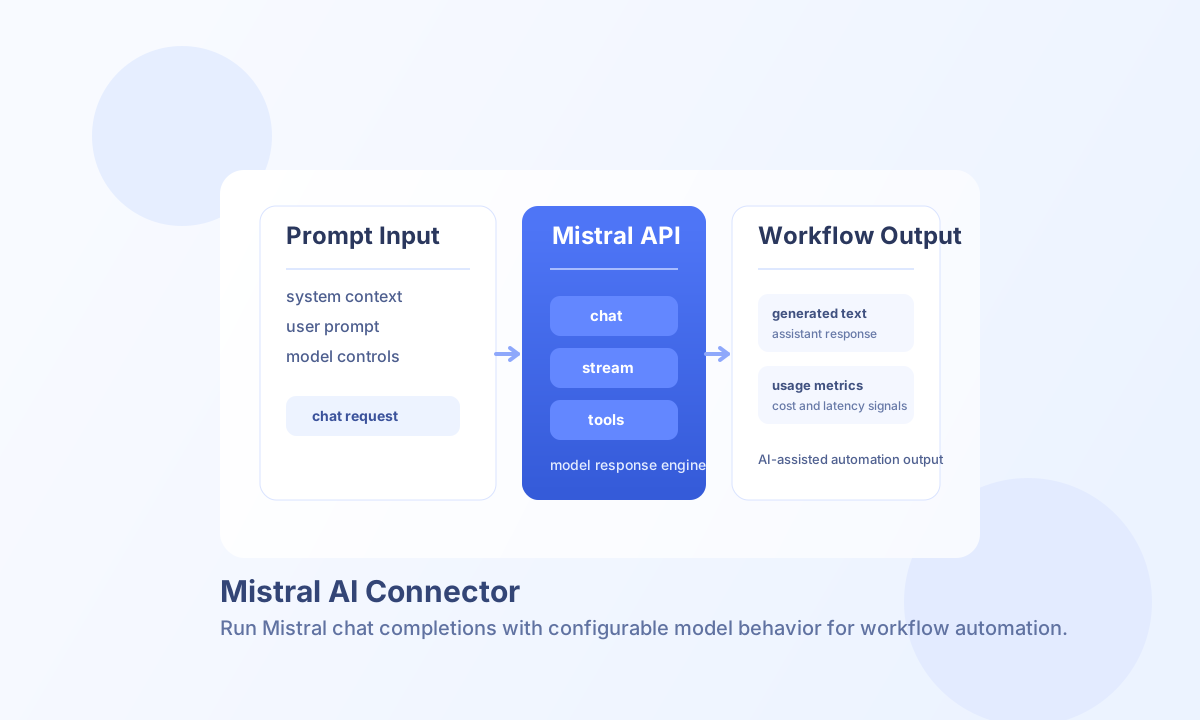
The Mistral AI connector lets Tealfabric workflows generate AI responses for summarization, drafting, classification, and assistant-style automation. It is designed for teams that want fast LLM integration with configurable models and prompt-level controls.
Document information
| Field | Value |
|---|---|
| Canonical URL | /docs/04_connecting-systems/connectors/m/mistral-ai |
| Version (published date) | 2026-05-08 |
| Tags | connectors, reference, mistral-ai |
| Connector ID | mistral-ai-1.0.0 |
Configure Mistral access
Set your connector API key to a valid Mistral token and keep the default endpoint unless your deployment uses a custom gateway. Choose a default model that fits your quality, speed, and cost requirements, then tune timeout values for longer prompts.
Configuration parameters:
api_key(required): Mistral API bearer token.model(optional): default model name (for examplemistral-medium).timeout_seconds(optional): request timeout in seconds.temperature,max_tokens,top_p(optional): default generation controls.system_prompt(optional): default system message prepended tochatandstreamrequests.
Use test after setup to confirm authentication and model accessibility. The test operation validates integration configuration (including model and numeric parameter ranges) before issuing a minimal chat completion.
Generate responses with chat
Use chat when your workflow needs assistant-style text generation from a message history. Unlike stream, chat requires a messages array; use stream when you want to pass a single prompt string.
const baseUrl = "https://api.example.com/api/v1";
const tenantId = "<TENANT_ID>";
const apiKey = "<API_KEY>";

async function summarizeReleaseNotes(integrationId: string) {
  const response = await fetch(`${baseUrl}/integrations/${encodeURIComponent(integrationId)}/execute`, {
    method: "POST",
    headers: {
      "X-API-Key": apiKey,
      "X-Tenant-ID": tenantId,
      "Content-Type": "application/json",
    },
    body: JSON.stringify({
      operation: "chat",
      model: "mistral-small-latest",
      messages: [
        { role: "system", content: "You summarize technical notes for product teams." },
        { role: "user", content: "Summarize these release notes into 4 bullets focused on customer impact." }
      ],
      temperature: 0.3,
      max_tokens: 220,
      top_p: 0.9
    }),
  });
  if (!response.ok) throw new Error(`Request failed: ${response.status}`);
  return response.json();
}
curl -X POST "https://api.example.com/api/v1/integrations/<ENTITY_ID>/execute" \
-H "X-API-Key: <API_KEY>" \
-H "X-Tenant-ID: <TENANT_ID>" \
-H "Content-Type: application/json" \
-d '{
"operation": "chat",
"model": "mistral-small-latest",
"messages": [
{"role": "system", "content": "You summarize technical notes for product teams."},
{"role": "user", "content": "Summarize these release notes into 4 bullets focused on customer impact."}
],
"temperature": 0.3,
"max_tokens": 220,
"top_p": 0.9
}'
{
  "success": true,
  "data": {
    "message_count": 1,
    "tokens": {
      "prompt_tokens": 42,
      "completion_tokens": 66,
      "total_tokens": 108
    },
    "response": {}
  }
}
Start streamed output with stream
Use stream when workflows need the connector to acknowledge a streaming chat completion request. Pass either messages or a single prompt. The connector returns a start acknowledgement (Streaming started) and an execution_id for correlation.
{
  "success": true,
  "data": {
    "message": "Streaming started",
    "execution_id": "<CORRELATION_ID>"
  }
}
Generate embeddings with embeddings
Use embeddings to vectorize one or more text inputs. Provide input or text as a string or string array. The integration model parameter is used for the embedding model.
{
  "success": true,
  "data": {
    "message_count": 1,
    "embeddings": [],
    "model": "mistral-medium"
  }
}
Tool usage
Pass tools or functions on chat and stream requests when you need function-calling support. Either key maps to the Mistral API tools field.
Reliability and operational guidance
Most failures come from invalid API keys, unavailable model names, oversized prompts, or request timeouts. Validate model availability per environment and enforce prompt/token limits before execution.
For production stability, monitor usage metrics, apply retry/backoff for transient failures, and keep prompts concise. This improves latency predictability and cost control for high-volume automation.