Make (Integromat) Connector Guide
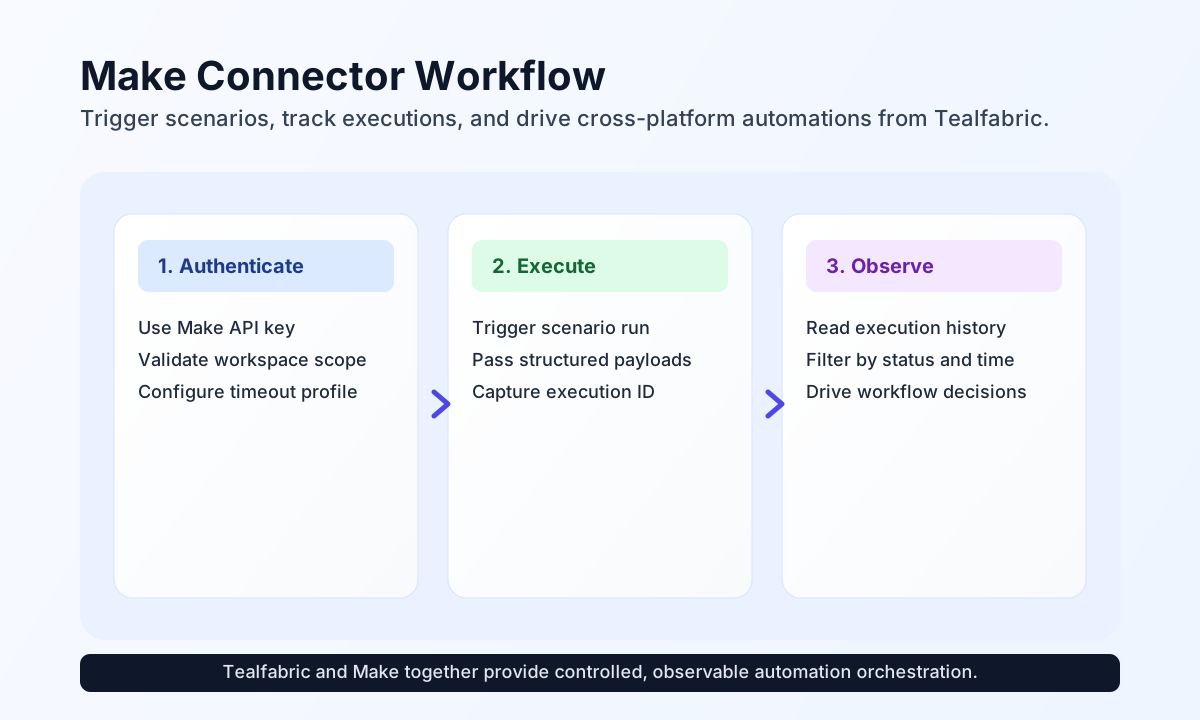
The Make connector lets Tealfabric workflows trigger and manage Make scenarios through the Make REST API v1. It is useful when you want Tealfabric to orchestrate existing Make automations, capture execution outcomes, and feed those results into downstream workflow logic.
Document information
| Field | Value |
|---|---|
| Canonical URL | /docs/04_connecting-systems/connectors/m/make-integromat |
| Version (published date) | 2026-05-08 |
| Tags | connectors, reference, make-integromat |
| Connector ID | make-integromat-1.0.0 |
Configuration and access setup
Configure the connector with your Make API key so each operation can authenticate with your Make workspace.
api_key(required): Make API token sent asAuthorization: Token {api_key}.timeout_seconds(optional): request timeout in seconds (default30).
Before moving to production, run test to confirm the key can list scenarios in your Make organization.
Execute a Make API call with send
Use send for mutating Make API requests. Provide the path segment relative to https://api.make.com/v1 as endpoint, an HTTP method (default POST), and a JSON data object for the request body. When data is omitted, remaining input keys (except endpoint and method) are sent as the body.
const baseUrl = "https://api.example.com/api/v1";
const tenantId = "<TENANT_ID>";
const apiKey = "<API_KEY>";

async function runScenario(integrationId: string) {
  const response = await fetch(`${baseUrl}/integrations/${encodeURIComponent(integrationId)}/execute`, {
    method: "POST",
    headers: {
      "X-API-Key": apiKey,
      "X-Tenant-ID": tenantId,
      "Content-Type": "application/json",
    },
    body: JSON.stringify({
      operation: "send",
      endpoint: "scenarios/12345/run",
      method: "POST",
      data: {
        data: {
          incident_id: "INC-10027",
          priority: "high",
          status: "investigating"
        }
      }
    }),
  });
  if (!response.ok) throw new Error(`Request failed: ${response.status}`);
  return response.json();
}
curl -X POST "https://api.example.com/api/v1/integrations/<ENTITY_ID>/execute" \
-H "X-API-Key: <API_KEY>" \
-H "X-Tenant-ID: <TENANT_ID>" \
-H "Content-Type: application/json" \
-d '{
"operation": "send",
"endpoint": "scenarios/12345/run",
"method": "POST",
"data": {
"data": {
"incident_id": "INC-10027",
"priority": "high",
"status": "investigating"
}
}
}'
{
  "success": true,
  "data": {
    "message": "Make operation completed successfully",
    "result": {
      "executionId": "exec-98f42b0d"
    }
  }
}
Retrieve scenarios or executions with receive
Use receive for GET requests against Make API paths. Pass endpoint and an optional query object for URL parameters. The connector normalizes list responses: scenarios or executions arrays are returned as items, with scenario_count set to the item count.
const baseUrl = "https://api.example.com/api/v1";
const tenantId = "<TENANT_ID>";
const apiKey = "<API_KEY>";

async function listExecutions(integrationId: string) {
  const response = await fetch(`${baseUrl}/integrations/${encodeURIComponent(integrationId)}/execute`, {
    method: "POST",
    headers: {
      "X-API-Key": apiKey,
      "X-Tenant-ID": tenantId,
      "Content-Type": "application/json",
    },
    body: JSON.stringify({
      operation: "receive",
      endpoint: "executions",
      query: {
        scenarioId: 12345,
        limit: 20
      }
    }),
  });
  if (!response.ok) throw new Error(`Request failed: ${response.status}`);
  return response.json();
}
curl -X POST "https://api.example.com/api/v1/integrations/<ENTITY_ID>/execute" \
-H "X-API-Key: <API_KEY>" \
-H "X-Tenant-ID: <TENANT_ID>" \
-H "Content-Type: application/json" \
-d '{
"operation": "receive",
"endpoint": "executions",
"query": {
"scenarioId": 12345,
"limit": 20
}
}'
{
  "success": true,
  "data": {
    "message": "Make data retrieved successfully",
    "scenario_count": 1,
    "items": [
      {
        "id": "exec-98f42b0d",
        "scenarioId": 12345,
        "status": "success",
        "startedAt": "2026-05-08T15:58:44.000Z",
        "finishedAt": "2026-05-08T15:58:52.000Z"
      }
    ]
  }
}
Arbitrary API methods with execute
Use execute when you need explicit control over HTTP method and body. Body is taken from body, then data (default GET when method is omitted). Mutating methods send JSON only when the body is non-empty, matching legacy connector behavior.
{
  "operation": "execute",
  "endpoint": "scenarios",
  "method": "GET"
}
Validate connectivity with test
test calls GET scenarios and returns details.scenarios_found when authentication succeeds.
{
  "success": true,
  "data": {
    "message": "Make connection test successful",
    "details": {
      "api_base_url": "https://api.make.com/v1",
      "scenarios_found": 12
    }
  }
}
Reliability guidance
Most issues come from revoked API keys, account permission gaps, and rate limiting when many scenarios are triggered concurrently. If operations fail, confirm key validity and permissions first, then apply retry with backoff for throttled requests (429 responses are marked retriable).
For stable production behavior, keep payloads explicit, filter retrieval queries, and monitor execution status after each trigger.