Meilisearch Connector Guide
The Meilisearch connector lets Tealfabric workflows index and query search documents for fast, typo-tolerant retrieval experiences. It is useful for product search, help-center lookup, and internal document discovery pipelines.
Document information
| Field | Value |
|---|---|
| Canonical URL | /docs/04_connecting-systems/connectors/m/meilisearch |
| Version (published date) | 2026-05-08 |
| Tags | connectors, reference, meilisearch |
| Connector ID | meilisearch-1.0.0 |
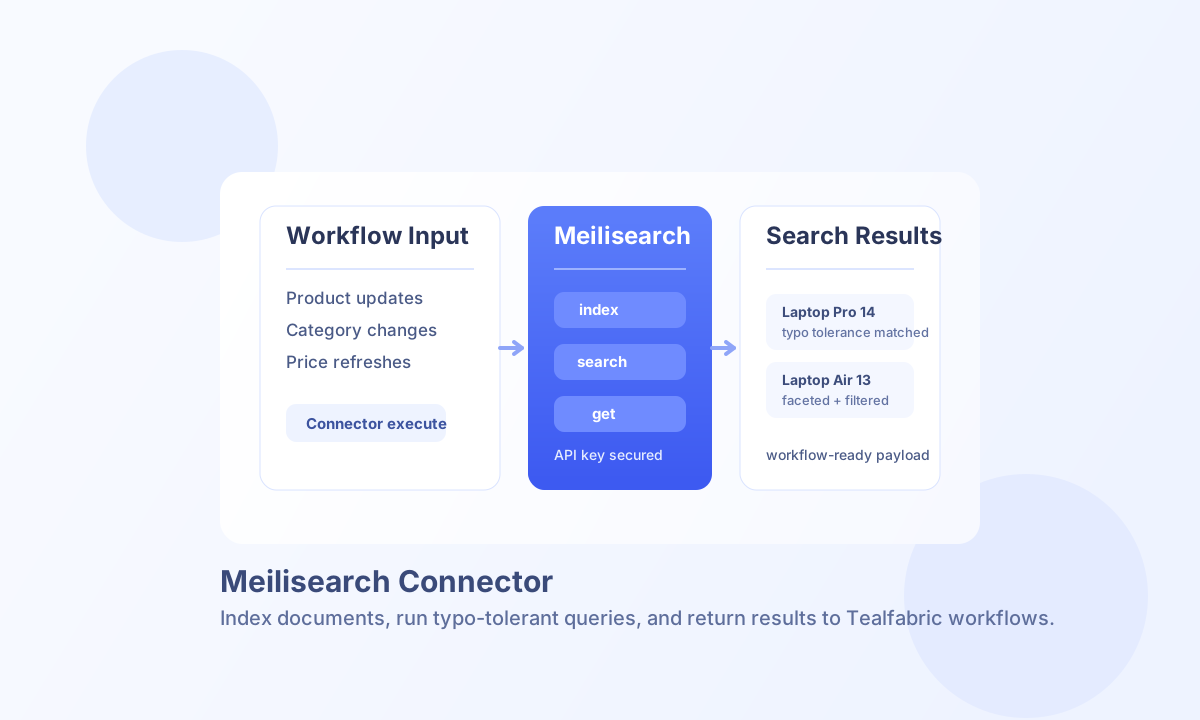
Configure endpoint and API key
Set endpoint_url to your Meilisearch instance and configure api_key when the instance requires authentication. For local development, authentication may be optional, but production deployments should use secured API keys.
Use timeout_seconds for larger indexing operations and run test before enabling scheduled syncs. This verifies connectivity and avoids silent failures in downstream search workflows.
Index documents with index
Use index to add or update documents in a Meilisearch index. Batch indexing is the preferred approach when your workflow updates multiple records at once.
const baseUrl = "https://api.example.com/api/v1";
const tenantId = "<TENANT_ID>";
const apiKey = "<API_KEY>";

async function indexProducts(integrationId: string) {
  const response = await fetch(`${baseUrl}/integrations/${encodeURIComponent(integrationId)}/execute`, {
    method: "POST",
    headers: {
      "X-API-Key": apiKey,
      "X-Tenant-ID": tenantId,
      "Content-Type": "application/json",
    },
    body: JSON.stringify({
      operation: "index",
      index: "products",
      documents: [
        { id: 1, title: "Laptop Pro 14", category: "electronics", price: 1299 },
        { id: 2, title: "Laptop Air 13", category: "electronics", price: 999 }
      }
    }),
  });
  if (!response.ok) throw new Error(`Request failed: ${response.status}`);
  return response.json();
}
curl -X POST "https://api.example.com/api/v1/integrations/<ENTITY_ID>/execute" \
-H "X-API-Key: <API_KEY>" \
-H "X-Tenant-ID: <TENANT_ID>" \
-H "Content-Type: application/json" \
-d '{
"operation": "index",
"index": "products",
"documents": [
{"id": 1, "title": "Laptop Pro 14", "category": "electronics", "price": 1299},
{"id": 2, "title": "Laptop Air 13", "category": "electronics", "price": 999}
]
}'
{
  "success": true,
  "data": {
    "document_count": 2,
    "task_uid": 321,
    "data": {
      "taskUid": 321,
      "indexUid": "products",
      "status": "enqueued",
      "type": "documentAdditionOrUpdate"
    }
  }
}
Query documents with search
Use search to run typo-tolerant queries with optional filtering and sorting. This operation is commonly used in workflows that populate dynamic search results or relevance analytics.
const baseUrl = "https://api.example.com/api/v1";
const tenantId = "<TENANT_ID>";
const apiKey = "<API_KEY>";

async function searchProducts(integrationId: string) {
  const response = await fetch(`${baseUrl}/integrations/${encodeURIComponent(integrationId)}/execute`, {
    method: "POST",
    headers: {
      "X-API-Key": apiKey,
      "X-Tenant-ID": tenantId,
      "Content-Type": "application/json",
    },
    body: JSON.stringify({
      operation: "search",
      index: "products",
      q: "laptp",
      filter: "price > 900",
      limit: 10
    }),
  });
  if (!response.ok) throw new Error(`Request failed: ${response.status}`);
  return response.json();
}
curl -X POST "https://api.example.com/api/v1/integrations/<ENTITY_ID>/execute" \
-H "X-API-Key: <API_KEY>" \
-H "X-Tenant-ID: <TENANT_ID>" \
-H "Content-Type: application/json" \
-d '{
"operation": "search",
"index": "products",
"q": "laptp",
"filter": "price > 900",
"limit": 10
}'
{
  "success": true,
  "data": {
    "document_count": 2,
    "total": 2,
    "hits": [
      {"id": 1, "title": "Laptop Pro 14", "price": 1299},
      {"id": 2, "title": "Laptop Air 13", "price": 999}
    ],
    "data": {
      "hits": [
        {"id": 1, "title": "Laptop Pro 14", "price": 1299},
        {"id": 2, "title": "Laptop Air 13", "price": 999}
      ],
      "estimatedTotalHits": 2,
      "query": "laptp"
    }
  }
}
Reliability and operations guidance
Indexing and update operations are asynchronous and return task IDs, so workflows should verify task completion before assuming documents are searchable. This is especially important for batch indexing and post-index search checks.
Most failures come from invalid API keys, missing indices, or malformed filter expressions. Validate filter syntax, pre-create indices when needed, and add retry logic for transient connection issues.