Prototype Connector Guide
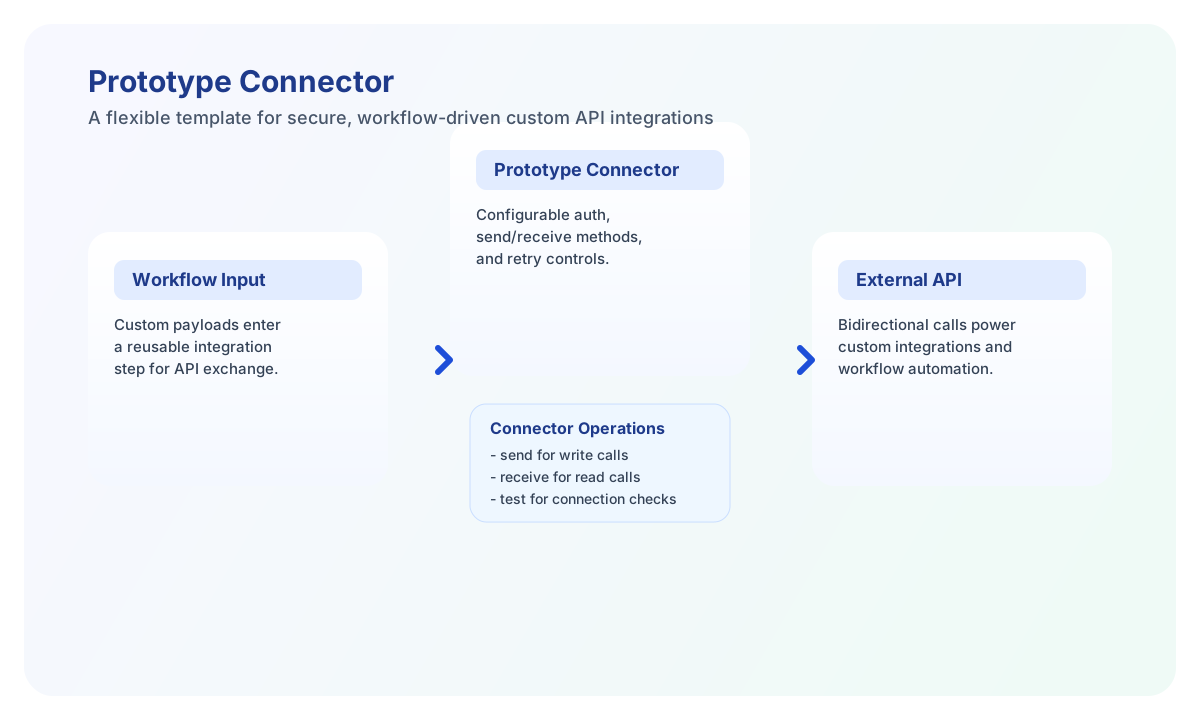
The Prototype connector is a reference integration that calls a configurable HTTP endpoint using fixed paths (/send, /receive, /stream, /test, /health). Use it to model custom API bridges or to test connector runtime behavior without wiring a third-party vendor API.
Document information
| Field | Value |
|---|---|
| Canonical URL | /docs/04_connecting-systems/connectors/p/prototype |
| Version (published date) | 2026-05-08 |
| Tags | connectors, reference, prototype |
| Connector ID | prototype-1.0.0 |
Configure endpoint and authentication
Set endpoint_url to the base host (trailing slashes are trimmed). Choose authentication_type (none, api_key, basic, bearer, or oauth2) and supply only the credentials required for that mode.
api_key is always required in connector configuration (legacy PHP parity), even when authentication_type is none. For bearer mode, also set access_token. For oauth2 mode, set client_id and client_secret for validation during test; runtime requests follow legacy PHP header behavior.
Use timeout_seconds, retry_attempts, retry_delay_seconds, and rate_limit_per_minute to tune reliability. Enable supports_batch and set max_batch_size before using batch.
Full configuration validation runs only for the test operation (matching legacy validateConfiguration() scope).
Send records with send
send POSTs to {endpoint_url}/send. The connector wraps the full callData object as { data, metadata } where metadata includes connector_id, tenant_id, timestamp, and version.
const baseUrl = "https://api.example.com/api/v1";
const tenantId = "<TENANT_ID>";
const apiKey = "<API_KEY>";

async function prototypeSend(integrationId: string) {
  const response = await fetch(`${baseUrl}/integrations/${encodeURIComponent(integrationId)}/execute`, {
    method: "POST",
    headers: {
      "X-API-Key": apiKey,
      "X-Tenant-ID": tenantId,
      "Content-Type": "application/json",
    },
    body: JSON.stringify({
      operation: "send",
      name: "Resource Name",
      value: "Resource Value"
    }),
  });
  if (!response.ok) throw new Error(`Request failed: ${response.status}`);
  return response.json();
}
curl -X POST "https://api.example.com/api/v1/integrations/<ENTITY_ID>/execute" \
-H "X-API-Key: <API_KEY>" \
-H "X-Tenant-ID: <TENANT_ID>" \
-H "Content-Type: application/json" \
-d '{
"operation": "send",
"name": "Resource Name",
"value": "Resource Value"
}'
{
  "success": true,
  "data": {
    "message_count": 1,
    "response": {
      "status_code": 200,
      "data": { "accepted": true },
      "raw_response": "{\"accepted\":true}"
    },
    "transformed_data": {
      "data": {
        "name": "Resource Name",
        "value": "Resource Value"
      },
      "metadata": {
        "connector_id": "prototype-1.0.0",
        "tenant_id": "<TENANT_ID>",
        "timestamp": "2026-05-08T16:54:00Z",
        "version": "1.0.0"
      }
    }
  }
}
Retrieve records with receive
receive GETs {endpoint_url}/receive and serializes every callData key as a query parameter. Array responses are returned as-is; other payloads are wrapped in a single-element array.
curl -X POST "https://api.example.com/api/v1/integrations/<ENTITY_ID>/execute" \
  -H "X-API-Key: <API_KEY>" \
  -H "X-Tenant-ID: <TENANT_ID>" \
  -H "Content-Type: application/json" \
  -d '{
    "operation": "receive",
    "limit": 10,
    "offset": 0
  }'
{
  "success": true,
  "data": {
    "message_count": 2,
    "data": [
      { "id": "resource-1", "name": "Resource 1" },
      { "id": "resource-2", "name": "Resource 2" }
    ],
    "raw_response": {
      "status_code": 200,
      "data": [
        { "id": "resource-1", "name": "Resource 1" },
        { "id": "resource-2", "name": "Resource 2" }
      ],
      "raw_response": "[{\"id\":\"resource-1\"},{\"id\":\"resource-2\"}]"
    }
  }
}
Bidirectional sync with sync
sync runs send for outbound callData, then receive for inbound callData, and returns both sub-results.
{
  "operation": "sync",
  "outbound": { "name": "Outbound record" },
  "inbound": { "limit": 5 }
}
Batch send with batch
When supports_batch is true in connector configuration, batch chunks items and POSTs each chunk to /send. Legacy PHP accepts a top-level numeric array; items and data array aliases are also supported. Each chunk is sent as the data field in the transformed payload (not wrapped in an items property).
{
  "operation": "batch",
  "items": [
    { "id": 1, "name": "First" },
    { "id": 2, "name": "Second" }
  ]
}
Stream with stream
stream POSTs transformed callData to {endpoint_url}/stream and parses SSE-style data: lines, including [DONE] completion markers. The response includes events[] and streaming_stats.
Test connectivity with test
test validates configuration, probes GET /test for authentication, then checks GET /health. Only this operation enforces required-parameter validation.
{
  "success": true,
  "data": {
    "success": true,
    "message": "Connection test successful",
    "details": {
      "authentication": { "success": true },
      "endpoint": { "success": true }
    }
  }
}
Reliability and operations guidance
Validate authentication during test before production traffic. Align endpoint_url with the remote service contract and tune retry/rate-limit settings for the target API. For streaming workflows, confirm the remote endpoint emits data: prefixed lines.