PDF File Connector Guide
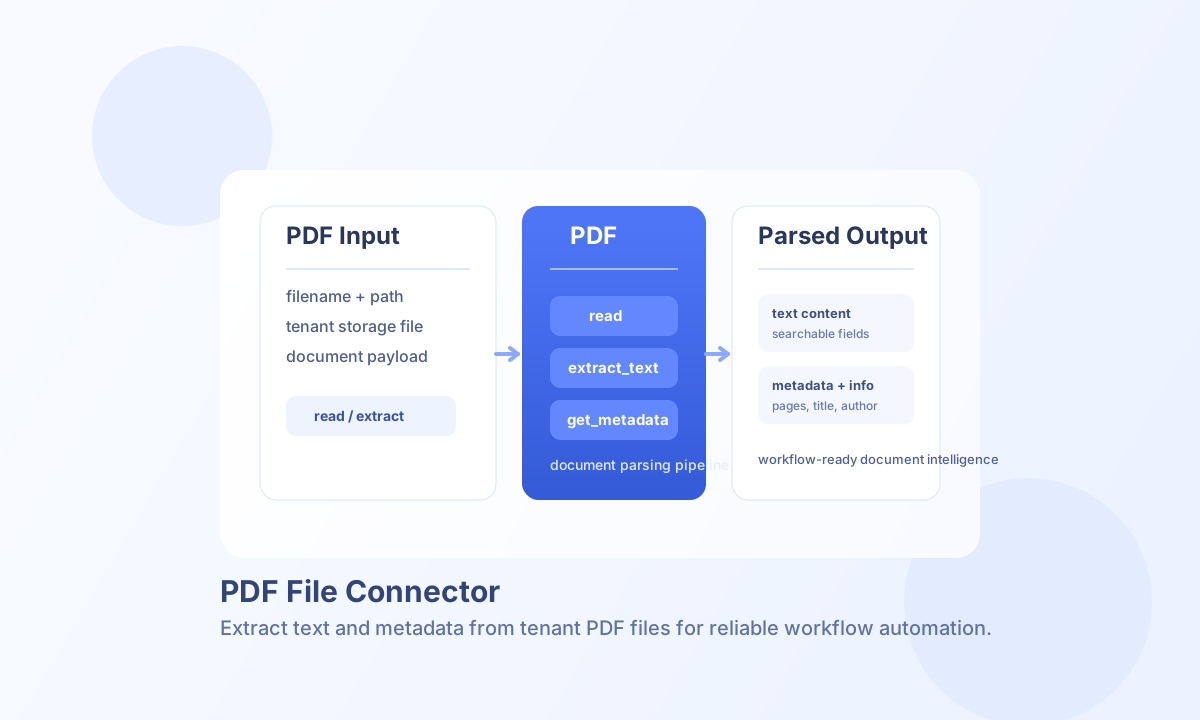
The PDF File connector lets Tealfabric workflows read PDF documents and extract text, metadata, and document-level properties. It is useful for document processing pipelines, compliance archiving, and workflow automation that depends on PDF content inspection.
Document information
| Field | Value |
|---|---|
| Canonical URL | /docs/04_connecting-systems/connectors/p/pdf-file |
| Version (published date) | 2026-05-08 |
| Tags | connectors, reference, pdf-file |
| Connector ID | pdf-file-1.0.0 |
Configuration
Set filename to the PDF document your workflow should read and use path when the file is stored in a subdirectory. These values resolve under tenant storage (storage/tenantdata/{tenant_id}/[path/]{filename}).
filename(required): PDF file name, for exampleinvoice-2026-05.pdf.path(optional): relative folder under tenant storage, for examplefinance/invoices.
Validate file availability with test before running extraction jobs at scale. This prevents pipeline failures caused by missing files, unreadable paths, or invalid PDF headers.
Extract text with read and extract_text
read is an alias for extract_text. Both operations extract plain text using pdftotext when available, with a basic stream-parser fallback when it is not.
const baseUrl = "https://api.example.com/api/v1";
const tenantId = "<TENANT_ID>";
const apiKey = "<API_KEY>";

async function extractInvoiceText(integrationId: string) {
  const response = await fetch(`${baseUrl}/integrations/${encodeURIComponent(integrationId)}/execute`, {
    method: "POST",
    headers: {
      "X-API-Key": apiKey,
      "X-Tenant-ID": tenantId,
      "Content-Type": "application/json",
    },
    body: JSON.stringify({
      operation: "extract_text",
      filename: "invoice-2026-05.pdf",
      path: "finance/invoices"
    }),
  });
  if (!response.ok) throw new Error(`Request failed: ${response.status}`);
  return response.json();
}
curl -X POST "https://api.example.com/api/v1/integrations/<ENTITY_ID>/execute" \
-H "X-API-Key: <API_KEY>" \
-H "X-Tenant-ID: <TENANT_ID>" \
-H "Content-Type: application/json" \
-d '{
"operation": "extract_text",
"filename": "invoice-2026-05.pdf",
"path": "finance/invoices"
}'
{
  "success": true,
  "data": {
    "message": "Text extracted successfully",
    "text": "Invoice #2026-05 ...",
    "word_count": 42,
    "character_count": 256
  }
}
Targeted extraction operations
Use get_metadata when document properties (title, author, subject, and so on) are sufficient:
{
  "success": true,
  "data": {
    "message": "Metadata read successfully",
    "metadata": {
      "title": "Invoice 2026-05",
      "author": "Finance Team",
      "subject": "",
      "keywords": "",
      "creator": "",
      "producer": "",
      "created": null,
      "modified": null
    }
  }
}
Use get_info when you need structural details such as page count, encryption flags, or PDF version:
{
  "success": true,
  "data": {
    "message": "PDF information retrieved successfully",
    "info": {
      "file_size": 128456,
      "pages": 3,
      "encrypted": false,
      "version": "1.7"
    }
  }
}
Use test to confirm the configured file exists, is readable, and has a valid %PDF header:
{
  "success": true,
  "data": {
    "message": "PDF file connector test successful",
    "details": {
      "file_path": "/storage/tenantdata/<TENANT_ID>/finance/invoices/invoice-2026-05.pdf",
      "file_size": 128456
    }
  }
}
Limitations and operational guidance
Text extraction quality depends on how text is embedded in the PDF. Scanned image-based PDFs usually require OCR processing through the ocr-file-1.0.0 connector before text becomes searchable.
Common failures include missing files, invalid paths, unreadable files, and encrypted or image-only PDFs. Add pre-check logic with test and route failures to retry or manual review flows for reliable document processing.