Ping Identity Connector Guide
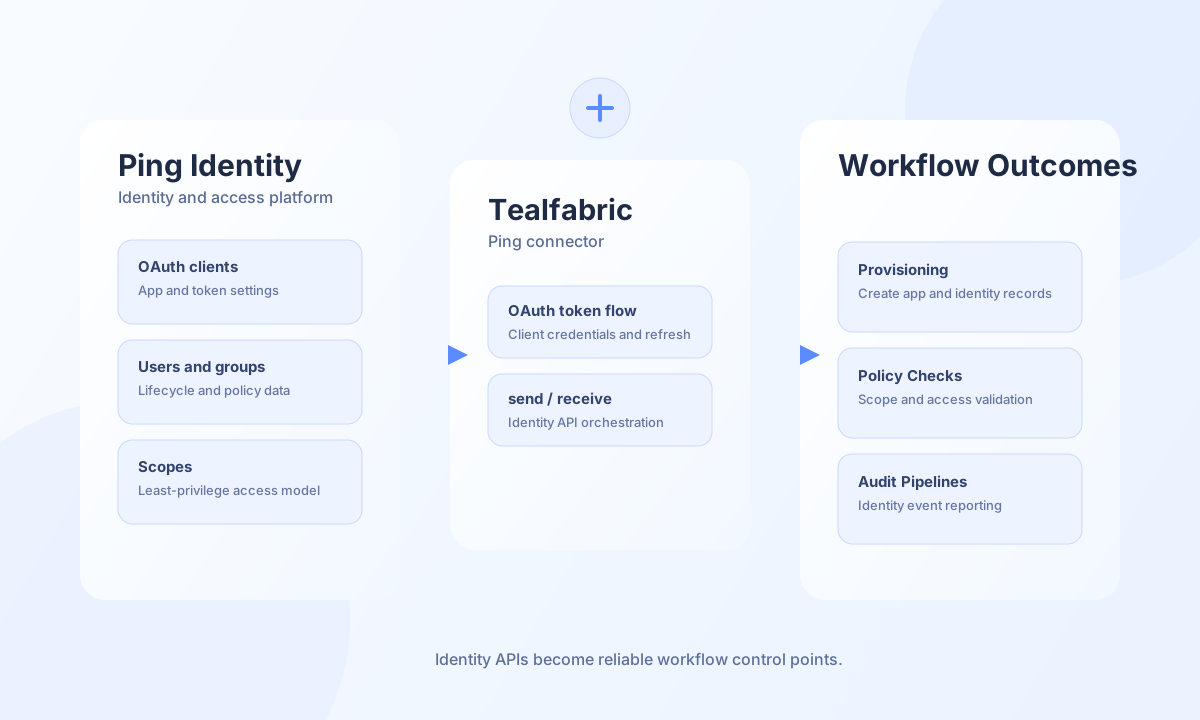
The Ping Identity connector allows Tealfabric workflows to automate identity operations across Ping platform APIs. It is commonly used for user lifecycle orchestration, application provisioning, and access policy workflows where secure token-based authentication is required.
Document information
| Field | Value |
|---|---|
| Canonical URL | /docs/04_connecting-systems/connectors/p/ping-identity |
| Version (published date) | 2026-05-08 |
| Tags | connectors, reference, ping-identity |
| Connector ID | ping-identity-1.0.0 |
Configuration and authentication
Before connecting, register an OAuth client in Ping Identity and grant only the scopes required for your automation. For server-to-server workflows, client credentials flow is typically the simplest and safest option. If your deployment uses delegated access, provide refresh-capable tokens so long-running workflows can continue without manual re-authentication.
base_url(required): Ping Identity base URL.client_id(required): OAuth client identifier.client_secret(required): OAuth client secret.access_token(optional): Existing access token when applicable.refresh_token(optional): Refresh token for delegated flows.timeout_seconds(optional): Request timeout in seconds, default30.
Create identity objects with send
Use send for write operations such as creating applications, users, or group mappings depending on your Ping product APIs. Keep endpoint and payload contracts versioned so identity workflows remain stable when API schemas evolve.
const baseUrl = "https://api.example.com/api/v1";
const tenantId = "<TENANT_ID>";
const apiKey = "<API_KEY>";

async function createOidcClient(integrationId: string) {
  const response = await fetch(`${baseUrl}/integrations/${encodeURIComponent(integrationId)}/execute`, {
    method: "POST",
    headers: {
      "X-API-Key": apiKey,
      "X-Tenant-ID": tenantId,
      "Content-Type": "application/json",
    },
    body: JSON.stringify({
      operation: "send",
      endpoint: "pingfederate/applications",
      method: "POST",
      data: {
        name: "tealfabric-workflow-client",
        type: "OAUTH_CLIENT",
        clientId: "tf-workflow-client",
        redirectUris: ["https://app.example.com/callback"],
      },
    }),
  });
  if (!response.ok) throw new Error(`Request failed: ${response.status}`);
  const payload = await response.json();
  return payload.data?.result;
}
curl -X POST "https://api.example.com/api/v1/integrations/<ENTITY_ID>/execute" \
-H "X-API-Key: <API_KEY>" \
-H "X-Tenant-ID: <TENANT_ID>" \
-H "Content-Type: application/json" \
-d '{
"operation": "send",
"endpoint": "pingfederate/applications",
"method": "POST",
"data": {
"name": "tealfabric-workflow-client",
"type": "OAUTH_CLIENT",
"clientId": "tf-workflow-client",
"redirectUris": ["https://app.example.com/callback"]
}
}'
{
  "success": true,
  "data": {
    "message": "Ping Identity operation completed successfully",
    "result": {
      "id": "<ENTITY_ID>",
      "name": "tealfabric-workflow-client"
    }
  }
}
Retrieve identity data with receive
Use receive for reading users, clients, or groups to drive policy checks and downstream provisioning actions. Keep filter and pagination parameters explicit so processing windows remain predictable.
const baseUrl = "https://api.example.com/api/v1";
const tenantId = "<TENANT_ID>";
const apiKey = "<API_KEY>";

async function listWorkflowClients(integrationId: string) {
  const response = await fetch(`${baseUrl}/integrations/${encodeURIComponent(integrationId)}/execute`, {
    method: "POST",
    headers: {
      "X-API-Key": apiKey,
      "X-Tenant-ID": tenantId,
      "Content-Type": "application/json",
    },
    body: JSON.stringify({
      operation: "receive",
      endpoint: "pingfederate/applications",
      query: {
        filter: "name co \"workflow\"",
        limit: 25,
      },
    }),
  });
  if (!response.ok) throw new Error(`Request failed: ${response.status}`);
  const payload = await response.json();
  return payload.data?.items ?? [];
}
curl -X POST "https://api.example.com/api/v1/integrations/<ENTITY_ID>/execute" \
-H "X-API-Key: <API_KEY>" \
-H "X-Tenant-ID: <TENANT_ID>" \
-H "Content-Type: application/json" \
-d '{
"operation": "receive",
"endpoint": "pingfederate/applications",
"query": {
"filter": "name co \"workflow\"",
"limit": 25
}
}'
{
  "success": true,
  "data": {
    "message": "Ping Identity data retrieved successfully",
    "item_count": 1,
    "items": [
      {
        "id": "<ENTITY_ID>",
        "name": "tealfabric-workflow-client"
      }
    ]
  }
}
Execute Ping Identity API methods with execute
Use execute for arbitrary Ping Identity REST calls when you need a configurable HTTP method and JSON body. method defaults to GET when omitted. Provide the body in body or data (alias). Mutable methods omit the JSON body when it is empty, matching legacy PHP !empty($body) behavior.
{
  "operation": "execute",
  "endpoint": "pingfederate/applications",
  "method": "GET"
}
{
  "success": true,
  "data": {
    "message": "Ping Identity method executed successfully",
    "result": []
  }
}
Validate connectivity with test
Use test to validate required configuration and OAuth access via GET pingfederate/applications. Configuration failures return a generic Configuration validation failed message.
{
  "operation": "test"
}
{
  "success": true,
  "data": {
    "message": "Ping Identity connection test successful",
    "details": {
      "base_url": "https://your-ping-instance.example.com"
    }
  }
}
Reliability guidance
Most failures are caused by missing OAuth scopes, expired tokens, or product-specific endpoint mismatches. Validate scopes during onboarding, run test before deployment, and use retry with backoff for transient 429 and network errors. These controls keep identity workflows reliable and auditable.