PowerPoint File Connector Guide
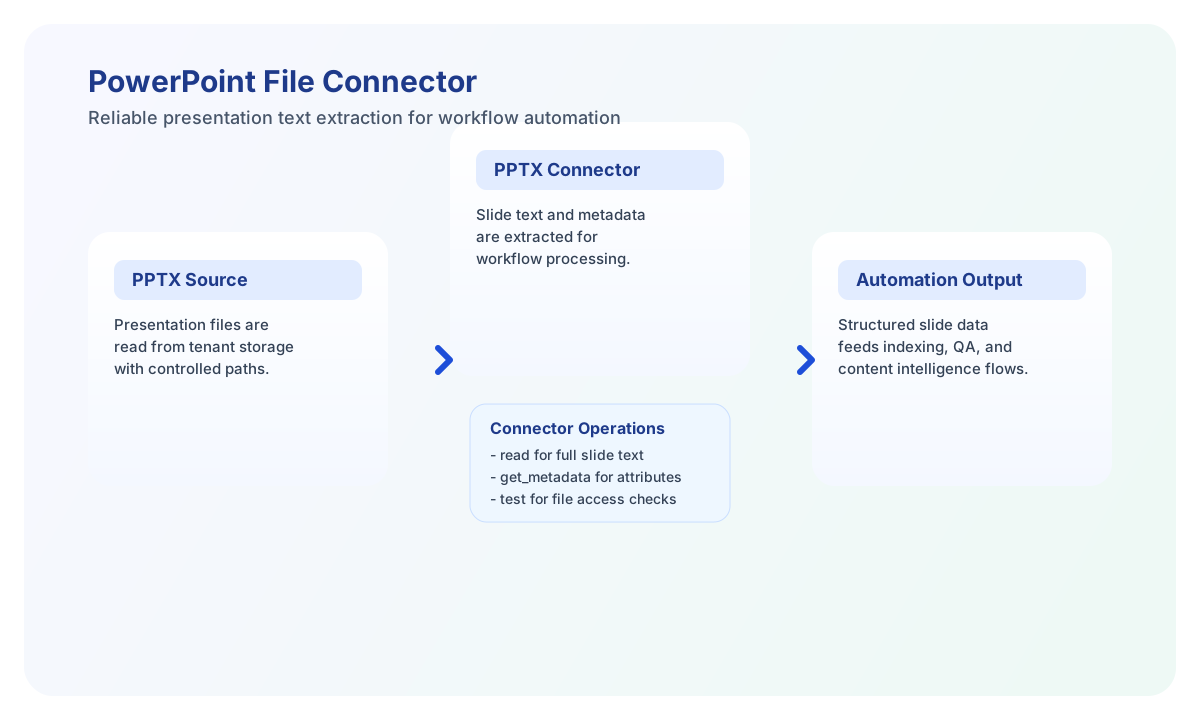
The PowerPoint file connector lets Tealfabric workflows read .pptx presentations from tenant storage and extract structured slide content. It is useful when you need to process presentation text for reporting, indexing, summarization, or downstream automation.
Document information
| Field | Value |
|---|---|
| Canonical URL | /docs/04_connecting-systems/connectors/p/pptx-file |
| Version (published date) | 2026-05-08 |
| Tags | connectors, reference, pptx-file |
| Connector ID | pptx-file-1.0.0 |
Configure file targeting
Set filename to the .pptx file you want to process and use path when the file is stored in a subfolder under tenant storage. Keep paths relative to tenant space so workflows remain portable across environments.
Run test during setup to confirm the file is reachable before adding extraction steps. This prevents downstream failures in scheduled document-processing workflows.
Read full slide content with read
Use read to extract presentation text across slides in one operation. This is the best choice when workflows need complete context from a deck, including headings, bullets, and notes where available.
const baseUrl = "https://api.example.com/api/v1";
const tenantId = "<TENANT_ID>";
const apiKey = "<API_KEY>";

async function readPresentation(integrationId: string) {
  const response = await fetch(`${baseUrl}/integrations/${encodeURIComponent(integrationId)}/execute`, {
    method: "POST",
    headers: {
      "X-API-Key": apiKey,
      "X-Tenant-ID": tenantId,
      "Content-Type": "application/json",
    },
    body: JSON.stringify({
      operation: "read",
      filename: "quarterly-business-review.pptx",
      path: "presentations/q2"
    }),
  });
  if (!response.ok) throw new Error(`Request failed: ${response.status}`);
  return response.json();
}
curl -X POST "https://api.example.com/api/v1/integrations/<ENTITY_ID>/execute" \
-H "X-API-Key: <API_KEY>" \
-H "X-Tenant-ID: <TENANT_ID>" \
-H "Content-Type: application/json" \
-d '{
"operation": "read",
"filename": "quarterly-business-review.pptx",
"path": "presentations/q2"
}'
{
  "success": true,
  "data": {
    "message": "Text extracted successfully",
    "text": "Slide 1:\nQ2 Business Review\n\nSlide 2:\nRevenue by segment",
    "slide_count": 2,
    "slides": [
      { "slide_number": 1, "text": "Q2 Business Review" },
      { "slide_number": 2, "text": "Revenue by segment" }
    ],
    "word_count": 8,
    "character_count": 52
  }
}
List slide entries with get_slides
Use get_slides when you need slide numbers and internal OOXML entry paths (ppt/slides/slideN.xml) without extracting text. This is useful for workflows that fan out per-slide processing or validate deck structure before extraction.
Targeted extraction operations
Use extract_text when you need the same slide text output as read (both are aliases). Use get_metadata for document properties from docProps/core.xml (title, author, created/modified timestamps). Run test during setup to confirm the configured file exists, is readable, and opens as a valid PPTX ZIP archive.
Extract metadata with get_metadata
Use get_metadata to retrieve presentation-level fields such as title, author, and revision details. This operation is useful for cataloging and quality-control workflows where you need document attributes without full text extraction.
const baseUrl = "https://api.example.com/api/v1";
const tenantId = "<TENANT_ID>";
const apiKey = "<API_KEY>";

async function getPresentationMetadata(integrationId: string) {
  const response = await fetch(`${baseUrl}/integrations/${encodeURIComponent(integrationId)}/execute`, {
    method: "POST",
    headers: {
      "X-API-Key": apiKey,
      "X-Tenant-ID": tenantId,
      "Content-Type": "application/json",
    },
    body: JSON.stringify({
      operation: "get_metadata",
      filename: "quarterly-business-review.pptx",
      path: "presentations/q2"
    }),
  });
  if (!response.ok) throw new Error(`Request failed: ${response.status}`);
  return response.json();
}
curl -X POST "https://api.example.com/api/v1/integrations/<ENTITY_ID>/execute" \
-H "X-API-Key: <API_KEY>" \
-H "X-Tenant-ID: <TENANT_ID>" \
-H "Content-Type: application/json" \
-d '{
"operation": "get_metadata",
"filename": "quarterly-business-review.pptx",
"path": "presentations/q2"
}'
{
  "success": true,
  "data": {
    "message": "Metadata read successfully",
    "metadata": {
      "title": "Quarterly Business Review",
      "author": "Operations Team",
      "subject": "",
      "keywords": "",
      "created": "2026-01-15T10:00:00Z",
      "modified": "2026-02-01T14:30:00Z",
      "last_modified_by": "Operations Team"
    }
  }
}
Limitations and reliability guidance
This connector supports .pptx files only, and it focuses on textual and metadata extraction rather than media rendering. Embedded images, animations, and advanced layout styling are not returned as full visual content. Text is collected from drawing <a:t> nodes in slide XML (matching legacy PHP xpath('//a:t') behavior for typical decks); speaker notes and non-standard OOXML layouts may differ from PHP SimpleXML edge cases.
Most failures come from invalid file paths, unsupported file formats, or inaccessible storage locations. Use test before extraction, keep path conventions consistent, and handle unsuccessful responses before dependent workflow steps.