Typeform Connector Guide
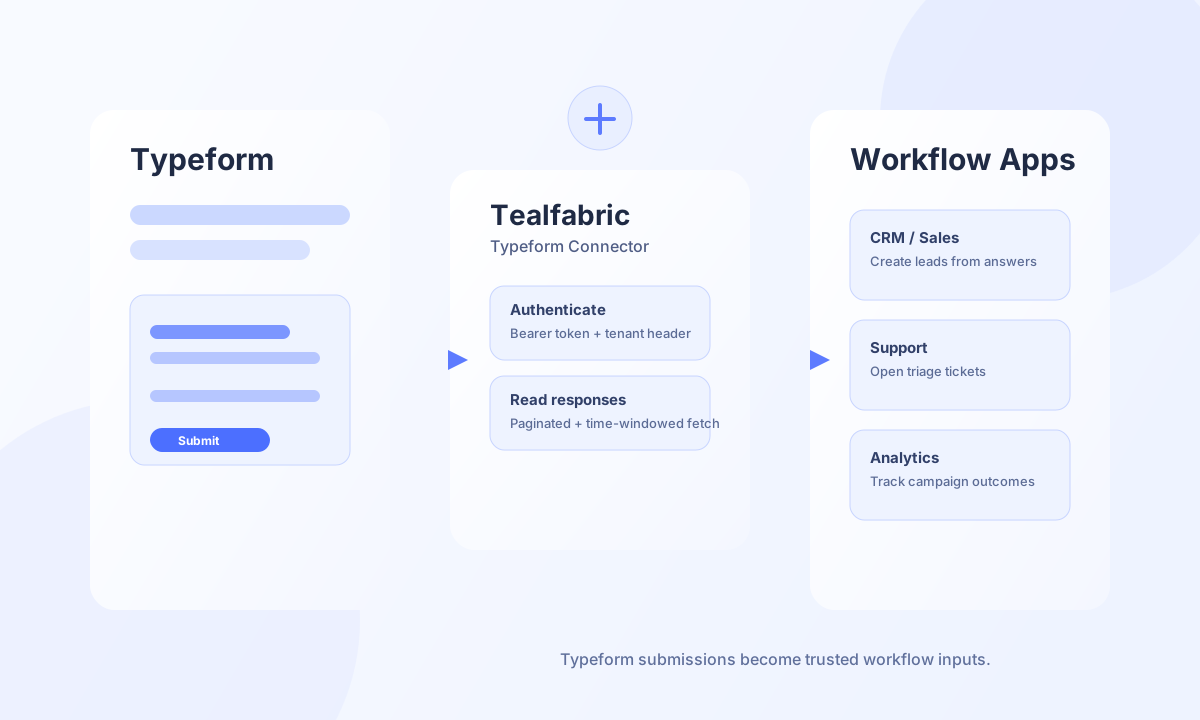
The Typeform connector helps you run form-driven workflows in Tealfabric by creating forms, reading responses, and reacting to submissions with business actions. It is a practical fit for lead intake, onboarding, and feedback pipelines where form answers must move quickly into downstream systems.
Document information
| Field | Value |
|---|---|
| Canonical URL | /docs/04_connecting-systems/connectors/t/typeform |
| Version (published date) | 2026-05-08 |
| Tags | connectors, reference, typeform |
| Connector ID | typeform-1.0.0 |
Configuration and access
Create a Typeform personal access token with access to the forms and responses you plan to automate. Store the token in the connector configuration so workflows can authenticate without exposing credentials in step payloads. Keep the default API base URL unless your environment requires a custom endpoint.
token(required): Typeform personal access token.base_url(optional): Defaulthttps://api.typeform.com.timeout_seconds(optional): Default30.
The test operation validates that token is present and returns Configuration validation failed when it is missing. Other operations do not pre-validate configuration; they rely on Typeform API responses (for example 401 when the token is invalid).
Create a form with send
Use the send operation to create or update forms. Stable field ref values are important because downstream mapping and reporting logic usually rely on those identifiers.
const baseUrl = "https://api.example.com/api/v1";
const tenantId = "<TENANT_ID>";
const apiKey = "<API_KEY>";

async function createTypeform(integrationId: string) {
  const response = await fetch(`${baseUrl}/integrations/${integrationId}/execute`, {
    method: "POST",
    headers: {
      "X-API-Key": apiKey,
      "X-Tenant-ID": tenantId,
      "Content-Type": "application/json",
    },
    body: JSON.stringify({
      operation: "send",
      endpoint: "forms",
      method: "POST",
      data: {
        title: "Customer Intake Form",
        fields: [
          { title: "Full name", type: "short_text", ref: "full_name" },
          { title: "Business email", type: "email", ref: "business_email" }
        }
      }
    }),
  });
  if (!response.ok) throw new Error(`Request failed: ${response.status}`);
  const payload = await response.json();
  return payload.data?.data ?? payload.data;
}
curl -X POST "https://api.example.com/api/v1/integrations/<ENTITY_ID>/execute" \
-H "X-API-Key: <API_KEY>" \
-H "X-Tenant-ID: <TENANT_ID>" \
-H "Content-Type: application/json" \
-d '{
"operation": "send",
"endpoint": "forms",
"method": "POST",
"data": {
"title": "Customer Intake Form",
"fields": [
{"title": "Full name", "type": "short_text", "ref": "full_name"},
{"title": "Business email", "type": "email", "ref": "business_email"}
]
}
}'
{
  "success": true,
  "data": {
    "message_count": 1,
    "data": {
      "id": "<FORM_ID>",
      "title": "Customer Intake Form"
    },
    "response": {
      "id": "<FORM_ID>",
      "title": "Customer Intake Form"
    }
  }
}
Retrieve submissions with receive
Use receive to fetch response batches from a form for validation, scoring, and routing. Time filters and page sizes help prevent duplicate processing and keep runs predictable.
const baseUrl = "https://api.example.com/api/v1";
const tenantId = "<TENANT_ID>";
const apiKey = "<API_KEY>";

async function listResponses(integrationId: string, formId: string) {
  const response = await fetch(`${baseUrl}/integrations/${integrationId}/execute`, {
    method: "POST",
    headers: {
      "X-API-Key": apiKey,
      "X-Tenant-ID": tenantId,
      "Content-Type": "application/json",
    },
    body: JSON.stringify({
      operation: "receive",
      endpoint: `forms/${formId}/responses`,
      query: {
        page_size: 25,
        since: "2026-05-08T00:00:00Z"
      }
    }),
  });
  if (!response.ok) throw new Error(`Request failed: ${response.status}`);
  const payload = await response.json();
  return payload.data?.data ?? [];
}
curl -X POST "https://api.example.com/api/v1/integrations/<ENTITY_ID>/execute" \
-H "X-API-Key: <API_KEY>" \
-H "X-Tenant-ID: <TENANT_ID>" \
-H "Content-Type: application/json" \
-d '{
"operation": "receive",
"endpoint": "forms/<FORM_ID>/responses",
"query": {
"page_size": 25,
"since": "2026-05-08T00:00:00Z"
}
}'
{
  "success": true,
  "data": {
    "message_count": 1,
    "data": [
      {
        "response_id": "<RESPONSE_ID>",
        "submitted_at": "2026-05-08T11:42:00Z"
      }
    ],
    "total_size": 1
  }
}
Test connection with test
Use test to confirm the personal access token and API base URL. The connector calls GET /me and returns the account alias on success.
curl -X POST "https://api.example.com/api/v1/integrations/<ENTITY_ID>/execute" \
  -H "X-API-Key: <API_KEY>" \
  -H "X-Tenant-ID: <TENANT_ID>" \
  -H "Content-Type: application/json" \
  -d '{"operation": "test"}'
{
  "success": true,
  "data": {
    "message": "Typeform connection test successful",
    "details": {
      "api_base_url": "https://api.typeform.com",
      "alias": "<ACCOUNT_ALIAS>"
    }
  }
}
Reliability guidance
Connection failures usually come from expired or under-scoped tokens, while large data pulls can trigger rate limits. Keep requests paginated, retry transient 429 and 5xx responses with backoff, and validate that required fields are present before routing responses to other systems. This keeps Typeform-driven workflows stable during peak submission windows.