Tableau API Connector Guide
The Tableau API connector lets Tealfabric workflows create and retrieve Tableau resources through the Tableau REST API. It is useful for BI governance automation, workbook lifecycle management, and metadata synchronization across analytics environments.
Document information
| Field | Value |
|---|---|
| Canonical URL | /docs/04_connecting-systems/connectors/t/tableau |
| Version (published date) | 2026-05-08 |
| Tags | connectors, reference, tableau |
| Connector ID | tableau-1.0.0 |
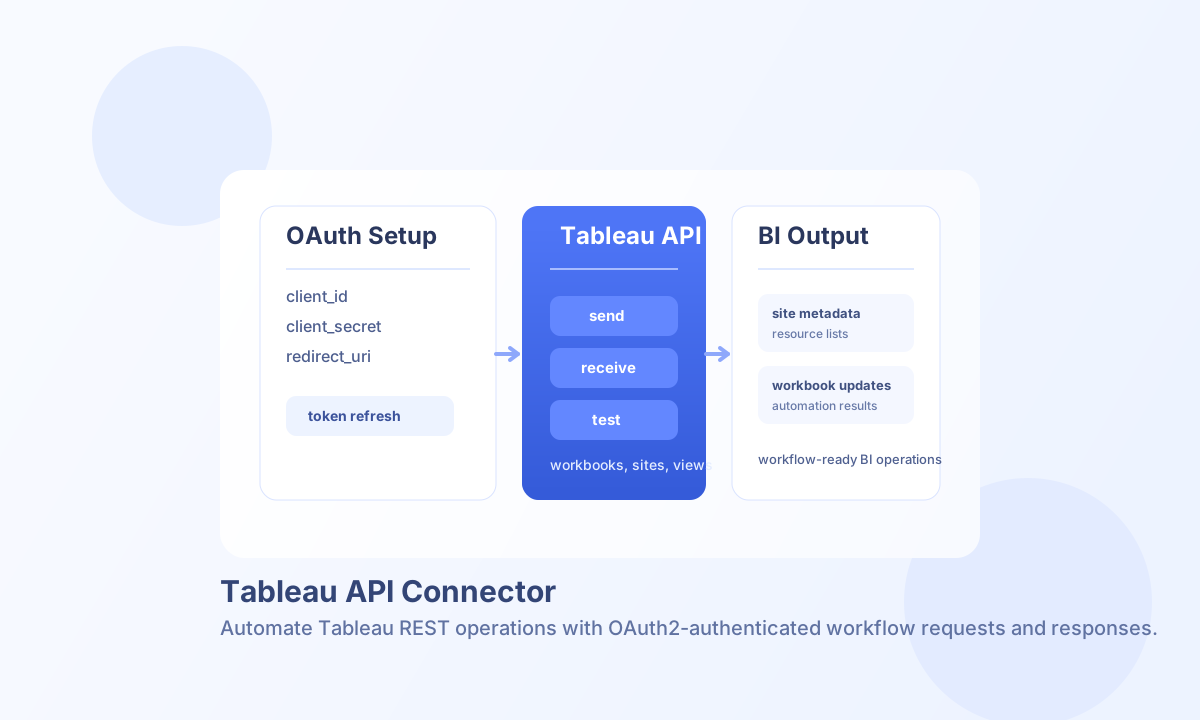
Configure OAuth and server access
Set base_url to your Tableau Server or Tableau Cloud URL, then configure client_id, client_secret, and redirect_uri from your Tableau OAuth application settings. Keep access_token and refresh_token in connector configuration when your OAuth flow has completed.
Set token_url to your Tableau OAuth token endpoint when you rely on refresh-token rotation. Use scopes that match the resources you need, and run test after setup to confirm authentication and API reachability — test is the only operation that validates OAuth app registration fields (client_id, client_secret, redirect_uri); other operations require a valid access_token and base_url. For long-running operations, adjust timeout_seconds based on expected payload size and server response behavior.
Create or update Tableau resources with send
Use send for mutating operations such as creating workbooks, updating views, or changing project content. Always include the correct site_id and endpoint path for the Tableau object you want to manage.
const baseUrl = "https://api.example.com/api/v1";
const tenantId = "<TENANT_ID>";
const apiKey = "<API_KEY>";

async function createWorkbook(integrationId: string) {
  const response = await fetch(`${baseUrl}/integrations/${encodeURIComponent(integrationId)}/execute`, {
    method: "POST",
    headers: {
      "X-API-Key": apiKey,
      "X-Tenant-ID": tenantId,
      "Content-Type": "application/json",
    },
    body: JSON.stringify({
      operation: "send",
      endpoint: "sites/<ENTITY_ID>/workbooks",
      method: "POST",
      data: {
        workbook: {
          name: "Revenue Overview",
          project: { id: "<ENTITY_ID>" }
        }
      }
    }),
  });
  if (!response.ok) throw new Error(`Request failed: ${response.status}`);
  return response.json();
}
curl -X POST "https://api.example.com/api/v1/integrations/<ENTITY_ID>/execute" \
-H "X-API-Key: <API_KEY>" \
-H "X-Tenant-ID: <TENANT_ID>" \
-H "Content-Type: application/json" \
-d '{
"operation": "send",
"endpoint": "sites/<ENTITY_ID>/workbooks",
"method": "POST",
"data": {
"workbook": {
"name": "Revenue Overview",
"project": {"id": "<ENTITY_ID>"}
}
}
}'
{
  "success": true,
  "data": {
    "message_count": 1,
    "data": {
      "workbook": {
        "id": "<ENTITY_ID>",
        "name": "Revenue Overview"
      }
    },
    "response": {
      "workbook": {
        "id": "<ENTITY_ID>",
        "name": "Revenue Overview"
      }
    }
  }
}
Retrieve Tableau resources with receive
Use receive for listing sites, workbooks, views, or single resources. Add query parameters such as pageSize, pageNumber, and filter expressions to control payload size and make downstream processing more efficient.
const baseUrl = "https://api.example.com/api/v1";
const tenantId = "<TENANT_ID>";
const apiKey = "<API_KEY>";

async function listWorkbooks(integrationId: string) {
  const response = await fetch(`${baseUrl}/integrations/${encodeURIComponent(integrationId)}/execute`, {
    method: "POST",
    headers: {
      "X-API-Key": apiKey,
      "X-Tenant-ID": tenantId,
      "Content-Type": "application/json",
    },
    body: JSON.stringify({
      operation: "receive",
      endpoint: "sites/<ENTITY_ID>/workbooks",
      query: {
        pageSize: 20,
        pageNumber: 1
      }
    }),
  });
  if (!response.ok) throw new Error(`Request failed: ${response.status}`);
  return response.json();
}
curl -X POST "https://api.example.com/api/v1/integrations/<ENTITY_ID>/execute" \
-H "X-API-Key: <API_KEY>" \
-H "X-Tenant-ID: <TENANT_ID>" \
-H "Content-Type: application/json" \
-d '{
"operation": "receive",
"endpoint": "sites/<ENTITY_ID>/workbooks",
"query": {
"pageSize": 20,
"pageNumber": 1
}
}'
{
  "success": true,
  "data": {
    "message_count": 2,
    "data": [
      {"id": "<ENTITY_ID>", "name": "Revenue Overview"},
      {"id": "<ENTITY_ID>", "name": "Customer Health Dashboard"}
    ],
    "total_size": 2
  }
}
OAuth2 flow and operational guidance
Before production use, complete Tableau OAuth authorization to obtain access and refresh tokens, then store those tokens in connector configuration. If authentication fails at runtime, verify that the redirect URI and granted scopes still match your Tableau app registration.
When handling large result sets, paginate requests and introduce pacing for batch operations to reduce throttling risk. Regular test checks and permission reviews help catch token expiry and scope regressions before they affect automation.