Tryton ERP Connector Guide
The Tryton connector lets Tealfabric workflows create, update, and query Tryton ERP records through RPC interfaces. It is useful for synchronizing customers, products, and transactional data between business systems and Tryton.
Document information
| Field | Value |
|---|---|
| Canonical URL | /docs/04_connecting-systems/connectors/t/tryton |
| Version (published date) | 2026-05-08 |
| Tags | connectors, reference, tryton |
| Connector ID | tryton-1.0.0 |
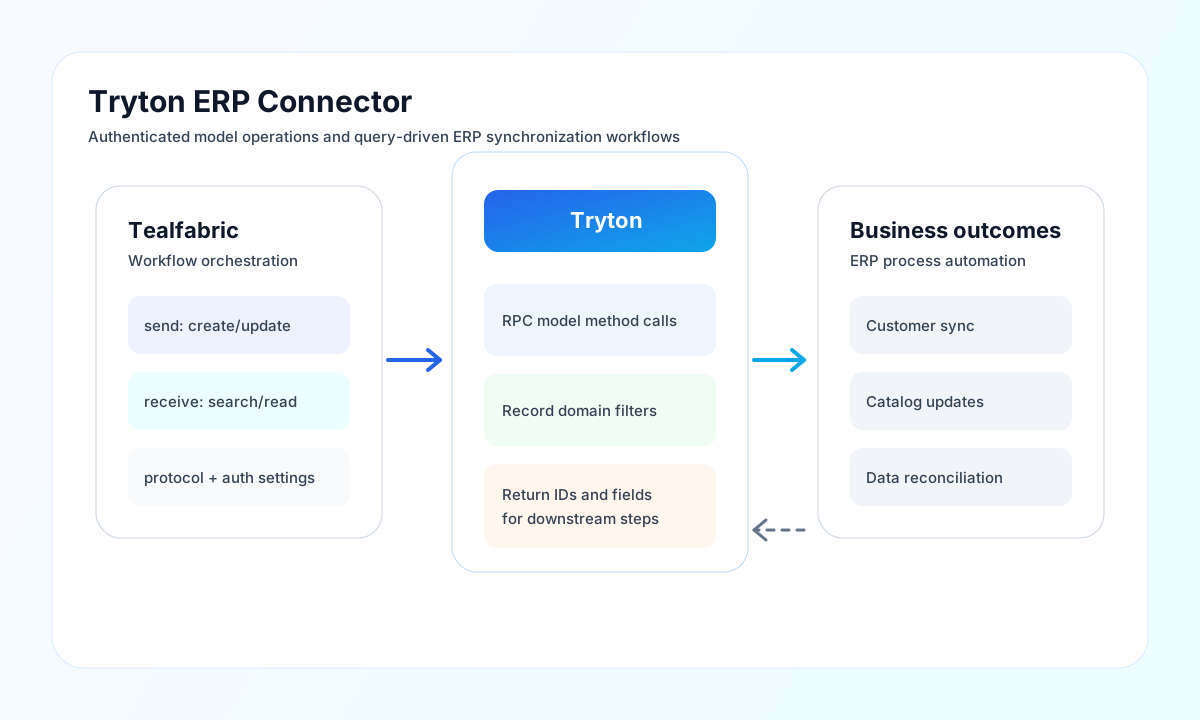
Configure server access and RPC mode
Set base_url, database, username, and password to credentials for the target Tryton environment. Keep each environment isolated so development and production records are not mixed.
Choose protocol based on your Tryton deployment (jsonrpc or xmlrpc), and increase timeout_seconds for larger model queries or write operations. Run test after configuration to validate authentication and protocol connectivity.
Create or update records with send
Use send to write to Tryton models, such as customer or product updates. Keep field names aligned with your model definition so writes are accepted consistently across modules.
const baseUrl = "https://api.example.com/api/v1";
const tenantId = "<TENANT_ID>";
const apiKey = "<API_KEY>";

async function createPartyRecord(integrationId: string) {
  const response = await fetch(`${baseUrl}/integrations/${encodeURIComponent(integrationId)}/execute`, {
    method: "POST",
    headers: {
      "X-API-Key": apiKey,
      "X-Tenant-ID": tenantId,
      "Content-Type": "application/json",
    },
    body: JSON.stringify({
      operation: "send",
      model: "party.party",
      method: "create",
      data: [
        {
          name: "Acme Components",
          email: "procurement@acme.example",
          active: true
        }
      }
    }),
  });
  if (!response.ok) throw new Error(`Request failed: ${response.status}`);
  return response.json();
}
curl -X POST "https://api.example.com/api/v1/integrations/<ENTITY_ID>/execute" \
-H "X-API-Key: <API_KEY>" \
-H "X-Tenant-ID: <TENANT_ID>" \
-H "Content-Type: application/json" \
-d '{
"operation": "send",
"model": "party.party",
"method": "create",
"data": [
{
"name": "Acme Components",
"email": "procurement@acme.example",
"active": true
}
]
}'
{
  "success": true,
  "data": {
    "model": "party.party",
    "created_ids": [<ENTITY_ID>]
  }
}
Query records with receive
Use receive to search and fetch records from Tryton models for reporting, reconciliation, or downstream automation. Apply domain filters and result limits to keep payloads manageable in high-volume workflows.
Reliability and integration guidance
Most failures come from invalid credentials, mismatched model or method names, unsupported protocol configuration, and oversized payloads. Validate authentication first, then confirm model fields and RPC method signatures in your Tryton modules.
For stable production behavior, use retry with backoff for transient failures, log record IDs involved in each call, and deploy schema changes with versioned workflow updates. This helps you maintain traceability and reduce integration drift.