Oracle Fusion ERP Connector Guide
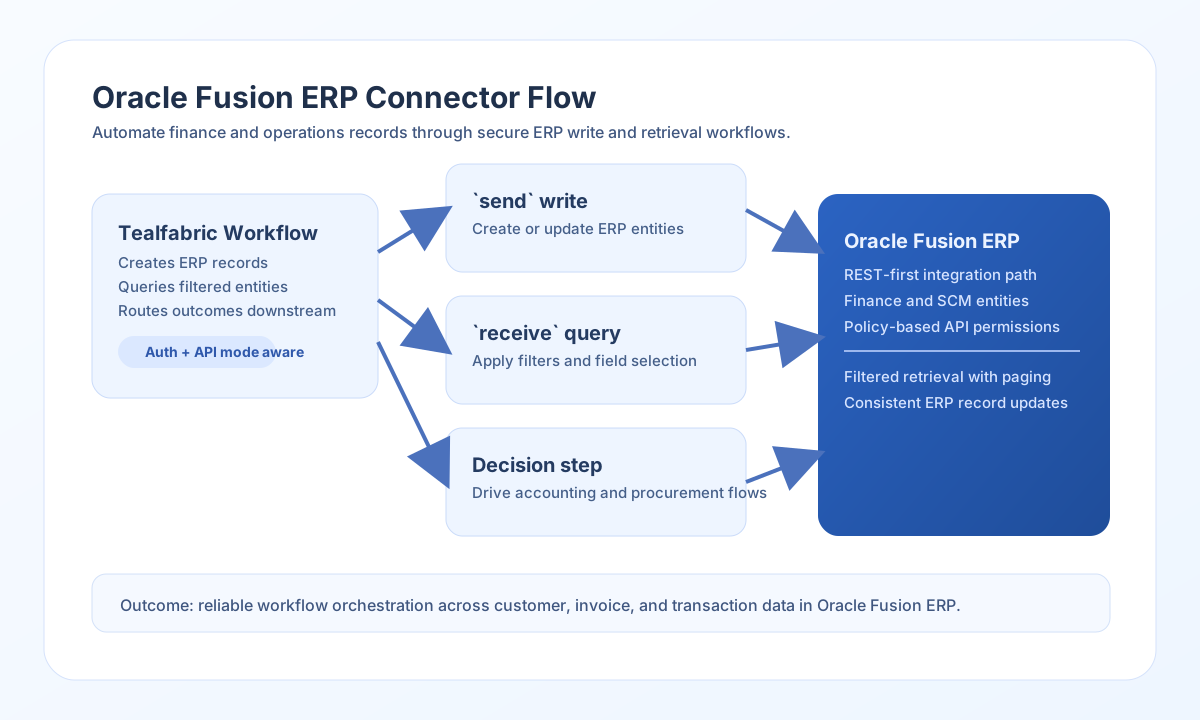
The Oracle Fusion ERP connector lets Tealfabric workflows create, update, and retrieve ERP records through Oracle Fusion REST APIs. It is commonly used for finance and procurement automations, such as supplier updates, invoice creation, and ledger lookups.
Document information
| Field | Value |
|---|---|
| Canonical URL | /docs/04_connecting-systems/connectors/o/oracle-fusion-erp |
| Version (published date) | 2026-05-08 |
| Tags | connectors, reference, oracle-fusion-erp |
| Connector ID | oracle-fusion-erp-1.0.0 |
Configure authentication and API mode
Set base_url to your Oracle Fusion Cloud Applications host (for example https://your-instance.fa.us2.oraclecloud.com), then provide username and password for an integration user with least-privilege access.
Keep api_type as rest for modern Fusion REST automations. The connector stores api_type for configuration parity; only REST request routing is implemented in code. Set timeout_seconds high enough for large responses and batch-oriented operations, then run test to validate Basic authentication and REST catalog access.
Create or update entities with send
Use send to write data to Fusion REST resources. send requires endpoint and defaults to HTTP POST when method is omitted. Pass the JSON body in data.
const baseUrl = "https://api.example.com/api/v1";
const tenantId = "<TENANT_ID>";
const apiKey = "<API_KEY>";

async function createSupplier(integrationId: string) {
  const response = await fetch(`${baseUrl}/integrations/${encodeURIComponent(integrationId)}/execute`, {
    method: "POST",
    headers: {
      "X-API-Key": apiKey,
      "X-Tenant-ID": tenantId,
      "Content-Type": "application/json",
    },
    body: JSON.stringify({
      operation: "send",
      endpoint: "fscmRestApi/resources/11.13.18.05.0/suppliers",
      method: "POST",
      data: {
        Supplier: "ACME_DISTRIBUTION",
        SupplierNumber: "SUP-1042",
        TaxpayerId: "12-3456789"
      }
    }),
  });
  if (!response.ok) throw new Error(`Request failed: ${response.status}`);
  return response.json();
}
curl -X POST "https://api.example.com/api/v1/integrations/<ENTITY_ID>/execute" \
-H "X-API-Key: <API_KEY>" \
-H "X-Tenant-ID: <TENANT_ID>" \
-H "Content-Type: application/json" \
-d '{
"operation": "send",
"endpoint": "fscmRestApi/resources/11.13.18.05.0/suppliers",
"method": "POST",
"data": {
"Supplier": "ACME_DISTRIBUTION",
"SupplierNumber": "SUP-1042",
"TaxpayerId": "12-3456789"
}
}'
{
  "success": true,
  "data": {
    "message": "Oracle Fusion ERP operation completed successfully",
    "result": {
      "SupplierId": 1042,
      "SupplierNumber": "SUP-1042"
    }
  }
}
Retrieve data with receive
Use receive to GET Fusion REST collections or individual resources. Provide endpoint and optional query parameters (for example Fusion q, limit, offset, or fields filters).
{
  "operation": "receive",
  "endpoint": "fscmRestApi/resources/11.13.18.05.0/invoices",
  "query": {
    "q": "InvoiceStatus='Open'",
    "limit": "50",
    "offset": "0"
  }
}
receive returns normalized output:
{
  "success": true,
  "data": {
    "message": "Oracle Fusion ERP data retrieved successfully",
    "record_count": 2,
    "items": [
      { "InvoiceNumber": "INV-3082", "InvoiceAmount": 1840.5 },
      { "InvoiceNumber": "INV-3091", "InvoiceAmount": 620.0 }
    ]
  }
}
When the Fusion response includes a top-level items array, that array is returned directly. Otherwise the full response object is wrapped as a single-item items array.
Run arbitrary methods with execute
Use execute when you need full control over HTTP method and body. body takes precedence over data when both are present.
{
  "operation": "execute",
  "endpoint": "fscmRestApi/resources/11.13.18.05.0/invoices/3082",
  "method": "PATCH",
  "body": {
    "InvoiceDescription": "Approved by finance workflow"
  }
}
Validate setup with test
test validates required configuration (base_url, username, password) and probes GET fscmRestApi/resources/11.13.18.05.0 to confirm Basic authentication and REST catalog access. On configuration failure it returns Configuration validation failed (matching legacy connector behavior).
Reliability guidance
Common failures come from permission gaps, invalid resource paths, or malformed Fusion query expressions. Validate resource names and field sets in a lower environment before rollout.
For sustained reliability, implement retry/backoff for 429 and transient 5xx responses, and request only the fields your workflow uses. Network failures surface as transport error messages for parity with the legacy connector.