OCR File Connector Guide
The OCR File connector helps Tealfabric workflows extract machine-readable text from scanned images and PDFs stored in tenant storage. It is useful for invoice intake, form processing, and document-to-data automation pipelines.
Document information
| Field | Value |
|---|---|
| Canonical URL | /docs/04_connecting-systems/connectors/o/ocr-file |
| Version (published date) | 2026-05-08 |
| Tags | connectors, reference, ocr-file |
| Connector ID | ocr-file-1.0.0 |
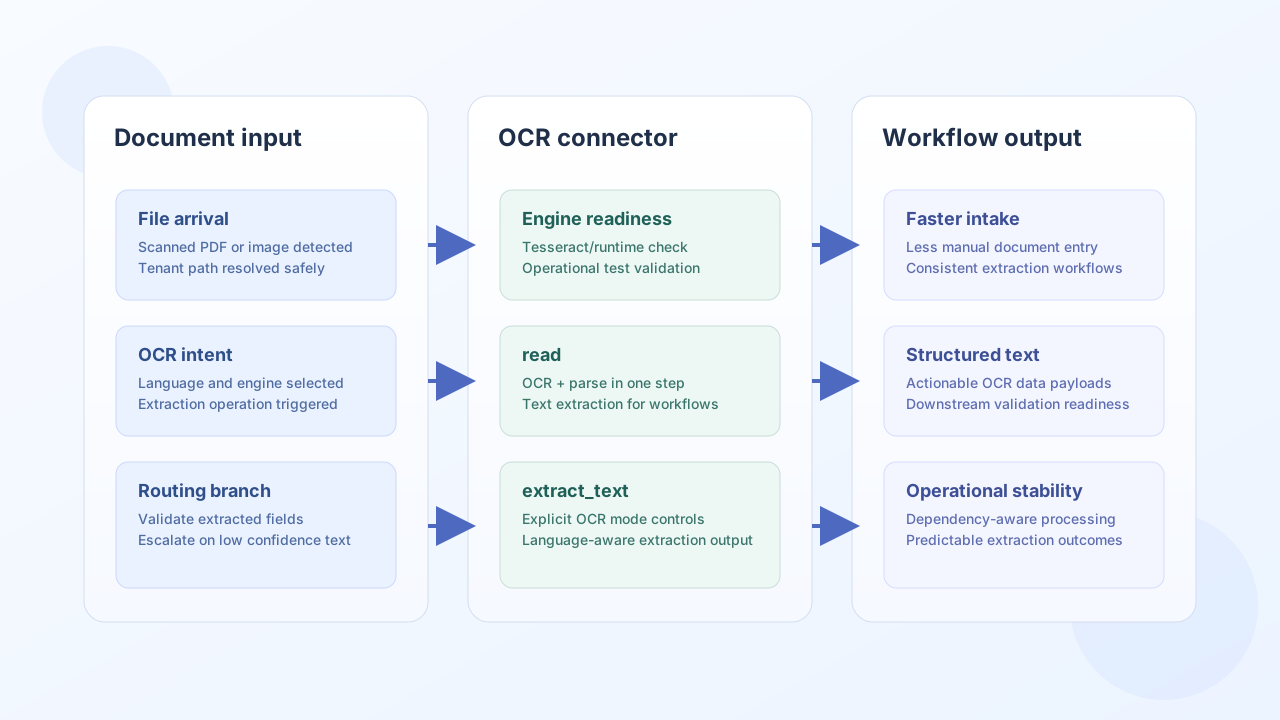
Configuration and OCR setup
Configure the connector with the file location and OCR language settings so extraction is deterministic across environments. Choose an OCR engine supported by your runtime and validate required system dependencies before production rollout.
filename(required): source image or PDF file name.path(optional): folder path understorage/<tenant_id>/.language(optional): OCR language code, defaulteng.engine(optional): OCR engine identifier —tesseract(default) for images and PDF page rendering, orocrmypdffor scanned PDFs.
Supported file extensions: png, jpg, jpeg, tiff, tif, bmp, pdf.
OCR quality depends heavily on input quality, so use clean scans with sufficient resolution whenever possible. The runtime must have the selected engine installed (tesseract, and for PDF workflows optionally ocrmypdf, pdftotext, and pdftoppm).
Extract text with read
Use read when you want a workflow step to run OCR and return text from the configured file directly. This is an alias for extract_text.
const baseUrl = "https://api.example.com/api/v1";
const tenantId = "<TENANT_ID>";
const apiKey = "<API_KEY>";

async function readOcrText(integrationId: string) {
  const response = await fetch(`${baseUrl}/integrations/${encodeURIComponent(integrationId)}/execute`, {
    method: "POST",
    headers: {
      "X-API-Key": apiKey,
      "X-Tenant-ID": tenantId,
      "Content-Type": "application/json",
    },
    body: JSON.stringify({
      operation: "read"
    }),
  });
  if (!response.ok) throw new Error(`Request failed: ${response.status}`);
  return response.json();
}
curl -X POST "https://api.example.com/api/v1/integrations/<ENTITY_ID>/execute" \
-H "X-API-Key: <API_KEY>" \
-H "X-Tenant-ID: <TENANT_ID>" \
-H "Content-Type: application/json" \
-d '{
"operation": "read"
}'
{
  "success": true,
  "data": {
    "message": "OCR completed successfully",
    "text": "Invoice Number: INV-4821\nTotal Amount: 1,240.00 USD\nDue Date: 2026-05-31",
    "word_count": 12,
    "character_count": 72,
    "engine": "tesseract",
    "language": "eng"
  }
}
Extract text with explicit OCR mode using extract_text
Use extract_text when you need explicit extraction behavior or operation-level overrides in the payload. Per-request language and engine override the integration configuration.
const baseUrl = "https://api.example.com/api/v1";
const tenantId = "<TENANT_ID>";
const apiKey = "<API_KEY>";

async function extractInvoiceText(integrationId: string) {
  const response = await fetch(`${baseUrl}/integrations/${encodeURIComponent(integrationId)}/execute`, {
    method: "POST",
    headers: {
      "X-API-Key": apiKey,
      "X-Tenant-ID": tenantId,
      "Content-Type": "application/json",
    },
    body: JSON.stringify({
      operation: "extract_text",
      language: "eng",
      engine: "tesseract"
    }),
  });
  if (!response.ok) throw new Error(`Request failed: ${response.status}`);
  return response.json();
}
curl -X POST "https://api.example.com/api/v1/integrations/<ENTITY_ID>/execute" \
-H "X-API-Key: <API_KEY>" \
-H "X-Tenant-ID: <TENANT_ID>" \
-H "Content-Type: application/json" \
-d '{
"operation": "extract_text",
"language": "eng",
"engine": "tesseract"
}'
{
  "success": true,
  "data": {
    "message": "OCR completed successfully",
    "text": "Vendor: Northwind Supplies\nPO Number: PO-9902\nAmount Due: 874.50 USD",
    "word_count": 10,
    "character_count": 58,
    "engine": "tesseract",
    "language": "eng"
  }
}
Validate file access and OCR engine with test
Use test before production rollout to confirm the configured file exists under tenant storage, the extension is supported, and the selected OCR engine is available in PATH.
const baseUrl = "https://api.example.com/api/v1";
const tenantId = "<TENANT_ID>";
const apiKey = "<API_KEY>";

async function testOcrConnector(integrationId: string) {
  const response = await fetch(`${baseUrl}/integrations/${encodeURIComponent(integrationId)}/execute`, {
    method: "POST",
    headers: {
      "X-API-Key": apiKey,
      "X-Tenant-ID": tenantId,
      "Content-Type": "application/json",
    },
    body: JSON.stringify({
      operation: "test"
    }),
  });
  if (!response.ok) throw new Error(`Request failed: ${response.status}`);
  return response.json();
}
curl -X POST "https://api.example.com/api/v1/integrations/<ENTITY_ID>/execute" \
-H "X-API-Key: <API_KEY>" \
-H "X-Tenant-ID: <TENANT_ID>" \
-H "Content-Type: application/json" \
-d '{
"operation": "test"
}'
{
  "success": true,
  "data": {
    "message": "OCR file connector test successful",
    "details": {
      "file_path": "/var/tealfabric/storage/<TENANT_ID>/invoices/scan-001.png",
      "file_size": 245760,
      "engine": "tesseract",
      "language": "eng"
    }
  }
}
Reliability guidance
Most OCR failures come from low-quality scans, missing OCR runtime dependencies, or unsupported file formats. Validate engine availability with test, standardize input quality requirements, and add fallback handling when extracted text confidence is low.
These controls keep document-extraction workflows accurate and easier to operate at scale.