OpenAI API Connector Guide
The OpenAI API connector allows Tealfabric workflows to call language, embedding, image, and speech capabilities through a single integration. It is useful for summarization, classification, semantic search, content generation, and AI-assisted business automation.
Document information
| Field | Value |
|---|---|
| Canonical URL | /docs/04_connecting-systems/connectors/o/openai-api |
| Version (published date) | 2026-05-08 |
| Tags | connectors, reference, openai-api |
| Connector ID | openai-api-1.0.0 |
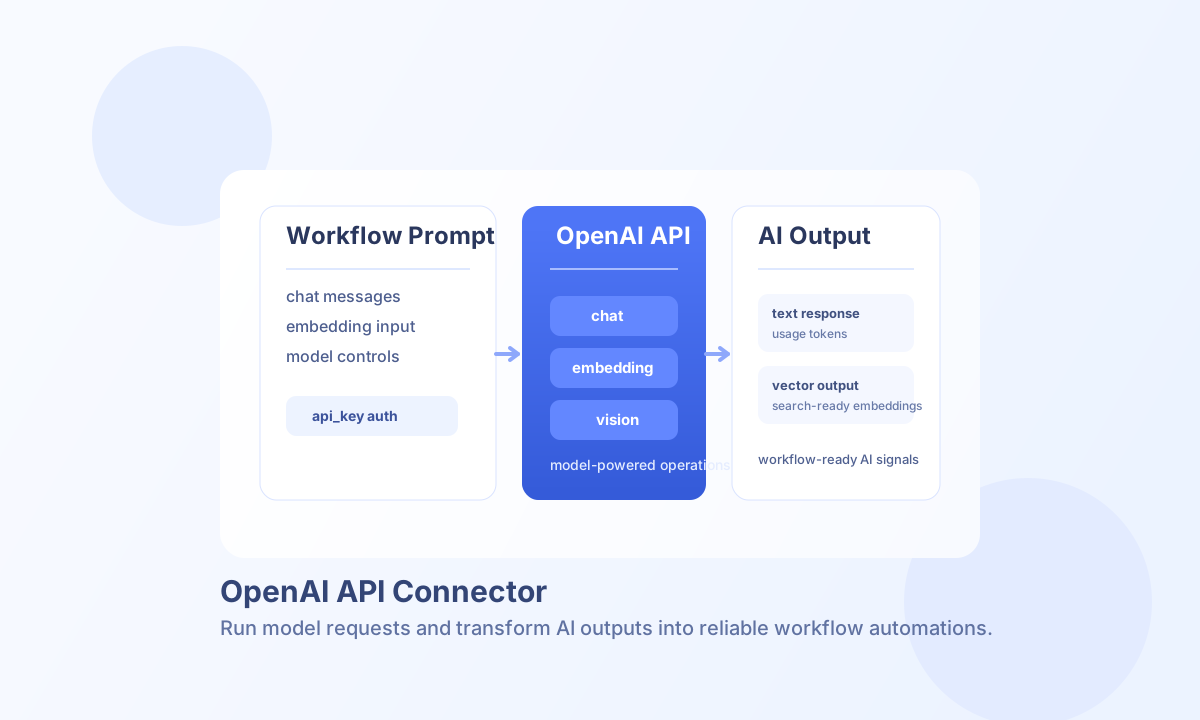
Configuration
Set integration configuration before calling operations:
api_key(required): OpenAI API key sent asAuthorization: Bearer.organization(optional): OpenAI organization ID for multi-org accounts.endpoint_url(optional): API base URL (defaulthttps://api.openai.com/v1).model(optional): default model (defaultgpt-3.5-turbo).temperature,max_tokens,top_p,frequency_penalty,presence_penalty(optional): sampling defaults applied when callData omits overrides.timeout_seconds(optional): HTTP timeout (default30).
Run test after setup to validate credentials and LLM parameter ranges (GET /models).
Generate text with chat
Use chat for conversational prompts with a non-empty messages array. Per-request overrides such as model, temperature, max_tokens, stop / stop_sequences, system_prompt / system, tools, functions, and function_call are supported in callData.
const baseUrl = "https://api.example.com/api/v1";
const tenantId = "<TENANT_ID>";
const apiKey = "<API_KEY>";

async function summarizeIncident(integrationId: string) {
  const response = await fetch(`${baseUrl}/integrations/${encodeURIComponent(integrationId)}/execute`, {
    method: "POST",
    headers: {
      "X-API-Key": apiKey,
      "X-Tenant-ID": tenantId,
      "Content-Type": "application/json",
    },
    body: JSON.stringify({
      operation: "chat",
      model: "gpt-4o-mini",
      messages: [
        { role: "system", content: "You summarize operational incidents for support teams." },
        { role: "user", content: "Summarize this incident in 3 concise bullet points: API latency spiked for 12 minutes in eu-west-1." }
      ],
      temperature: 0.2,
      max_tokens: 180
    }),
  });
  if (!response.ok) throw new Error(`Request failed: ${response.status}`);
  return response.json();
}
curl -X POST "https://api.example.com/api/v1/integrations/<ENTITY_ID>/execute" \
-H "X-API-Key: <API_KEY>" \
-H "X-Tenant-ID: <TENANT_ID>" \
-H "Content-Type: application/json" \
-d '{
"operation": "chat",
"model": "gpt-4o-mini",
"messages": [
{"role": "system", "content": "You summarize operational incidents for support teams."},
{"role": "user", "content": "Summarize this incident in 3 concise bullet points: API latency spiked for 12 minutes in eu-west-1."}
],
"temperature": 0.2,
"max_tokens": 180
}'
{
  "success": true,
  "data": {
    "message_count": 1,
    "response": {
      "choices": [
        {
          "message": {
            "role": "assistant",
            "content": "- Latency rose sharply in eu-west-1 for ~12 minutes.\n- Impact was elevated API response times for customer-facing endpoints.\n- Service recovered after autoscaling and queue drain actions."
          }
        }
      ],
      "usage": {
        "prompt_tokens": 44,
        "completion_tokens": 59,
        "total_tokens": 103
      }
    },
    "tokens": {
      "prompt_tokens": 44,
      "completion_tokens": 59,
      "total_tokens": 103
    }
  }
}
Legacy text completion with completion
Use completion with a non-empty prompt for legacy /completions models. Chat models (gpt-*) route to /chat/completions automatically when prompt is supplied without messages.
Start streamed output with stream
Use stream with prompt, message, or messages. The connector consumes the OpenAI SSE body internally and returns an acknowledgement (the worker runtime does not mirror legacy PHP echo / header() streaming side effects).
{
  "success": true,
  "data": {
    "message": "Streaming started"
  },
  "metadata": {
    "execution_id": "<CORRELATION_ID>",
    "processing_time_ms": 1204
  }
}
Generate vectors with embeddings
Use embeddings with input or text (string or string array). Default embedding model is text-embedding-ada-002 when callData omits model.
{
  "success": true,
  "data": {
    "message_count": 1,
    "embeddings": [{ "embedding": [0.01, -0.02], "index": 0 }],
    "model": "text-embedding-ada-002",
    "usage": { "prompt_tokens": 4, "total_tokens": 4 }
  }
}
Other supported operations
| Operation | Purpose |
|---|---|
image | POST /images/generations (default operation: generate) |
vision | Image understanding via chat completion (image_url or image, optional prompt / question) |
audio | Text-to-speech when operation is tts (text or input, optional voice, model) |
test | GET /models plus LLM configuration range validation |
Function calling is supported on chat / stream / completion via tools, functions, and function_call (mapped to tool_choice).
Current limitations
audiotranscribe and translate paths match legacy: they require an audio file but multipart upload is not implemented; the connector returns a validation error directing callers to base64-encoded audio data.- Streaming does not emit incremental chunks to HTTP clients; SSE is drained server-side before the acknowledgement response is returned.
Reliability, limits, and cost control
Most failures come from invalid API keys, model access mismatch, token limit overruns, or rate limiting. Validate request size early, use retry logic with backoff for transient 429 responses, and keep model selection aligned to required quality and latency.
Monitor data.tokens / data.usage from responses and cache reusable embeddings where possible to control spend.