IBM Maximo Enterprise Asset Management Connector Guide
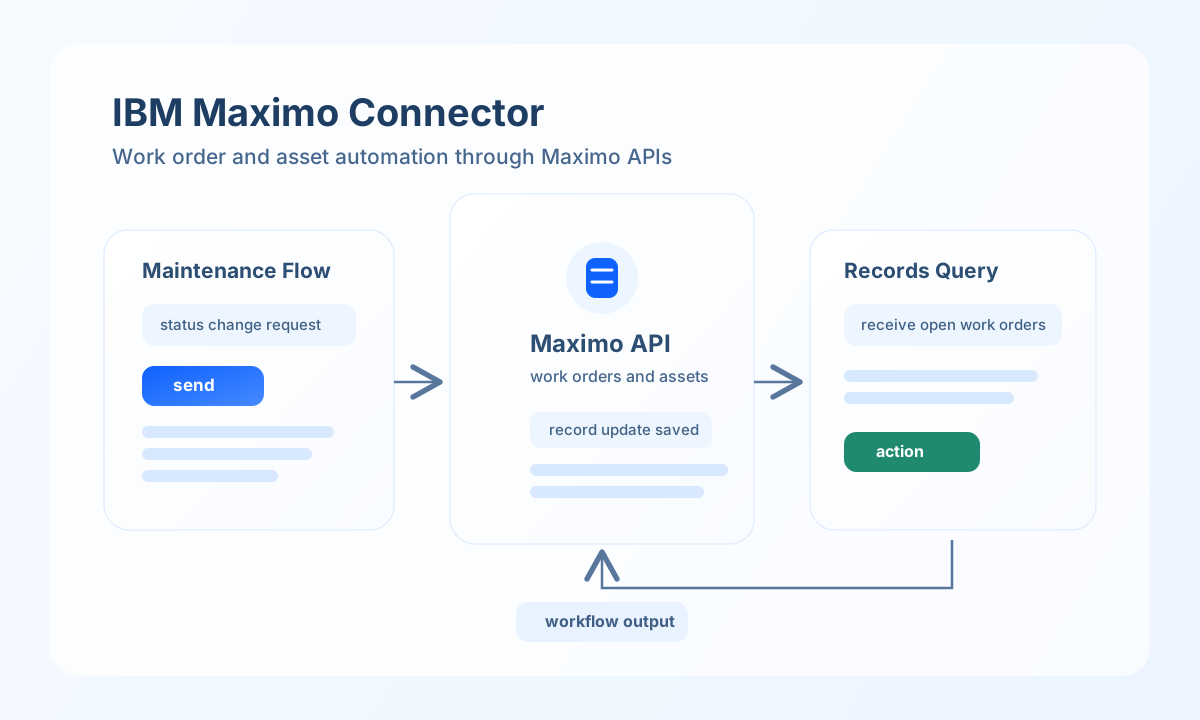
The IBM Maximo connector lets Tealfabric workflows create and retrieve enterprise asset and work management records through Maximo OSLC REST APIs. It is useful for automating maintenance operations, work order routing, and asset lifecycle updates across operational systems.
Document information
| Field | Value |
|---|---|
| Canonical URL | /docs/04_connecting-systems/connectors/i/ibm-maximo |
| Version (published date) | 2026-05-08 |
| Tags | connectors, reference, ibm-maximo |
| Connector ID | ibm-maximo-1.0.0 |
Configure Maximo access
Set base_url to your Maximo environment host (for example https://your-instance.maximo.com) and provide username and password credentials with access to the records your workflows manage. The connector composes requests to {base_url}/maximo/oslc/{endpoint} with HTTP Basic authentication.
Tune timeout_seconds for expected payload size and network latency, especially when querying large result sets. Run test before production rollout to confirm authentication and endpoint availability. Only the test operation validates required configuration (base_url, username, password); other operations proceed to the Maximo API and surface auth or network errors from the remote call.
Update Maximo records with send
Use send to create or update work orders, assets, or location records from workflow events. Pass the OSLC path segment after /maximo/oslc/ as endpoint (for example os/mxwo, not a duplicated oslc/ prefix).
const baseUrl = "https://api.example.com/api/v1";
const tenantId = "<TENANT_ID>";
const apiKey = "<API_KEY>";

async function updateWorkOrderStatus(integrationId: string) {
  const response = await fetch(`${baseUrl}/integrations/${encodeURIComponent(integrationId)}/execute`, {
    method: "POST",
    headers: {
      "X-API-Key": apiKey,
      "X-Tenant-ID": tenantId,
      "Content-Type": "application/json",
    },
    body: JSON.stringify({
      operation: "send",
      endpoint: "os/mxwo",
      method: "POST",
      data: {
        wonum: "<ENTITY_ID>",
        status: "INPRG",
        description: "Automation-triggered maintenance status update"
      }
    }),
  });
  if (!response.ok) throw new Error(`Request failed: ${response.status}`);
  return response.json();
}
curl -X POST "https://api.example.com/api/v1/integrations/<ENTITY_ID>/execute" \
-H "X-API-Key: <API_KEY>" \
-H "X-Tenant-ID: <TENANT_ID>" \
-H "Content-Type: application/json" \
-d '{
"operation": "send",
"endpoint": "os/mxwo",
"method": "POST",
"data": {
"wonum": "<ENTITY_ID>",
"status": "INPRG",
"description": "Automation-triggered maintenance status update"
}
}'
{
  "success": true,
  "data": {
    "message": "Maximo operation completed successfully",
    "result": {
      "wonum": "<ENTITY_ID>",
      "status": "INPRG"
    }
  }
}
Retrieve records with receive
Use receive to query assets, work orders, or locations for monitoring and workflow branching. Query filters keep payloads focused and reduce response processing overhead.
const baseUrl = "https://api.example.com/api/v1";
const tenantId = "<TENANT_ID>";
const apiKey = "<API_KEY>";

async function listOpenWorkOrders(integrationId: string) {
  const response = await fetch(`${baseUrl}/integrations/${encodeURIComponent(integrationId)}/execute`, {
    method: "POST",
    headers: {
      "X-API-Key": apiKey,
      "X-Tenant-ID": tenantId,
      "Content-Type": "application/json",
    },
    body: JSON.stringify({
      operation: "receive",
      endpoint: "os/mxwo",
      query: {
        oslc_where: "status=\"WAPPR\"",
        oslc_select: "wonum,description,status",
        limit: 20
      }
    }),
  });
  if (!response.ok) throw new Error(`Request failed: ${response.status}`);
  return response.json();
}
curl -X POST "https://api.example.com/api/v1/integrations/<ENTITY_ID>/execute" \
-H "X-API-Key: <API_KEY>" \
-H "X-Tenant-ID: <TENANT_ID>" \
-H "Content-Type: application/json" \
-d '{
"operation": "receive",
"endpoint": "os/mxwo",
"query": {
"oslc_where": "status=\"WAPPR\"",
"oslc_select": "wonum,description,status",
"limit": 20
}
}'
{
  "success": true,
  "data": {
    "message": "Maximo data retrieved successfully",
    "asset_count": 1,
    "items": [
      {
        "wonum": "<ENTITY_ID>",
        "description": "Pump inspection",
        "status": "WAPPR"
      }
    ]
  }
}
Execute arbitrary OSLC methods with execute
Use execute when you need a non-default HTTP method or want to pass the request body via body instead of data.
{
  "operation": "execute",
  "endpoint": "os/mxasset",
  "method": "PATCH",
  "body": {
    "assetnum": "<ENTITY_ID>",
    "description": "Updated via automation"
  }
}
{
  "success": true,
  "data": {
    "message": "Maximo method executed successfully",
    "result": {
      "assetnum": "<ENTITY_ID>",
      "description": "Updated via automation"
    }
  }
}
Validate connectivity with test
The test operation probes GET os/mxasset and returns assets_found from the OSLC member collection when present.
{
  "operation": "test"
}
{
  "success": true,
  "data": {
    "message": "Maximo connection test successful",
    "details": {
      "base_url": "https://your-instance.maximo.com",
      "assets_found": 3
    }
  }
}
Production guidance
Maximo API workloads can become heavy when query filters are broad, so request only required fields and apply practical record limits. This improves latency and keeps workflow execution predictable.
Most failures come from credential rotation, permission mismatches, and endpoint-specific payload requirements. Re-run test after authentication updates and monitor repeated validation errors to catch schema drift quickly.
Related resources
For endpoint capabilities and object structures, use the IBM Maximo documentation.