Workday Financial Management Connector Guide
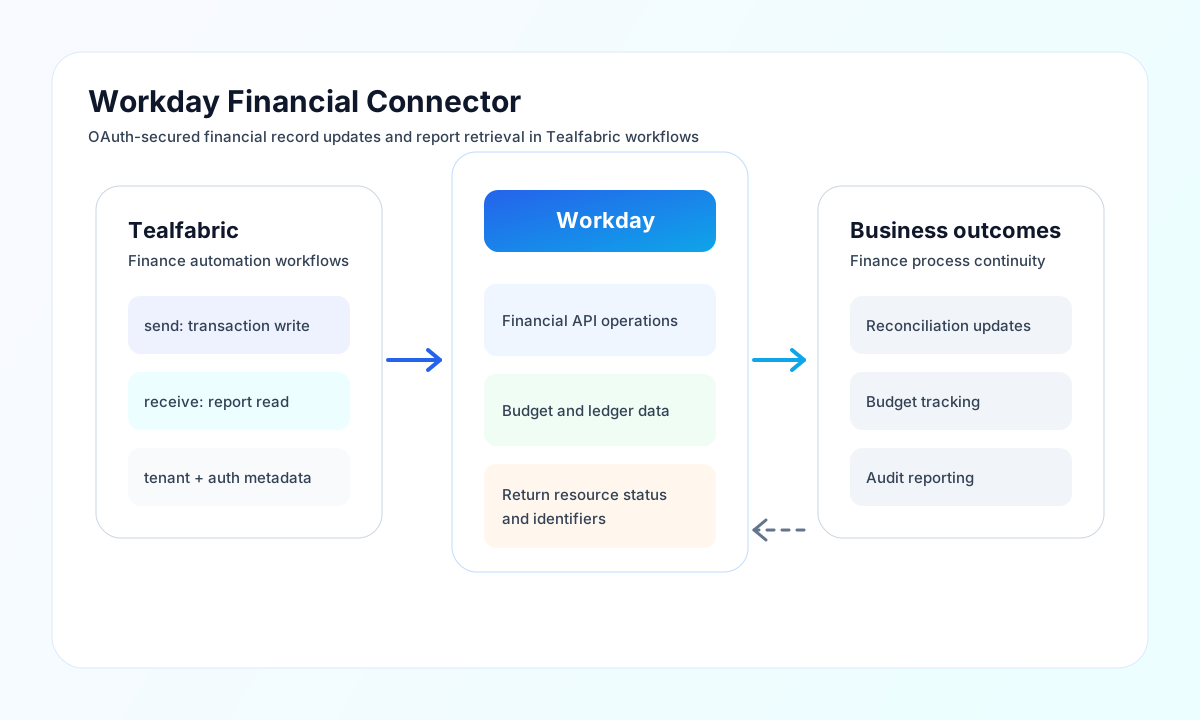
The Workday Financial connector lets Tealfabric workflows create, update, and retrieve financial data from Workday. It is useful for automating journal flows, synchronizing budget updates, and collecting finance records for reporting pipelines.
Document information
| Field | Value |
|---|---|
| Canonical URL | /docs/04_connecting-systems/connectors/w/workday-financial |
| Version (published date) | 2026-05-08 |
| Tags | connectors, reference, workday-financial |
| Connector ID | workday-financial-1.0.0 |
Configure tenant and OAuth access
Set base_url and tenant_name for the correct Workday environment, then provide client_id and client_secret from your integration system. If your setup uses token refresh, also configure refresh_token so long-running automations can renew access.
Use api_type to select rest or soap, with REST recommended for most new automations. Set timeout_seconds based on query complexity and report size, then run test to validate authentication and environment access.
Create or update financial resources with send
Use send for write operations such as creating financial transactions or updating budgets. send requires endpoint and defaults to HTTP POST when method is omitted.
const baseUrl = "https://api.example.com/api/v1";
const tenantId = "<TENANT_ID>";
const apiKey = "<API_KEY>";

async function createFinancialTransaction(integrationId: string) {
  const response = await fetch(`${baseUrl}/integrations/${encodeURIComponent(integrationId)}/execute`, {
    method: "POST",
    headers: {
      "X-API-Key": apiKey,
      "X-Tenant-ID": tenantId,
      "Content-Type": "application/json",
    },
    body: JSON.stringify({
      operation: "send",
      endpoint: "ccx/api/v1/supplierInvoiceRequests",
      method: "POST",
      data: {
        supplierInvoiceRequest: {
          company: { id: "COMPANY_001" },
          supplier: { id: "SUPPLIER_4421" },
          invoiceNumber: "INV-2026-0508",
          currency: { id: "USD" },
          invoiceDate: "2026-05-08",
          totalAmount: 12500.0
        }
      }
    }),
  });
  if (!response.ok) throw new Error(`Request failed: ${response.status}`);
  return response.json();
}
curl -X POST "https://api.example.com/api/v1/integrations/<ENTITY_ID>/execute" \
-H "X-API-Key: <API_KEY>" \
-H "X-Tenant-ID: <TENANT_ID>" \
-H "Content-Type: application/json" \
-d '{
"operation": "send",
"endpoint": "ccx/api/v1/supplierInvoiceRequests",
"method": "POST",
"data": {
"supplierInvoiceRequest": {
"company": { "id": "COMPANY_001" },
"supplier": { "id": "SUPPLIER_4421" },
"invoiceNumber": "INV-2026-0508",
"currency": { "id": "USD" },
"invoiceDate": "2026-05-08",
"totalAmount": 12500.0
}
}
}'
{
  "success": true,
  "data": {
    "message": "Workday Financial operation completed successfully",
    "result": {
      "id": "SIR-90018",
      "status": "Submitted"
    }
  }
}
Retrieve financial data with receive
Use receive to query transactions, budgets, and financial reports for reconciliation and analytics workflows. The connector supports query as either an object or a raw query string.
{
  "operation": "receive",
  "endpoint": "ccx/service/customreport2/<TENANT_NAME>/RaaS/Finance_Open_Invoices",
  "query": {
    "supplier": "SUPPLIER_4421",
    "fromDate": "2026-05-01",
    "toDate": "2026-05-31"
  }
}
receive returns normalized output:
{
  "success": true,
  "data": {
    "message": "Workday Financial data retrieved successfully",
    "record_count": 2,
    "items": [
      { "Invoice_Number": "INV-2026-0508" },
      { "Invoice_Number": "INV-2026-0510" }
    ]
  }
}
Run arbitrary methods with execute
Use execute when you need full control over HTTP method and body.
{
  "operation": "execute",
  "endpoint": "ccx/api/v1/supplierInvoiceRequests/SIR-90018",
  "method": "PATCH",
  "body": {
    "supplierInvoiceRequest": {
      "memo": "Approved by finance workflow"
    }
  }
}
Validate setup with test
test validates OAuth credentials by requesting ccx/service/customreport2/{tenant_name}/RaaS and returns connection metadata.
Reliability and governance guidance
Common production failures come from invalid OAuth credentials, revoked refresh tokens, insufficient Workday security permissions, and resource schema mismatches. Validate authentication and integration-system permissions first, then verify resource and field names against your tenant configuration.
For resilient automation, treat Workday writes as auditable events, log resource identifiers, and use retry-with-backoff for transient failures and rate limits. This improves traceability and reduces manual reconciliation work.