Weaviate Connector Guide
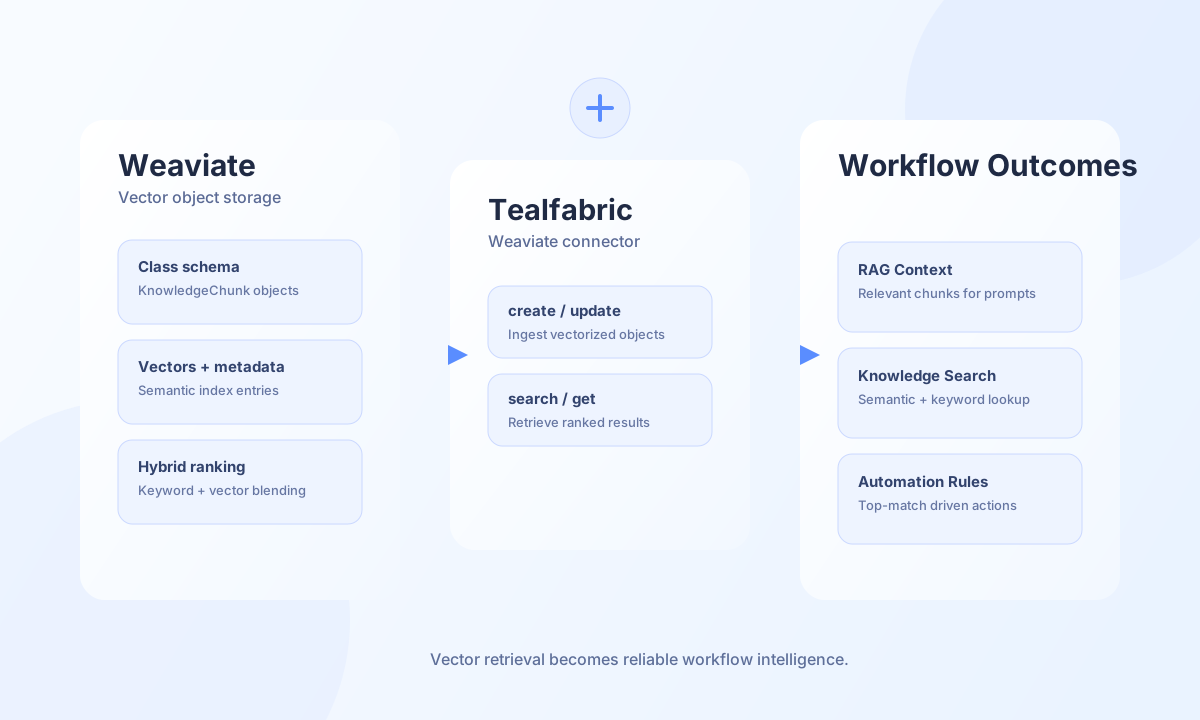
The Weaviate connector provides object CRUD, query, and connectivity-test operations against a Weaviate REST endpoint. It maps directly to /v1/objects, /v1/query, and /v1/meta.
Document information
| Field | Value |
|---|---|
| Canonical URL | /docs/04_connecting-systems/connectors/w/weaviate |
| Version (published date) | 2026-06-17 |
| Tags | connectors, reference, weaviate |
| Connector ID | weaviate-1.0.0 |
Configuration and prerequisites
endpoint_url(required): Weaviate endpoint, for examplehttps://your-instance.weaviate.io.api_key(optional): Bearer API key used for protected deployments.timeout_seconds(optional): HTTP timeout in seconds (default30).
Before sending object payloads, ensure the target class schema already exists in Weaviate.
Operation reference
create: create an object usingclass(orclassName) andproperties(orobject).get: fetch an object byclass/classNameandid.search: query objects byclass/className, with optionalquery,vector, andlimit.update: patch object properties byclass/className,id, andproperties/object.delete: delete an object byclass/classNameandid.test: call/v1/metato verify connectivity and endpoint readiness.
Create object (create)
curl -X POST "https://api.example.com/api/v1/integrations/<INTEGRATION_ID>/execute" \
  -H "X-API-Key: <API_KEY>" \
  -H "X-Tenant-ID: <TENANT_ID>" \
  -H "Content-Type: application/json" \
  -d '{
    "operation": "create",
    "class": "KnowledgeChunk",
    "properties": {
      "title": "Return policy overview",
      "content": "Customers can return eligible products within 30 days.",
      "source": "help-center"
    }
  }'
{
  "success": true,
  "data": {
    "object_count": 1,
    "id": "<OBJECT_ID>",
    "data": {
      "id": "<OBJECT_ID>"
    }
  }
}
Search objects (search)
curl -X POST "https://api.example.com/api/v1/integrations/<INTEGRATION_ID>/execute" \
  -H "X-API-Key: <API_KEY>" \
  -H "X-Tenant-ID: <TENANT_ID>" \
  -H "Content-Type: application/json" \
  -d '{
    "operation": "search",
    "className": "KnowledgeChunk",
    "query": "What is your return window?",
    "limit": 5
  }'
{
  "success": true,
  "data": {
    "object_count": 2,
    "objects": [
      {
        "title": "Return policy overview"
      }
    ],
    "data": {
      "data": {
        "Get": {
          "KnowledgeChunk": [
            {
              "title": "Return policy overview"
            }
          ]
        }
      }
    }
  }
}
Test connectivity (test)
curl -X POST "https://api.example.com/api/v1/integrations/<INTEGRATION_ID>/execute" \
  -H "X-API-Key: <API_KEY>" \
  -H "X-Tenant-ID: <TENANT_ID>" \
  -H "Content-Type: application/json" \
  -d '{ "operation": "test" }'
{
  "success": true,
  "data": {
    "message": "Weaviate connection test successful",
    "details": {
      "endpoint": "https://your-instance.weaviate.io",
      "version": "1.26.7"
    }
  }
}
If endpoint_url is not configured, test returns:
{
  "success": false,
  "error": {
    "code": "VALIDATION",
    "message": "Configuration validation failed",
    "retriable": false
  },
  "metadata": {
    "processing_time_ms": 1
  }
}
Reliability guidance
- Validate class names and property schema before create/update requests.
- Use retries with backoff for transient network errors and
RATE_LIMITresponses. - Increase
timeout_secondsfor high-latency environments or large payload paths.