WebDAV Connector Guide
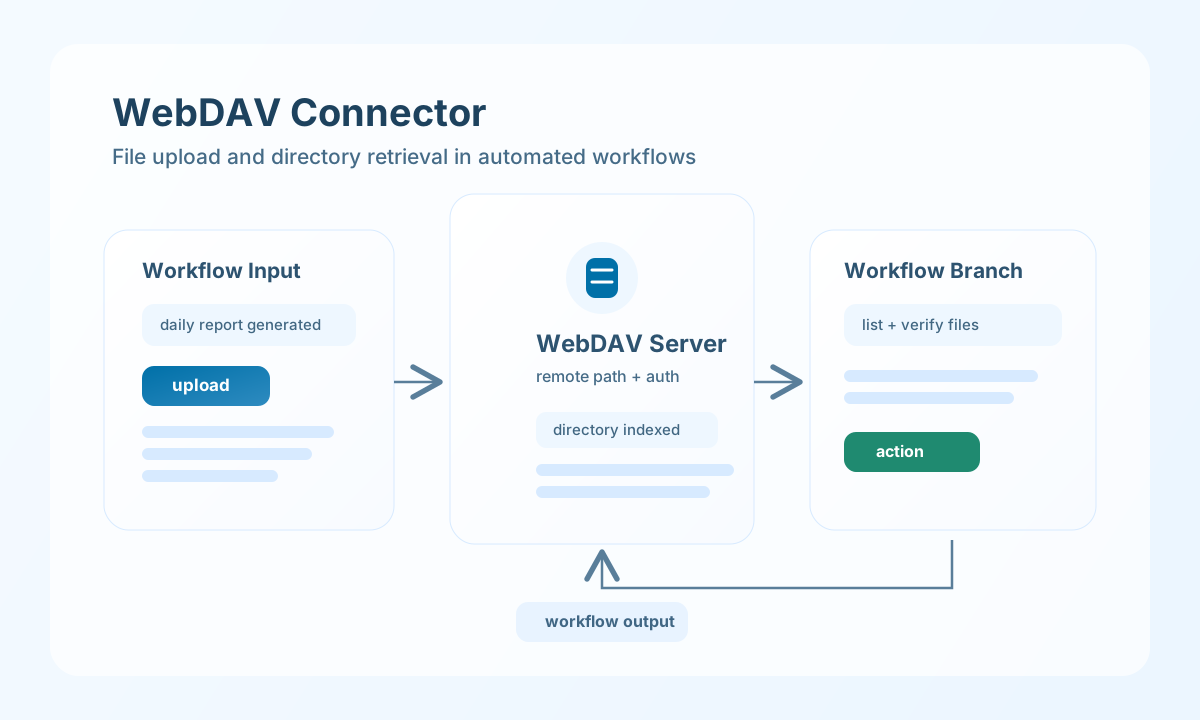
The WebDAV connector lets Tealfabric workflows upload, download, and manage remote files over WebDAV-compatible storage endpoints. It is useful for document handoff pipelines, archival automation, and shared file exchange across systems.
Document information
| Field | Value |
|---|---|
| Canonical URL | /docs/04_connecting-systems/connectors/w/webdav |
| Version (published date) | 2026-05-08 |
| Tags | connectors, reference, webdav |
| Connector ID | webdav-1.0.0 |
Configure server access
Set server_url to your WebDAV endpoint and provide username and password if the server requires basic authentication. Keep credentials in secure integration storage and avoid embedding them in workflow payloads.
Enable use_ssl for TLS certificate verification on HTTPS endpoints (default true). Set use_ssl to false only when connecting to servers with self-signed certificates in controlled environments. Tune timeout_seconds to match expected file size and network conditions. Run test before production deployment to verify connectivity and authentication.
Upload files with upload
Use upload to push workflow-generated files to remote WebDAV paths. Provide file_content (or alias content) inline, or file_path to read bytes from the connector host filesystem.
const baseUrl = "https://api.example.com/api/v1";
const tenantId = "<TENANT_ID>";
const apiKey = "<API_KEY>";

async function uploadReport(integrationId: string) {
  const response = await fetch(`${baseUrl}/integrations/${encodeURIComponent(integrationId)}/execute`, {
    method: "POST",
    headers: {
      "X-API-Key": apiKey,
      "X-Tenant-ID": tenantId,
      "Content-Type": "application/json",
    },
    body: JSON.stringify({
      operation: "upload",
      remote_path: "/reports/daily-summary.pdf",
      file_content: "<BASE64_OR_TEXT_PAYLOAD>"
    }),
  });
  if (!response.ok) throw new Error(`Request failed: ${response.status}`);
  return response.json();
}
curl -X POST "https://api.example.com/api/v1/integrations/<ENTITY_ID>/execute" \
-H "X-API-Key: <API_KEY>" \
-H "X-Tenant-ID: <TENANT_ID>" \
-H "Content-Type: application/json" \
-d '{
"operation": "upload",
"remote_path": "/reports/daily-summary.pdf",
"file_content": "<BASE64_OR_TEXT_PAYLOAD>"
}'
{
  "success": true,
  "data": {
    "file_count": 1,
    "remote_path": "/reports/daily-summary.pdf",
    "data": {
      "statusCode": 201,
      "body": "",
      "headers": {}
    }
  }
}
Retrieve file listings with list
Use list to inspect directory contents before downloading or deleting files in workflow logic. Listing uses PROPFIND with Depth: 1 (fixed; not configurable via callData).
const baseUrl = "https://api.example.com/api/v1";
const tenantId = "<TENANT_ID>";
const apiKey = "<API_KEY>";

async function listReportDirectory(integrationId: string) {
  const response = await fetch(`${baseUrl}/integrations/${encodeURIComponent(integrationId)}/execute`, {
    method: "POST",
    headers: {
      "X-API-Key": apiKey,
      "X-Tenant-ID": tenantId,
      "Content-Type": "application/json",
    },
    body: JSON.stringify({
      operation: "list",
      remote_path: "/reports"
    }),
  });
  if (!response.ok) throw new Error(`Request failed: ${response.status}`);
  return response.json();
}
curl -X POST "https://api.example.com/api/v1/integrations/<ENTITY_ID>/execute" \
-H "X-API-Key: <API_KEY>" \
-H "X-Tenant-ID: <TENANT_ID>" \
-H "Content-Type: application/json" \
-d '{
"operation": "list",
"remote_path": "/reports"
}'
{
  "success": true,
  "data": {
    "file_count": 2,
    "files": [
      { "path": "/reports/" },
      { "path": "/reports/daily-summary.pdf" }
    ],
    "data": [
      { "path": "/reports/" },
      { "path": "/reports/daily-summary.pdf" }
    ]
  }
}
Test connectivity with test
test validates integration configuration (server_url required and URL-shaped) and probes the server root with OPTIONS, checking the DAV response header for WebDAV support.
{
  "success": true,
  "data": {
    "message": "WebDAV connection test successful",
    "details": {
      "server_url": "https://webdav.example.com",
      "supports_webdav": true
    }
  }
}
Invalid configuration returns success: false with error.message set to Configuration validation failed.
Production guidance
WebDAV behavior can vary by server implementation, so verify supported methods (PROPFIND, PUT, DELETE, MOVE, COPY) in your target environment before automating complex workflows. This prevents runtime failures when moving across staging and production systems.
Most issues come from permission mismatches, invalid remote paths, and SSL misconfiguration. Keep directory conventions consistent, validate path targets before destructive operations, and prefer HTTPS endpoints for secure transfers.
Related resources
For protocol semantics and method behavior, see RFC 4918 WebDAV.