Hugging Face Inference Connector Guide
The Hugging Face Inference connector lets Tealfabric workflows run hosted model inference without managing model infrastructure. It is a practical choice when your process needs language generation, classification, or other AI tasks backed by Hugging Face models.
Document information
| Field | Value |
|---|---|
| Canonical URL | /docs/04_connecting-systems/connectors/h/huggingface-inference |
| Version (published date) | 2026-05-08 |
| Tags | connectors, reference, huggingface-inference |
| Connector ID | huggingface-inference-1.0.0 |
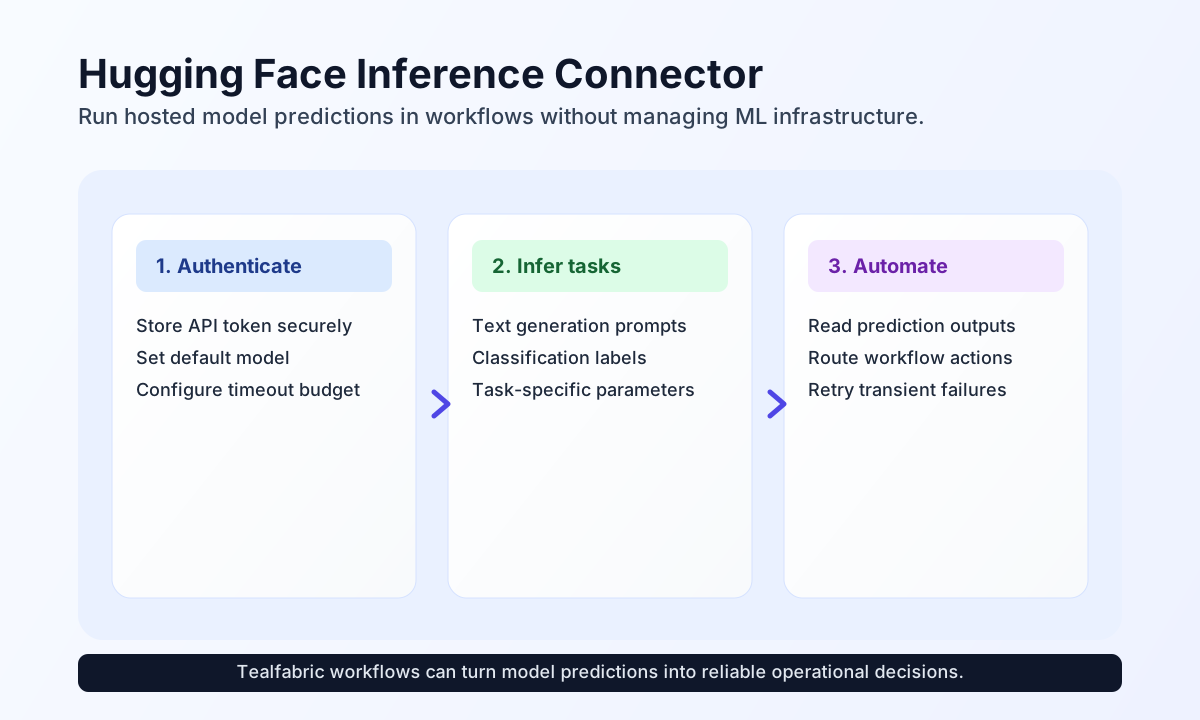
Configure API access and default model
Start by adding your Hugging Face token as api_key, then set a default model if your workflows commonly use one model family. You can override the model per request when a step needs a different task or accuracy profile.
Set timeout_seconds according to expected model latency. Smaller models typically return quickly, while larger generative models may need more time to complete.
Generate text with text-generation
Use text-generation for drafting responses, summaries, or internal assistant outputs directly inside workflows. Keep prompts explicit and include generation parameters only when you need tighter control over length or creativity.
const baseUrl = "https://api.example.com/api/v1";
const tenantId = "<TENANT_ID>";
const apiKey = "<API_KEY>";

async function generateIncidentUpdate(integrationId: string) {
  const response = await fetch(`${baseUrl}/integrations/${encodeURIComponent(integrationId)}/execute`, {
    method: "POST",
    headers: {
      "X-API-Key": apiKey,
      "X-Tenant-ID": tenantId,
      "Content-Type": "application/json",
    },
    body: JSON.stringify({
      operation: "text-generation",
      model: "gpt2",
      inputs: "Write a short incident status update for customers after API latency recovered.",
      parameters: {
        max_length: 90,
        temperature: 0.6
      }
    }),
  });
  if (!response.ok) throw new Error(`Request failed: ${response.status}`);
  return response.json();
}
curl -X POST "https://api.example.com/api/v1/integrations/<ENTITY_ID>/execute" \
-H "X-API-Key: <API_KEY>" \
-H "X-Tenant-ID: <TENANT_ID>" \
-H "Content-Type: application/json" \
-d '{
"operation": "text-generation",
"model": "gpt2",
"inputs": "Write a short incident status update for customers after API latency recovered.",
"parameters": {
"max_length": 90,
"temperature": 0.6
}
}'
{
  "success": true,
  "generated_text": "Service latency has returned to normal levels and all requests are now processing successfully.",
  "prediction_count": 1
}
Classify text with text-classification
Use text-classification when workflow decisions depend on labels such as sentiment, urgency, or intent. This is a common pattern for triage pipelines that route requests based on prediction confidence.
const baseUrl = "https://api.example.com/api/v1";
const tenantId = "<TENANT_ID>";
const apiKey = "<API_KEY>";

async function classifyCustomerMessage(integrationId: string) {
  const response = await fetch(`${baseUrl}/integrations/${encodeURIComponent(integrationId)}/execute`, {
    method: "POST",
    headers: {
      "X-API-Key": apiKey,
      "X-Tenant-ID": tenantId,
      "Content-Type": "application/json",
    },
    body: JSON.stringify({
      operation: "text-classification",
      model: "distilbert-base-uncased-finetuned-sst-2-english",
      inputs: "The latest release fixed our issue and support was excellent."
    }),
  });
  if (!response.ok) throw new Error(`Request failed: ${response.status}`);
  return response.json();
}
curl -X POST "https://api.example.com/api/v1/integrations/<ENTITY_ID>/execute" \
-H "X-API-Key: <API_KEY>" \
-H "X-Tenant-ID: <TENANT_ID>" \
-H "Content-Type: application/json" \
-d '{
"operation": "text-classification",
"model": "distilbert-base-uncased-finetuned-sst-2-english",
"inputs": "The latest release fixed our issue and support was excellent."
}'
{
  "success": true,
  "predictions": [
    {
      "label": "POSITIVE",
      "score": 0.9993
    }
  ],
  "prediction_count": 1
}
Reliability guidance
Most connector failures are caused by invalid API tokens, rate limits, or model cold starts. If inference fails, verify token validity first, then apply retry with backoff for 429 and short delayed retries for temporary 503 model-loading responses.
For production consistency, choose models that match your latency budget, set realistic timeouts, and validate prompt or input structure before sending requests. This keeps workflow behavior predictable while still benefiting from managed AI inference.