HiBob Connector Guide
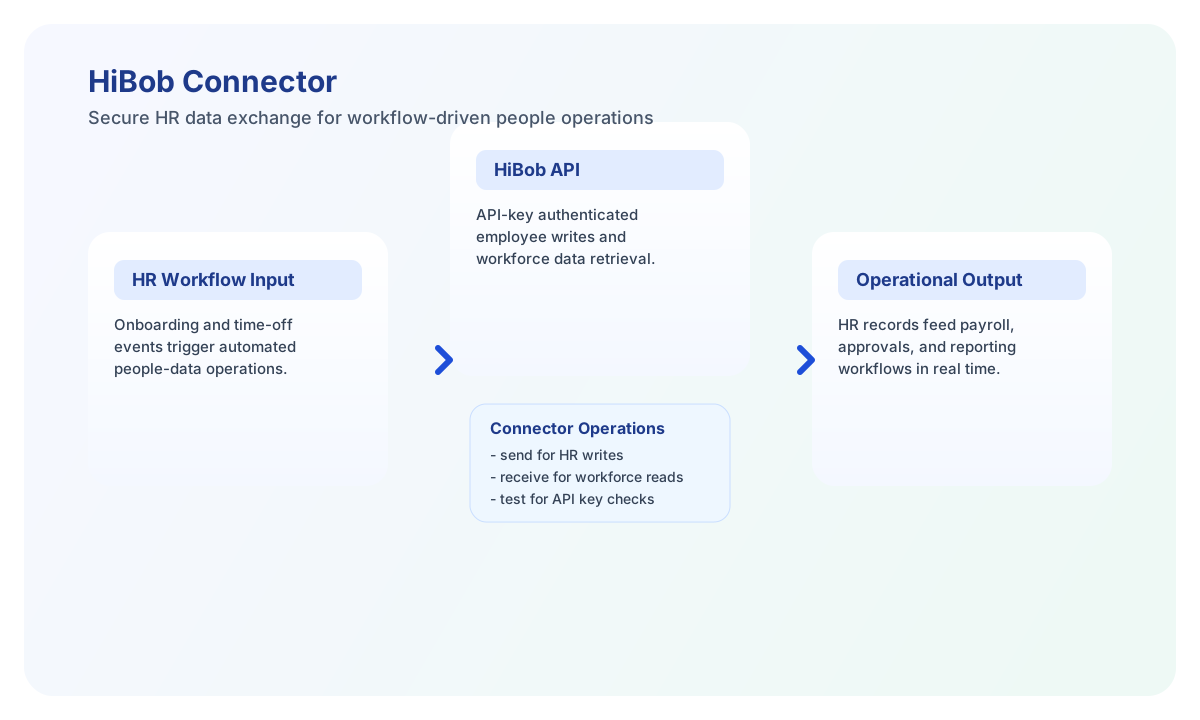
The HiBob connector lets Tealfabric workflows exchange HR data with HiBob for employee lifecycle, time-off, and payroll-related operations. It is designed for teams that need reliable HR automation with controlled API access.
Document information
| Field | Value |
|---|---|
| Canonical URL | /docs/04_connecting-systems/connectors/h/hibob |
| Version (published date) | 2026-05-08 |
| Tags | connectors, reference, hibob |
| Connector ID | hibob-1.0.0 |
Configure HiBob API access
Set base_url to your HiBob API endpoint and api_key to a valid key generated in HiBob admin settings. API behavior depends on the permissions of the user who created the key, so align key ownership with your integration scope.
Use timeout_seconds for long-running operations and run test before production rollout. This validates connectivity and authentication before HR workflows depend on the integration.
Create or update HR records with send
Use send to create or update entities such as employees or time-off requests. Provide an explicit endpoint path under /v1 and keep payload fields in data aligned with HiBob schema requirements.
const baseUrl = "https://api.example.com/api/v1";
const tenantId = "<TENANT_ID>";
const apiKey = "<API_KEY>";

async function createEmployee(integrationId: string) {
  const response = await fetch(`${baseUrl}/integrations/${encodeURIComponent(integrationId)}/execute`, {
    method: "POST",
    headers: {
      "X-API-Key": apiKey,
      "X-Tenant-ID": tenantId,
      "Content-Type": "application/json",
    },
    body: JSON.stringify({
      operation: "send",
      endpoint: "people",
      method: "POST",
      data: {
        email: "john.doe@example.com",
        firstName: "John",
        lastName: "Doe",
        startDate: "2026-05-12",
        department: "Engineering"
      }
    }),
  });
  if (!response.ok) throw new Error(`Request failed: ${response.status}`);
  return response.json();
}
curl -X POST "https://api.example.com/api/v1/integrations/<ENTITY_ID>/execute" \
-H "X-API-Key: <API_KEY>" \
-H "X-Tenant-ID: <TENANT_ID>" \
-H "Content-Type: application/json" \
-d '{
"operation": "send",
"endpoint": "people",
"method": "POST",
"data": {
"email": "john.doe@example.com",
"firstName": "John",
"lastName": "Doe",
"startDate": "2026-05-12",
"department": "Engineering"
}
}'
{
  "success": true,
  "data": {
    "message": "HiBob operation completed successfully",
    "result": {
      "id": "people-123",
      "email": "john.doe@example.com"
    }
  }
}
Retrieve workforce data with receive
Use receive to query employee and time-off data for reporting, approvals, and compliance workflows. Supply endpoint and optional query object or query string to control filtering and pagination.
const baseUrl = "https://api.example.com/api/v1";
const tenantId = "<TENANT_ID>";
const apiKey = "<API_KEY>";

async function listEngineeringEmployees(integrationId: string) {
  const response = await fetch(`${baseUrl}/integrations/${encodeURIComponent(integrationId)}/execute`, {
    method: "POST",
    headers: {
      "X-API-Key": apiKey,
      "X-Tenant-ID": tenantId,
      "Content-Type": "application/json",
    },
    body: JSON.stringify({
      operation: "receive",
      endpoint: "people",
      query: {
        department: "Engineering",
        limit: 25,
        offset: 0
      }
    }),
  });
  if (!response.ok) throw new Error(`Request failed: ${response.status}`);
  return response.json();
}
curl -X POST "https://api.example.com/api/v1/integrations/<ENTITY_ID>/execute" \
-H "X-API-Key: <API_KEY>" \
-H "X-Tenant-ID: <TENANT_ID>" \
-H "Content-Type: application/json" \
-d '{
"operation": "receive",
"endpoint": "people",
"query": {
"department": "Engineering",
"limit": 25,
"offset": 0
}
}'
{
  "success": true,
  "data": {
    "message": "HiBob data retrieved successfully",
    "employee_count": 2,
    "items": [
      {
        "email": "john.doe@example.com",
        "firstName": "John",
        "lastName": "Doe"
      },
      {
        "email": "jane.smith@example.com",
        "firstName": "Jane",
        "lastName": "Smith"
      }
    ]
  }
}
Reliability and compliance guidance
Most connector failures come from revoked API keys, insufficient permissions, or rate limiting under heavy HR sync loads. Keep key ownership and scopes aligned with least-privilege access, and implement retry with backoff for transient failures.
Because HR data is sensitive, validate downstream data handling for privacy requirements such as GDPR or similar regional obligations. This helps keep people-data automations secure and auditable.