Heap Analytics Connector Guide
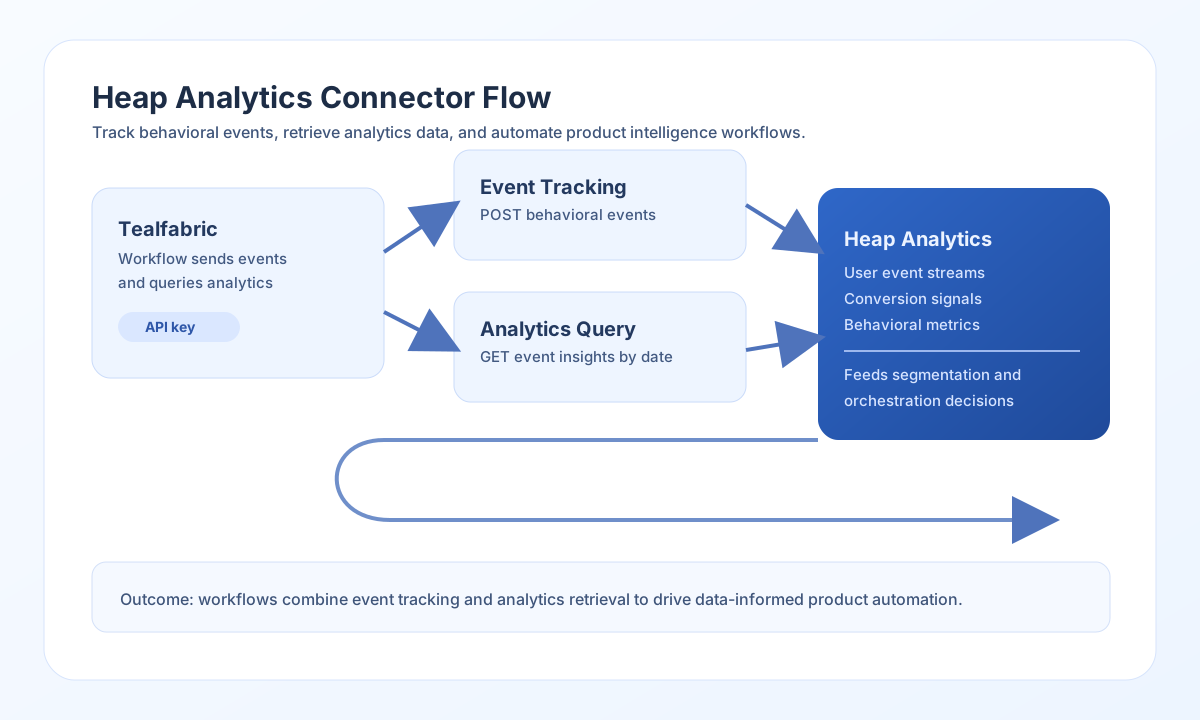
The Heap Analytics connector lets Tealfabric workflows send product events and run SQL queries against the Heap server API. It is useful for behavioral tracking pipelines, conversion analysis workflows, and downstream customer-segmentation automations.
Document information
| Field | Value |
|---|---|
| Canonical URL | /docs/04_connecting-systems/connectors/h/heap-analytics |
| Version (published date) | 2026-05-08 |
| Tags | connectors, reference, heap-analytics |
| Connector ID | heap-analytics-1.0.0 |
Configuration and access setup
Configure the connector with a Heap API key and app ID from your Heap project. Requests are sent to https://api.heap.io with Authorization: Bearer {api_key}.
api_key(required): Heap Analytics API key (sensitive).app_id(required): Heap app ID; merged intosendandreceivebodies whenapp_idis omitted from call data.timeout_seconds(optional): request timeout in seconds (default30).
Before production rollout, run test to confirm credentials and query access.
Track events with send
Use send to POST event payloads to Heap. The default path is api/track; override with endpoint when needed. Prefer a nested data object for the track body; when data is omitted, top-level call fields (except endpoint) are sent as the JSON body. app_id is added from integration config when missing.
const baseUrl = "https://api.example.com/api/v1";
const tenantId = "<TENANT_ID>";
const apiKey = "<API_KEY>";

async function trackSignupEvent(integrationId: string) {
  const response = await fetch(`${baseUrl}/integrations/${encodeURIComponent(integrationId)}/execute`, {
    method: "POST",
    headers: {
      "X-API-Key": apiKey,
      "X-Tenant-ID": tenantId,
      "Content-Type": "application/json",
    },
    body: JSON.stringify({
      operation: "send",
      data: {
        identity: "user-123",
        event: "Signup Completed",
        properties: {
          plan: "pro",
          source: "website"
        }
      }
    }),
  });
  if (!response.ok) throw new Error(`Request failed: ${response.status}`);
  return response.json();
}
curl -X POST "https://api.example.com/api/v1/integrations/<ENTITY_ID>/execute" \
-H "X-API-Key: <API_KEY>" \
-H "X-Tenant-ID: <TENANT_ID>" \
-H "Content-Type: application/json" \
-d '{
"operation": "send",
"data": {
"identity": "user-123",
"event": "Signup Completed",
"properties": {
"plan": "pro",
"source": "website"
}
}
}'
{
  "success": true,
  "data": {
    "message": "Heap Analytics event tracked successfully",
    "result": {}
  }
}
Query analytics data with receive
Use receive to POST SQL queries to Heap. The default path is api/query. Pass a query object with a query string (Heap SQL), or a bare SQL string (wrapped as { "query": "<sql>" } before POST). app_id is merged from integration config when missing.
const baseUrl = "https://api.example.com/api/v1";
const tenantId = "<TENANT_ID>";
const apiKey = "<API_KEY>";

async function fetchEventCount(integrationId: string) {
  const response = await fetch(`${baseUrl}/integrations/${encodeURIComponent(integrationId)}/execute`, {
    method: "POST",
    headers: {
      "X-API-Key": apiKey,
      "X-Tenant-ID": tenantId,
      "Content-Type": "application/json",
    },
    body: JSON.stringify({
      operation: "receive",
      query: {
        query: "SELECT COUNT(*) FROM events WHERE event = 'Signup Completed' LIMIT 10"
      }
    }),
  });
  if (!response.ok) throw new Error(`Request failed: ${response.status}`);
  return response.json();
}
curl -X POST "https://api.example.com/api/v1/integrations/<ENTITY_ID>/execute" \
-H "X-API-Key: <API_KEY>" \
-H "X-Tenant-ID: <TENANT_ID>" \
-H "Content-Type: application/json" \
-d '{
"operation": "receive",
"query": {
"query": "SELECT COUNT(*) FROM events LIMIT 10"
}
}'
{
  "success": true,
  "data": {
    "message": "Heap Analytics data retrieved successfully",
    "result": {}
  }
}
Validate credentials with test
Use test to confirm api_key and app_id are set and that the Heap Query API accepts a minimal SELECT COUNT(*) FROM events LIMIT 1 probe. No call data is required.
{
  "success": true,
  "data": {
    "message": "Heap Analytics connection test successful",
    "details": {
      "api_base_url": "https://api.heap.io",
      "app_id": "<APP_ID>"
    }
  }
}
Reliability guidance
Most connector issues come from invalid API keys, app-level access mismatches, or aggressive polling that triggers HTTP 429 responses. Validate credentials with test first, then confirm SQL query shape and limits.
For production stability, use bounded queries, paginate high-volume result sets, and add retry with backoff for transient rate-limit responses.