HTML to Markdown Connector Guide
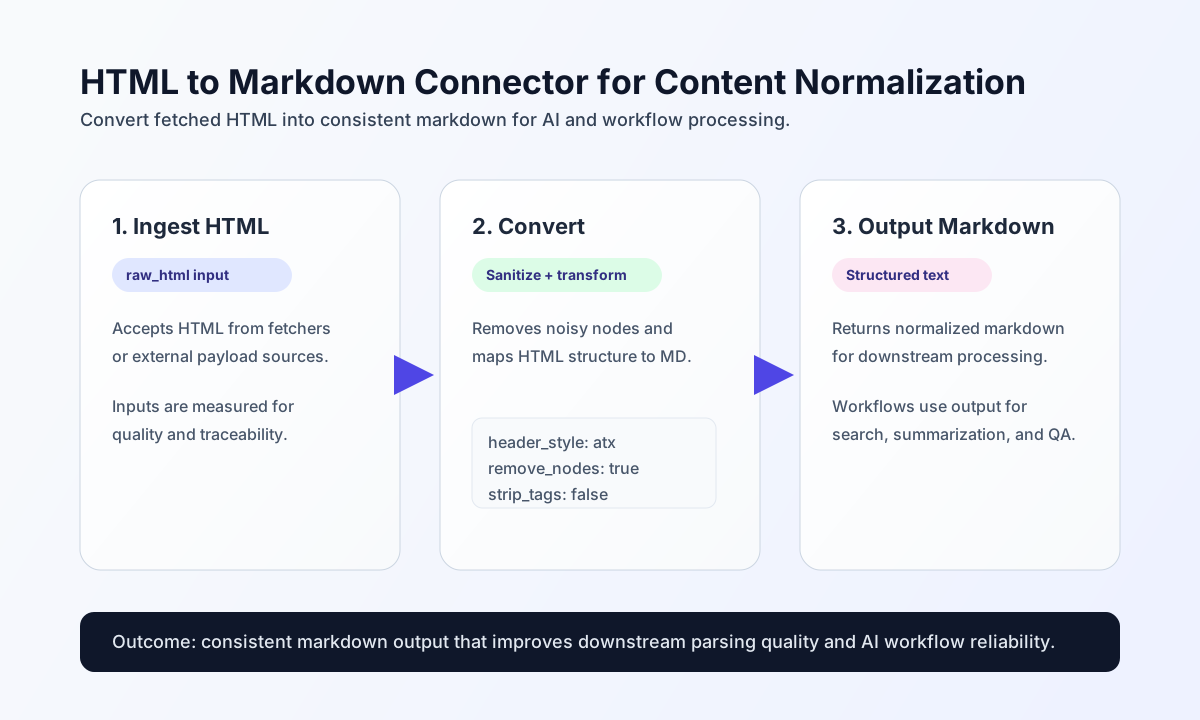
The HTML to Markdown connector converts raw HTML into clean Markdown for downstream workflow steps such as AI summarization, indexing, and content normalization. It is most effective when paired with a fetch connector that first retrieves page content.
Document information
| Field | Value |
|---|---|
| Canonical URL | /docs/04_connecting-systems/connectors/h/html-to-markdown |
| Version (published date) | 2026-05-08 |
| Tags | connectors, reference, html-to-markdown |
| Connector ID | html-to-markdown-1.0.0 |
Configure conversion behavior
Configure this connector to control how headings, line breaks, and unsupported nodes are handled during conversion. These settings help you keep Markdown output consistent across different HTML sources.
Common options include header_style (atx or setext), strip_tags, hard_break, and remove_nodes (typically removes script, style, and noscript blocks). In most production workflows, keeping remove_nodes enabled improves output quality and reduces noisy text.
| Parameter | Default | Effect |
|---|---|---|
header_style | atx | Heading style: # (atx) or underline (setext). |
strip_tags | false | When enabled, strips HTML tags without Markdown equivalents while preserving inner text. |
hard_break | false | When enabled, <br> becomes a single newline (GFM); when disabled, \n (traditional Markdown). |
remove_nodes | true | Pre-removes script, style, and noscript blocks before conversion. |
Convert HTML with send
Use send for direct conversion of fetched or incoming HTML payloads. The connector accepts html, raw_html, or content as input and returns normalized Markdown plus size metadata under data.
receive and execute are aliases of send with the same call contract.
const baseUrl = "https://api.example.com/api/v1";
const tenantId = "<TENANT_ID>";
const apiKey = "<API_KEY>";

async function convertHtml(integrationId: string) {
  const response = await fetch(`${baseUrl}/integrations/${encodeURIComponent(integrationId)}/execute`, {
    method: "POST",
    headers: {
      "X-API-Key": apiKey,
      "X-Tenant-ID": tenantId,
      "Content-Type": "application/json",
    },
    body: JSON.stringify({
      operation: "send",
      raw_html: "<html><body><h1>Release Notes</h1><p>New webhook validation flow is now enabled.</p></body></html>"
    }),
  });
  if (!response.ok) throw new Error(`Request failed: ${response.status}`);
  return response.json();
}
curl -X POST "https://api.example.com/api/v1/integrations/<ENTITY_ID>/execute" \
-H "X-API-Key: <API_KEY>" \
-H "X-Tenant-ID: <TENANT_ID>" \
-H "Content-Type: application/json" \
-d '{
"operation": "send",
"raw_html": "<html><body><h1>Release Notes</h1><p>New webhook validation flow is now enabled.</p></body></html>"
}'
{
  "success": true,
  "data": {
    "markdown": "# Release Notes\n\nNew webhook validation flow is now enabled.",
    "input_html_length": 100,
    "output_markdown_length": 61
  },
  "metadata": {
    "processing_time_ms": 12
  }
}
Validate readiness with test
Use test to confirm the Turndown converter is available before running content-heavy flows. The operation runs a sample conversion and returns data.message plus data.details.sample_output.
curl -X POST "https://api.example.com/api/v1/integrations/<ENTITY_ID>/execute" \
  -H "X-API-Key: <API_KEY>" \
  -H "X-Tenant-ID: <TENANT_ID>" \
  -H "Content-Type: application/json" \
  -d '{
    "operation": "test"
  }'
{
  "success": true,
  "data": {
    "message": "HTML to Markdown converter is available",
    "details": {
      "sample_output": "# Test\n\nConnector check"
    }
  },
  "metadata": {
    "processing_time_ms": 3
  }
}
Reliability guidance
Most failures come from empty HTML input, malformed markup fragments, or unexpected embedded script/style blocks. If output quality drops, verify upstream fetch results first, then confirm node-removal settings, and finally inspect whether source HTML changed structure.
For predictable downstream AI behavior, keep conversion settings stable across environments and log both input/output lengths for anomaly detection. This makes regressions easier to trace when content sources evolve.
Implementation notes
The native runtime uses Turndown with striptags to approximate legacy league/html-to-markdown behavior. Markdown text may differ slightly on edge-case HTML, but operation contracts, configuration defaults, and error paths match the legacy PHP connector.
Additional resources
- Turndown
- League HTML to Markdown (legacy PHP runtime reference)