HashiCorp Vault Connector Guide
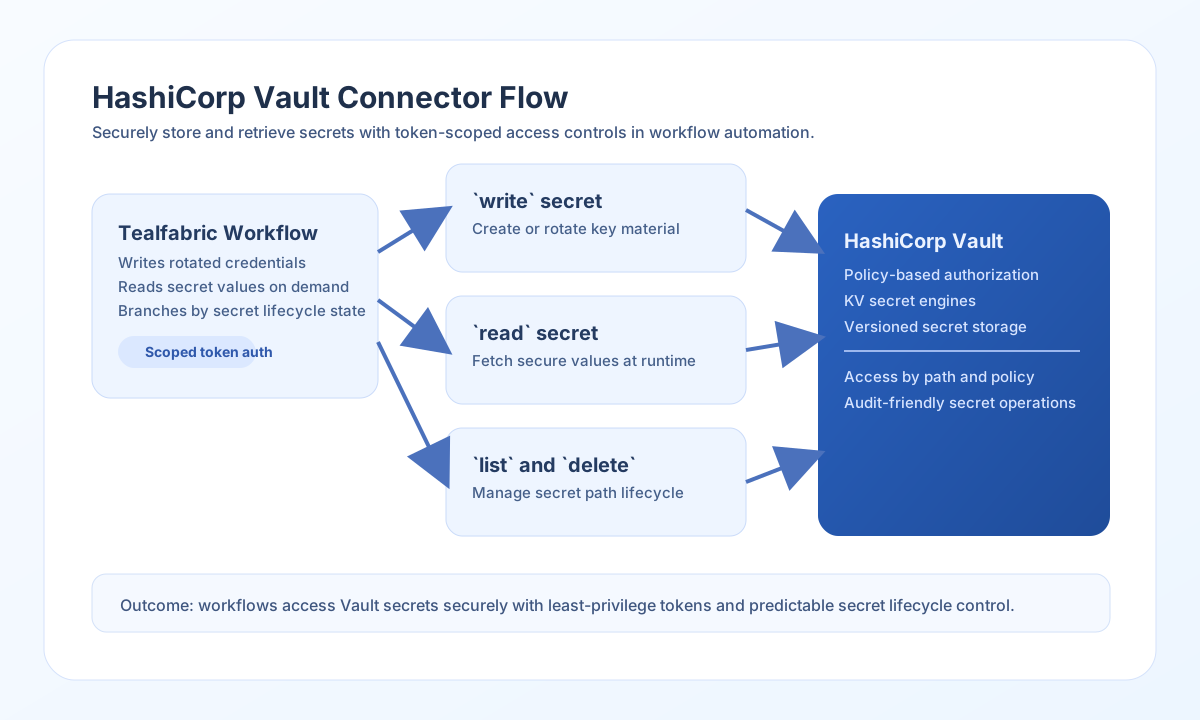
The HashiCorp Vault connector lets Tealfabric workflows securely read, write, list, and delete secrets in Vault. It is designed for teams that need controlled secret access inside automated workflows without hardcoding credentials.
Document information
| Field | Value |
|---|---|
| Canonical URL | /docs/04_connecting-systems/connectors/h/hashicorp-vault |
| Version (published date) | 2026-05-08 |
| Tags | connectors, reference, hashicorp-vault |
| Connector ID | hashicorp-vault-1.0.0 |
Configuration and access setup
Set vault_url to your Vault server endpoint and vault_token to a token with only the permissions required for your workflow paths. Use short-lived, policy-scoped tokens whenever possible so exposure risk stays low.
vault_url(required): Vault server URL (trailing slashes are trimmed).vault_token(required): Vault token sent asX-Vault-Token.timeout_seconds(optional): request timeout; defaults to30.
Integration parameters (vault_url, vault_token, timeout_seconds) are connector configuration—not callData fields on each operation.
Run test after setup to confirm authentication and connectivity before production deployment.
Secret path model (engine, version, path)
Operations use a logical secret path plus optional KV engine settings:
path(required forread/write/delete; optional forlist): secret path within the mount (for examplepayments/service-account).engine(optional): KV mount name; defaults tosecret.version(optional):v1orv2; defaults tov1.
The connector maps these to Vault API paths:
- KV v1:
{engine}/{path} - KV v2 read/write:
{engine}/data/{path} - KV v2 delete/list:
{engine}/metadata/{path}
Write secrets with write
Use write when your workflow needs to create or update secret values. For KV v2, pass fields in data; the connector wraps them as { data: { ... } } for Vault.
const baseUrl = "https://api.example.com/api/v1";
const tenantId = "<TENANT_ID>";
const apiKey = "<API_KEY>";

async function writeVaultSecret(integrationId: string) {
  const response = await fetch(`${baseUrl}/integrations/${encodeURIComponent(integrationId)}/execute`, {
    method: "POST",
    headers: {
      "X-API-Key": apiKey,
      "X-Tenant-ID": tenantId,
      "Content-Type": "application/json",
    },
    body: JSON.stringify({
      operation: "write",
      engine: "secret",
      version: "v2",
      path: "payments/service-account",
      data: {
        api_key: "pay_live_abc123",
        rotated_at: "2026-05-08T17:34:00Z"
      }
    }),
  });
  if (!response.ok) throw new Error(`Request failed: ${response.status}`);
  return response.json();
}
curl -X POST "https://api.example.com/api/v1/integrations/<ENTITY_ID>/execute" \
-H "X-API-Key: <API_KEY>" \
-H "X-Tenant-ID: <TENANT_ID>" \
-H "Content-Type: application/json" \
-d '{
"operation": "write",
"engine": "secret",
"version": "v2",
"path": "payments/service-account",
"data": {
"api_key": "pay_live_abc123",
"rotated_at": "2026-05-08T17:34:00Z"
}
}'
{
  "success": true,
  "data": {
    "message": "Secret written successfully",
    "path": "payments/service-account",
    "version": 3
  }
}
Read secrets with read
Use read to retrieve secrets for runtime operations. KV v2 responses include metadata (version metadata); KV v1 sets metadata to null.
{
  "operation": "read",
  "engine": "secret",
  "version": "v2",
  "path": "payments/service-account"
}
{
  "success": true,
  "data": {
    "message": "Secret read successfully",
    "path": "payments/service-account",
    "data": {
      "api_key": "pay_live_abc123",
      "rotated_at": "2026-05-08T17:34:00Z"
    },
    "metadata": {
      "created_time": "2026-05-08T17:34:00.123456Z",
      "version": 3
    }
  }
}
List and delete
list: uses VaultLISTon the metadata path; returnskeysandkey_count.delete: removes the secret at the configured path (KV v2 deletes metadata).
{
  "operation": "list",
  "engine": "secret",
  "version": "v2",
  "path": "payments"
}
Test connectivity with test
test calls GET /v1/sys/health and returns initialization/seal status in data.details.
{
  "success": true,
  "data": {
    "message": "HashiCorp Vault connection test successful",
    "details": {
      "vault_url": "https://vault.example.com:8200",
      "initialized": true,
      "sealed": false
    }
  }
}
Current limitations
- KV secret engines only (
read/write/delete/list); other Vault engines are not implemented. - Token renewal and lease lifecycle are not managed in the connector; use short-lived tokens or renew outside the workflow.
- Runtime configuration resolves from integration config (
input.configor top-levelvault_url/vault_token/timeout_seconds); tenant-scoped secret injection is a platform concern.
Reliability and security guidance
Most Vault connector failures come from token policy mismatches, expired tokens, or incorrect secret paths. Validate path structure and policy permissions together so troubleshooting is faster and safer.
For production usage, avoid root tokens, rotate secrets regularly, and design workflows to handle temporary Vault outages with retries and controlled fallback behavior.