Hetzner Cloud API Connector Guide
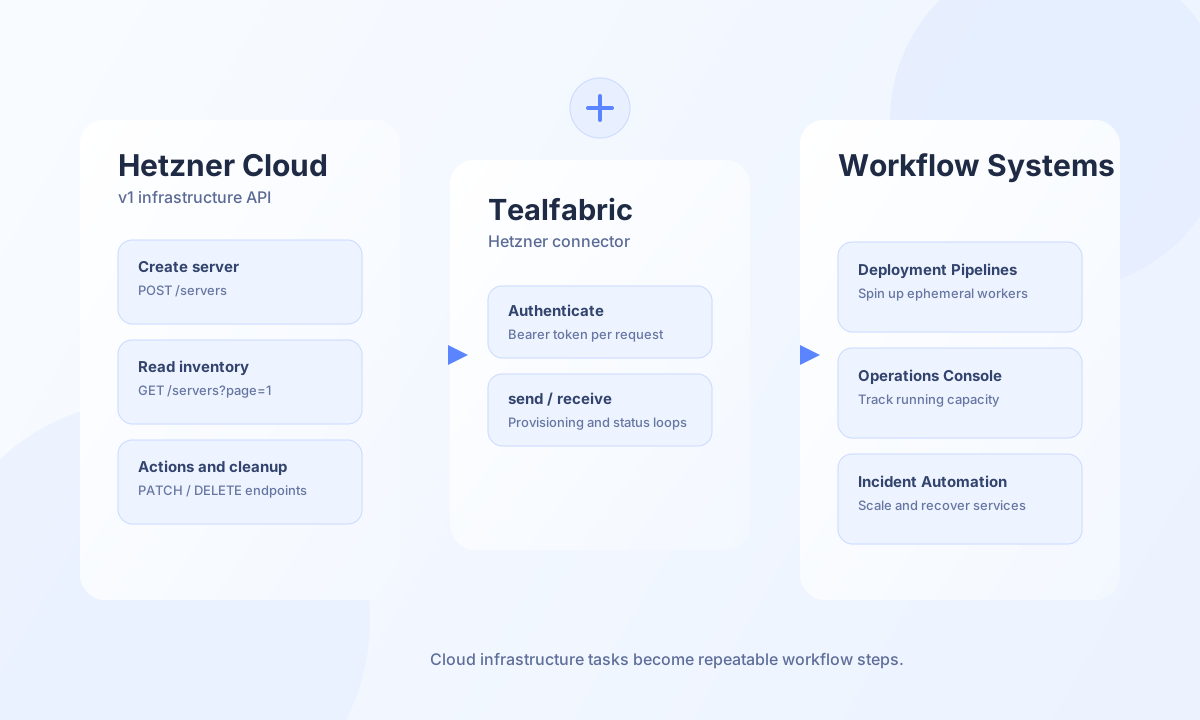
The Hetzner Cloud API connector allows Tealfabric workflows to provision and manage cloud infrastructure through Hetzner Cloud v1 endpoints. It is useful for automation scenarios such as environment bootstrapping, scheduled inventory checks, and lifecycle operations that need to run inside repeatable workflows.
Document information
| Field | Value |
|---|---|
| Canonical URL | /docs/04_connecting-systems/connectors/h/hetzner-cloud-api |
| Version (published date) | 2026-05-08 |
| Tags | connectors, reference, hetzner-cloud-api |
| Connector ID | hetzner-cloud-api-1.0.0 |
Configuration and access
Before running operations, create a Hetzner API token with permissions for the resources you intend to manage. Keep token scope as narrow as possible and rotate credentials regularly to reduce risk. Most deployments should keep the default base URL and adjust only timeout values for larger provisioning tasks.
api_token(required): Hetzner API token.base_url(optional): Defaulthttps://api.hetzner.cloud/v1.timeout_seconds(optional): Default30.
Provision servers with send
Use send for write operations such as creating servers, deleting servers, or changing server settings. For production runs, pair provisioning calls with tags and naming conventions so resources remain easy to identify and clean up.
const baseUrl = "https://api.example.com/api/v1";
const tenantId = "<TENANT_ID>";
const apiKey = "<API_KEY>";

async function createServer(integrationId: string) {
  const response = await fetch(`${baseUrl}/integrations/${encodeURIComponent(integrationId)}/execute`, {
    method: "POST",
    headers: {
      "X-API-Key": apiKey,
      "X-Tenant-ID": tenantId,
      "Content-Type": "application/json",
    },
    body: JSON.stringify({
      operation: "send",
      endpoint: "servers",
      method: "POST",
      data: {
        name: "tf-worker-eu-central-1",
        server_type: "cx22",
        image: "ubuntu-24.04",
        location: "nbg1",
      },
    }),
  });
  if (!response.ok) throw new Error(`Request failed: ${response.status}`);
  const payload = await response.json();
  return payload.data;
}
curl -X POST "https://api.example.com/api/v1/integrations/<ENTITY_ID>/execute" \
-H "X-API-Key: <API_KEY>" \
-H "X-Tenant-ID: <TENANT_ID>" \
-H "Content-Type: application/json" \
-d '{
"operation": "send",
"endpoint": "servers",
"method": "POST",
"data": {
"name": "tf-worker-eu-central-1",
"server_type": "cx22",
"image": "ubuntu-24.04",
"location": "nbg1"
}
}'
{
  "success": true,
  "data": {
    "server": {
      "id": 123456,
      "name": "tf-worker-eu-central-1",
      "status": "initializing"
    }
  }
}
Retrieve infrastructure state with receive
Use receive for inventory and status collection, such as listing servers by page or checking current resource conditions before scaling actions. Keeping read operations bounded with query parameters helps workflows remain predictable under high account activity.
const baseUrl = "https://api.example.com/api/v1";
const tenantId = "<TENANT_ID>";
const apiKey = "<API_KEY>";

async function listServers(integrationId: string) {
  const response = await fetch(`${baseUrl}/integrations/${encodeURIComponent(integrationId)}/execute`, {
    method: "POST",
    headers: {
      "X-API-Key": apiKey,
      "X-Tenant-ID": tenantId,
      "Content-Type": "application/json",
    },
    body: JSON.stringify({
      operation: "receive",
      endpoint: "servers",
      query: {
        page: 1,
        per_page: 25,
      },
    }),
  });
  if (!response.ok) throw new Error(`Request failed: ${response.status}`);
  const payload = await response.json();
  return payload.data;
}
curl -X POST "https://api.example.com/api/v1/integrations/<ENTITY_ID>/execute" \
-H "X-API-Key: <API_KEY>" \
-H "X-Tenant-ID: <TENANT_ID>" \
-H "Content-Type: application/json" \
-d '{
"operation": "receive",
"endpoint": "servers",
"query": {
"page": 1,
"per_page": 25
}
}'
{
  "success": true,
  "data": {
    "servers": [
      {
        "id": 123456,
        "name": "tf-worker-eu-central-1",
        "status": "running"
      }
    ],
    "meta": {
      "pagination": {
        "page": 1,
        "per_page": 25
      }
    }
  }
}
Reliability guidance
Most failures come from invalid tokens, endpoint typos, or rate-limit responses during bursts of automation. Use the test operation before production rollout, apply backoff for transient 429 and 5xx responses, and keep create/delete operations idempotent where possible. These controls reduce infrastructure drift and keep provisioning workflows safe to rerun.