CyberArk Privileged Access Management Connector Guide
The CyberArk connector integrates Tealfabric workflows with privileged access and credential lifecycle operations in CyberArk PAM environments. It is useful for vault account onboarding, access reviews, and security automation that depends on trusted privileged account state.
Document information
| Field | Value |
|---|---|
| Canonical URL | /docs/04_connecting-systems/connectors/c/cyberark |
| Version (published date) | 2026-05-08 |
| Tags | connectors, reference, cyberark |
| Connector ID | cyberark-1.0.0 |
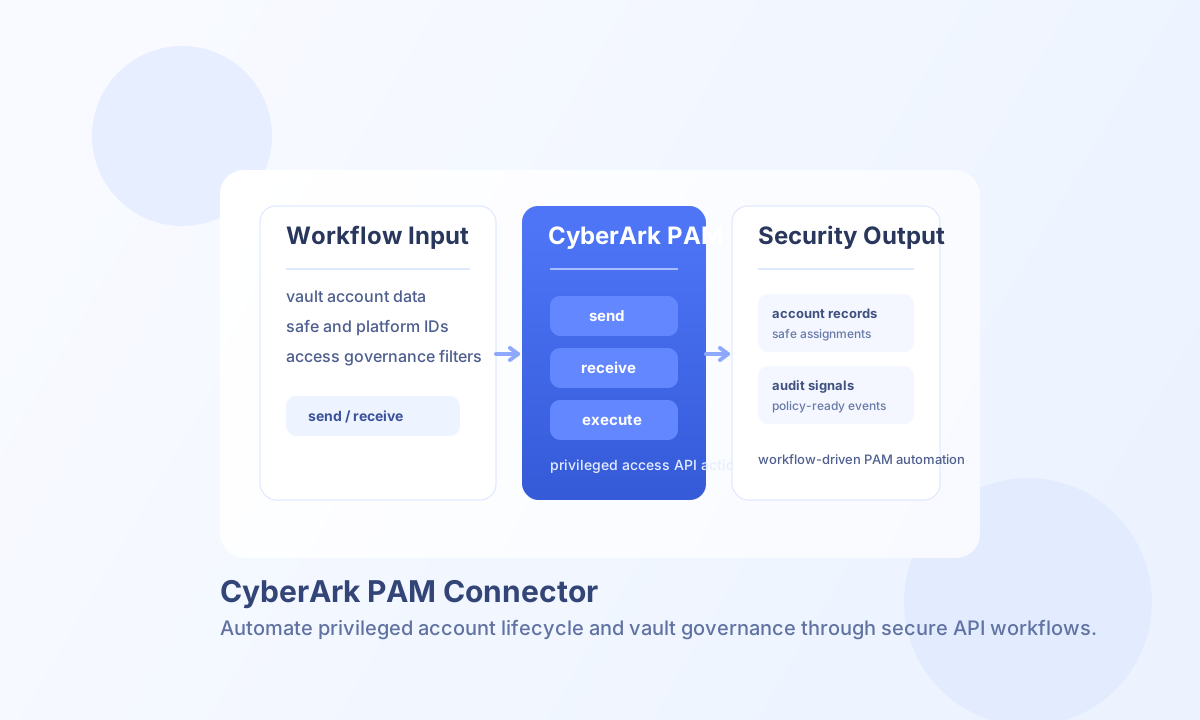
Configure CyberArk connectivity
Set base_url to your CyberArk tenant or self-hosted PAM endpoint (for example https://your-tenant.cyberark.com) and configure api_key with a token that has permission for the account and vault operations your workflows need. The key is sent in the Authorization header as the raw key value (not a Bearer prefix), matching legacy connector behavior.
Use timeout_seconds to handle slower operations such as large account listings or compliance retrieval workflows. Run test after setup to verify authentication and endpoint reachability before production rollout.
Create or update vault records with send
Use send to call CyberArk API paths with a JSON body. send requires endpoint (path segment after {base_url}/) and defaults to HTTP POST when method is omitted. Provide the JSON body in data; when data is omitted, the connector serializes the remaining callData fields as the body, matching legacy connector behavior. JSON bodies are sent only for POST, PUT, and PATCH when the body object is non-empty (PHP !empty($body) parity).
const baseUrl = "https://api.example.com/api/v1";
const tenantId = "<TENANT_ID>";
const apiKey = "<API_KEY>";

async function createVaultAccount(integrationId: string) {
  const response = await fetch(`${baseUrl}/integrations/${encodeURIComponent(integrationId)}/execute`, {
    method: "POST",
    headers: {
      "X-API-Key": apiKey,
      "X-Tenant-ID": tenantId,
      "Content-Type": "application/json",
    },
    body: JSON.stringify({
      operation: "send",
      endpoint: "api/Accounts",
      method: "POST",
      data: {
        name: "db-admin-prod-01",
        platformId: "WinServerLocal",
        address: "prod-db-01.internal",
        userName: "svc_dbadmin",
        safeName: "Production-Database"
      }
    }),
  });
  if (!response.ok) throw new Error(`Request failed: ${response.status}`);
  return response.json();
}
curl -X POST "https://api.example.com/api/v1/integrations/<ENTITY_ID>/execute" \
-H "X-API-Key: <API_KEY>" \
-H "X-Tenant-ID: <TENANT_ID>" \
-H "Content-Type: application/json" \
-d '{
"operation": "send",
"endpoint": "api/Accounts",
"method": "POST",
"data": {
"name": "db-admin-prod-01",
"platformId": "WinServerLocal",
"address": "prod-db-01.internal",
"userName": "svc_dbadmin",
"safeName": "Production-Database"
}
}'
{
  "success": true,
  "data": {
    "message": "CyberArk operation completed successfully",
    "result": {
      "id": "<ENTITY_ID>",
      "name": "db-admin-prod-01",
      "safeName": "Production-Database"
    }
  }
}
Retrieve privileged account data with receive
Use receive to GET a CyberArk API path with optional query parameters. The connector returns items from response.Accounts, else response.Result, else a one-element array wrapping the full response. account_count is the length of items.
const baseUrl = "https://api.example.com/api/v1";
const tenantId = "<TENANT_ID>";
const apiKey = "<API_KEY>";

async function listAccounts(integrationId: string) {
  const response = await fetch(`${baseUrl}/integrations/${encodeURIComponent(integrationId)}/execute`, {
    method: "POST",
    headers: {
      "X-API-Key": apiKey,
      "X-Tenant-ID": tenantId,
      "Content-Type": "application/json",
    },
    body: JSON.stringify({
      operation: "receive",
      endpoint: "api/Accounts",
      query: {
        limit: 50,
        search: "prod-db"
      }
    }),
  });
  if (!response.ok) throw new Error(`Request failed: ${response.status}`);
  return response.json();
}
curl -X POST "https://api.example.com/api/v1/integrations/<ENTITY_ID>/execute" \
-H "X-API-Key: <API_KEY>" \
-H "X-Tenant-ID: <TENANT_ID>" \
-H "Content-Type: application/json" \
-d '{
"operation": "receive",
"endpoint": "api/Accounts",
"query": {
"limit": 50,
"search": "prod-db"
}
}'
{
  "success": true,
  "data": {
    "message": "CyberArk data retrieved successfully",
    "account_count": 2,
    "items": [
      {
        "id": "12_3",
        "name": "db-admin-prod-01",
        "safeName": "Production-Database"
      }
    ]
  }
}
Advanced API actions with execute
Use execute when you need endpoint-specific behavior with an explicit HTTP method (default GET). Provide the JSON body in body, or use data as an alias when body is omitted. JSON bodies are sent only for POST, PUT, and PATCH when the body object is non-empty.
{
  "operation": "execute",
  "endpoint": "api/Safes",
  "method": "GET"
}
{
  "success": true,
  "data": {
    "message": "CyberArk method executed successfully",
    "result": {
      "Safes": []
    }
  }
}
Test connectivity with test
Use test to validate base_url and api_key. The connector probes GET api/Accounts and returns data.details.accounts_found (count of items in the Accounts array).
{
  "success": true,
  "data": {
    "message": "CyberArk connection test successful",
    "details": {
      "base_url": "https://your-tenant.cyberark.com",
      "accounts_found": 42
    }
  }
}
When configuration is invalid, test returns success: false with error message Required parameter 'base_url' is missing or empty or Required parameter 'api_key' is missing or empty.
Reliability and security guidance
Most failures come from invalid API tokens, insufficient vault permissions, or endpoint path mismatches. Validate scope and safe-level permissions before rollout, and test expected endpoints in non-production environments first.
CyberArk may return HTTP 429 when rate limits are exceeded; the connector maps these to retriable RATE_LIMIT errors. For operational reliability, handle throttling and transient failures with retry/backoff logic and monitor failed writes for compliance-sensitive workflows.