Coupa Procurement Platform Connector Guide
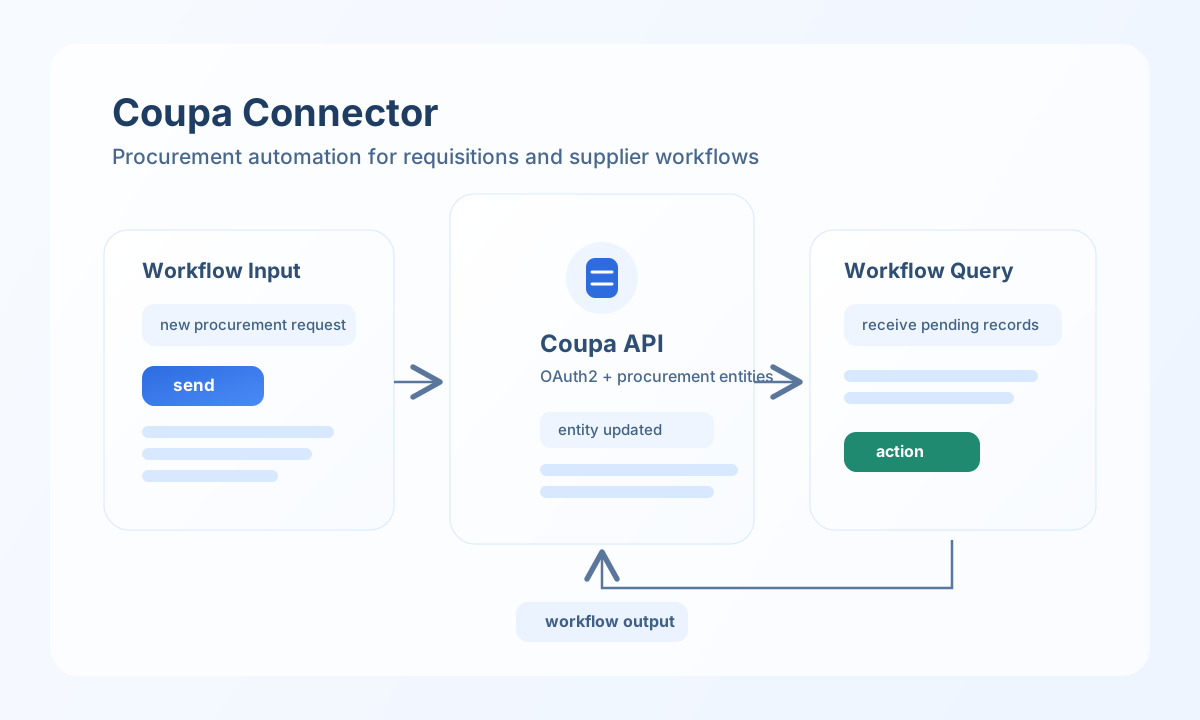
The Coupa connector lets Tealfabric workflows automate procurement records such as requisitions, purchase orders, and suppliers through Coupa APIs. It is useful for reducing manual procurement updates and keeping spend operations synchronized across systems.
Document information
| Field | Value |
|---|---|
| Canonical URL | /docs/04_connecting-systems/connectors/c/coupa |
| Version (published date) | 2026-05-08 |
| Tags | connectors, reference, coupa |
| Connector ID | coupa-1.0.0 |
Configure Coupa OAuth access
Set base_url, client_id, and client_secret from your Coupa API and OAuth application settings. Ensure the OAuth application has permission scopes for each entity your workflow will read or update.
Set timeout_seconds based on workload size and network conditions, especially for larger procurement datasets. Run test after setup to validate token retrieval and base endpoint access before production deployment.
Create or update procurement entities with send
Use send to create or update requisitions, purchase orders, and suppliers from workflow events. Keep payload fields aligned with Coupa entity definitions to avoid validation failures.
const baseUrl = "https://api.example.com/api/v1";
const tenantId = "<TENANT_ID>";
const apiKey = "<API_KEY>";

async function createRequisition(integrationId: string) {
  const response = await fetch(`${baseUrl}/integrations/${encodeURIComponent(integrationId)}/execute`, {
    method: "POST",
    headers: {
      "X-API-Key": apiKey,
      "X-Tenant-ID": tenantId,
      "Content-Type": "application/json",
    },
    body: JSON.stringify({
      operation: "send",
      entity: "requisitions",
      method: "POST",
      data: {
        requisitionNumber: "<ENTITY_ID>",
        requestedBy: "buyer@example.com",
        requestedDate: "2026-05-08",
        department: "Operations"
      }
    }),
  });
  if (!response.ok) throw new Error(`Request failed: ${response.status}`);
  return response.json();
}
curl -X POST "https://api.example.com/api/v1/integrations/<ENTITY_ID>/execute" \
-H "X-API-Key: <API_KEY>" \
-H "X-Tenant-ID: <TENANT_ID>" \
-H "Content-Type: application/json" \
-d '{
"operation": "send",
"entity": "requisitions",
"method": "POST",
"data": {
"requisitionNumber": "<ENTITY_ID>",
"requestedBy": "buyer@example.com",
"requestedDate": "2026-05-08",
"department": "Operations"
}
}'
{
  "success": true,
  "data": {
    "entity_key": "<ENTITY_ID>",
    "entity": "requisitions",
    "status": "created"
  }
}
Retrieve procurement data with receive
Use receive when workflows need to inspect requisitions, purchase orders, or suppliers before branching. Filtering and selected fields reduce response size and improve reliability under high request volume.
const baseUrl = "https://api.example.com/api/v1";
const tenantId = "<TENANT_ID>";
const apiKey = "<API_KEY>";

async function listPendingRequisitions(integrationId: string) {
  const response = await fetch(`${baseUrl}/integrations/${encodeURIComponent(integrationId)}/execute`, {
    method: "POST",
    headers: {
      "X-API-Key": apiKey,
      "X-Tenant-ID": tenantId,
      "Content-Type": "application/json",
    },
    body: JSON.stringify({
      operation: "receive",
      entity: "requisitions",
      filter: "status eq 'Pending'",
      fields: ["requisitionNumber", "requestedBy", "requestedDate", "status"],
      top: 25
    }),
  });
  if (!response.ok) throw new Error(`Request failed: ${response.status}`);
  return response.json();
}
curl -X POST "https://api.example.com/api/v1/integrations/<ENTITY_ID>/execute" \
-H "X-API-Key: <API_KEY>" \
-H "X-Tenant-ID: <TENANT_ID>" \
-H "Content-Type: application/json" \
-d '{
"operation": "receive",
"entity": "requisitions",
"filter": "status eq '\''Pending'\''",
"fields": ["requisitionNumber", "requestedBy", "requestedDate", "status"],
"top": 25
}'
{
  "success": true,
  "data": {
    "record_count": 1,
    "entities": [
      {
        "requisitionNumber": "<ENTITY_ID>",
        "requestedBy": "buyer@example.com",
        "requestedDate": "2026-05-08",
        "status": "Pending"
      }
    ]
  }
}
Production guidance
Coupa endpoints can enforce strict rate and permission controls, so production workflows should combine scoped permissions with predictable request pacing. This reduces access failures and keeps synchronization jobs reliable during peak procurement activity.
Most integration failures come from expired credentials, incorrect entity fields, or unsupported filters. Re-test after credential updates and validate payload schemas before large-scale imports or updates.
Related resources
For API behavior and permission requirements, see Coupa integration documentation.