CouchDB Connector Guide
The CouchDB connector lets Tealfabric workflows create, update, and read JSON documents from CouchDB databases. It is commonly used when workflows need flexible schema storage, event snapshots, and document-driven automation.
Document information
| Field | Value |
|---|---|
| Canonical URL | /docs/04_connecting-systems/connectors/c/couchdb |
| Version (published date) | 2026-05-08 |
| Tags | connectors, reference, couchdb |
| Connector ID | couchdb-1.0.0 |
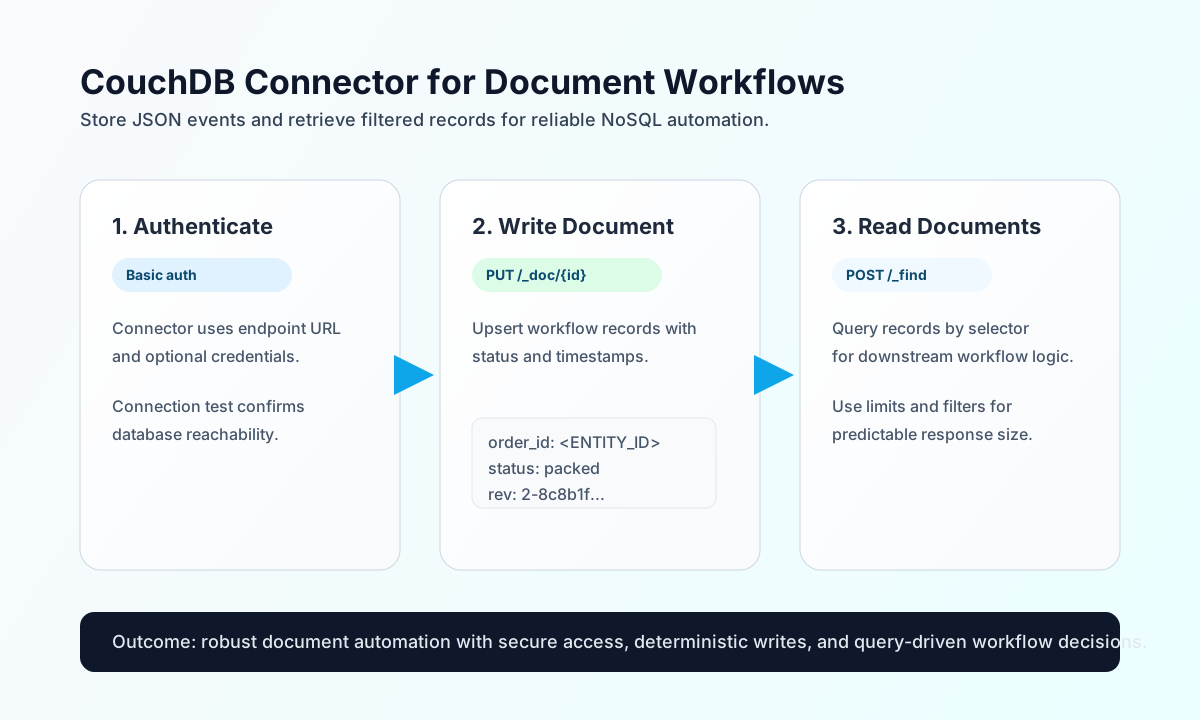
Configure endpoint and authentication
Start by configuring the CouchDB endpoint so workflow runs can consistently connect to the right cluster and database host. This keeps connection details centralized and avoids exposing credentials inside individual workflow steps.
The required setting is endpoint_url (for example http://localhost:5984 or your managed CouchDB endpoint). Optional settings include username, password, and timeout_seconds. Run test after setup to validate connectivity and credentials before enabling production operations.
Write documents with send
Use send to create or update CouchDB documents. Keep document IDs explicit when you need deterministic idempotent updates across retries.
const baseUrl = "https://api.example.com/api/v1";
const tenantId = "<TENANT_ID>";
const apiKey = "<API_KEY>";

async function upsertOrderDocument(integrationId: string) {
  const response = await fetch(`${baseUrl}/integrations/${encodeURIComponent(integrationId)}/execute`, {
    method: "POST",
    headers: {
      "X-API-Key": apiKey,
      "X-Tenant-ID": tenantId,
      "Content-Type": "application/json",
    },
    body: JSON.stringify({
      operation: "send",
      endpoint: "orders/_doc/<ENTITY_ID>",
      method: "PUT",
      data: {
        order_id: "<ENTITY_ID>",
        customer_email: "buyer@example.com",
        status: "packed",
        updated_at: "2026-05-08T16:00:00Z"
      }
    }),
  });
  if (!response.ok) throw new Error(`Request failed: ${response.status}`);
  return response.json();
}
curl -X POST "https://api.example.com/api/v1/integrations/<ENTITY_ID>/execute" \
-H "X-API-Key: <API_KEY>" \
-H "X-Tenant-ID: <TENANT_ID>" \
-H "Content-Type: application/json" \
-d '{
"operation": "send",
"endpoint": "orders/_doc/<ENTITY_ID>",
"method": "PUT",
"data": {
"order_id": "<ENTITY_ID>",
"customer_email": "buyer@example.com",
"status": "packed",
"updated_at": "2026-05-08T16:00:00Z"
}
}'
{
  "success": true,
  "result": {
    "ok": true,
    "id": "<ENTITY_ID>",
    "rev": "2-8c8b1f2bcfd98a"
  }
}
Read documents with receive
Use receive to fetch individual documents or filtered result sets for reporting, branching, or downstream enrichment. Keep queries scoped to avoid transferring unnecessary payload volume.
const baseUrl = "https://api.example.com/api/v1";
const tenantId = "<TENANT_ID>";
const apiKey = "<API_KEY>";

async function fetchPackedOrders(integrationId: string) {
  const response = await fetch(`${baseUrl}/integrations/${encodeURIComponent(integrationId)}/execute`, {
    method: "POST",
    headers: {
      "X-API-Key": apiKey,
      "X-Tenant-ID": tenantId,
      "Content-Type": "application/json",
    },
    body: JSON.stringify({
      operation: "receive",
      endpoint: "orders/_find",
      method: "POST",
      query: {},
      data: {
        selector: {
          status: "packed"
        },
        limit: 20
      }
    }),
  });
  if (!response.ok) throw new Error(`Request failed: ${response.status}`);
  return response.json();
}
curl -X POST "https://api.example.com/api/v1/integrations/<ENTITY_ID>/execute" \
-H "X-API-Key: <API_KEY>" \
-H "X-Tenant-ID: <TENANT_ID>" \
-H "Content-Type: application/json" \
-d '{
"operation": "receive",
"endpoint": "orders/_find",
"method": "POST",
"data": {
"selector": {
"status": "packed"
},
"limit": 20
}
}'
{
  "success": true,
  "data": {
    "docs": [
      {
        "_id": "<ENTITY_ID>",
        "order_id": "<ENTITY_ID>",
        "status": "packed"
      }
    ]
  }
}
Reliability guidance
Most failures come from invalid credentials, missing database permissions, or revision conflicts during updates. If a request fails, verify endpoint and auth settings first, then confirm database/user permissions, and finally check whether your update needs the latest _rev value.
For stable operations, design idempotent writes, keep document sizes reasonable, and handle conflict responses with retry logic that refreshes current revision state. These practices improve consistency when multiple workflows write to the same records.