String Processing & Text Manipulation
Document information
- Canonical URL:
/docs/03_writing-step-code/60_string-processing-text - Version:
2026-05-08 - Tags:
code-snippets,strings,text
String handling is a core part of ProcessFlow automation because user input, API responses, and file content all need normalization before they are routed or stored. This guide covers practical patterns for cleaning text, extracting structured values, rendering templates, and building safe output. When each text transformation is explicit and reversible, workflow behavior remains predictable across environments.
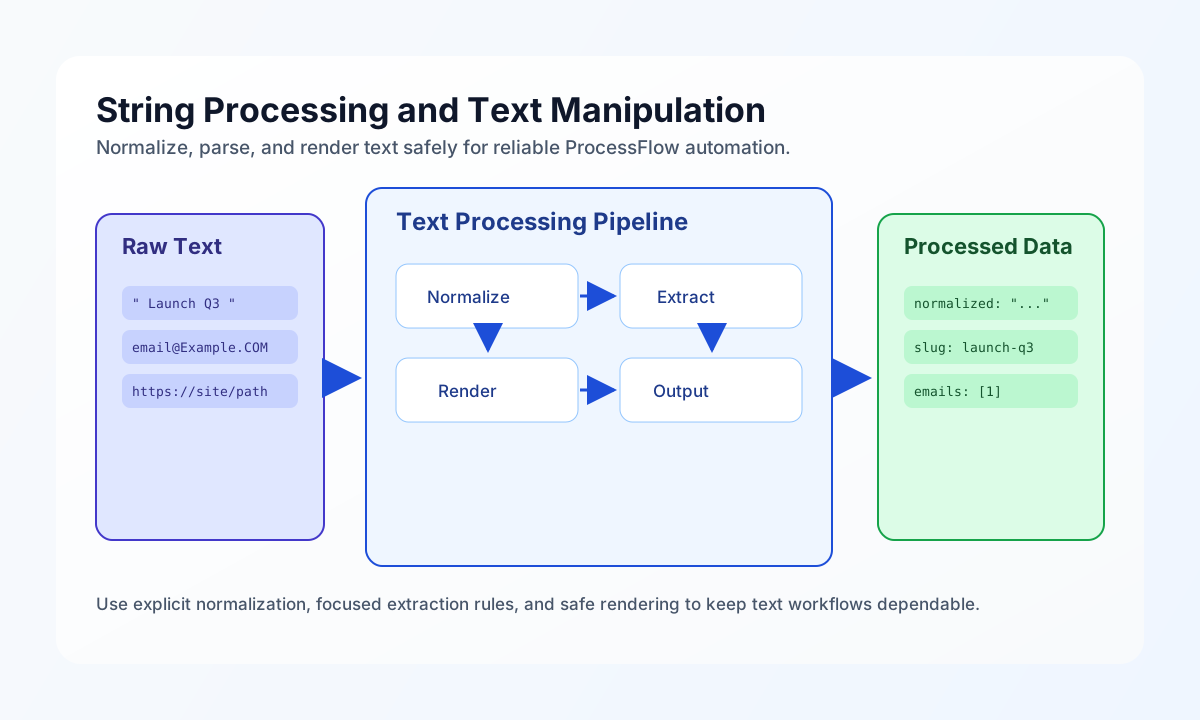
Start with safe text normalization
Most downstream text errors come from inconsistent whitespace, unsupported characters, or unexpected casing. A normalization step should trim input, collapse repeated spaces, and enforce length limits before additional parsing logic runs. This creates a clean baseline for validation, search, and rendering steps.
const input = String(process_input.result?.text ?? "");

const cleanedBase = input.trim();
let cleaned = cleanedBase.replace(/\s+/g, " ");
cleaned = cleaned.replace(/[^\p{L}\p{N}\s.,!?@#\-_]/gu, "");
cleaned = cleaned.replace(/\b\w/g, (c) => c.toUpperCase());

const maxLength = 500;
if (cleaned.length > maxLength) {
    cleaned = `${cleaned.slice(0, maxLength - 3)}...`;
}

return {
    success: true,
    data: {
        cleaned_text: cleaned,
        original_length: input.length,
        cleaned_length: cleaned.length,
    },
};
Extract structured values from free text
Text extraction helps turn unstructured notes into fields that can drive routing or enrichment steps. Regular expressions should remain narrowly scoped and each extracted value should be normalized before use. This pattern avoids false positives while still giving useful metadata for downstream decisions.
const text = String(process_input.result?.text ?? "");

const emailPattern = /[a-zA-Z0-9._%+\-]+@[a-zA-Z0-9.\-]+\.[a-zA-Z]{2,}/g;
const urlPattern = /https?:\/\/[^\s<>"']+/g;

const emails = [...new Set((text.match(emailPattern) ?? []).map((e) => e.toLowerCase()))];
const urls = [...new Set(text.match(urlPattern) ?? [])];

return {
    success: true,
    data: {
        emails,
        urls,
        email_count: emails.length,
        url_count: urls.length,
    },
};
Render templates with predictable placeholders
Template rendering is safest when placeholder syntax is explicit and unresolved variables are detected before output is used. Replacing variables with consistent escaping rules prevents accidental malformed content in notification or API payloads. Returning unresolved keys helps catch input contract problems early.
const template = String(process_input.result?.template ?? "");
const variables = process_input.result?.variables ?? []

let rendered = template;
for (const [key, value] of Object.entries(variables as Record<string, unknown>)) {
    rendered = rendered.replaceAll(`{{${key}}}`, String(value ?? ""));
}

const unresolved = [...new Set([...rendered.matchAll(/\{\{([a-zA-Z0-9_]+)\}\}/g)].map((m) => m[1]))];

return {
    success: unresolved.length === 0,
    data: {
        rendered,
        unresolved_variables: unresolved,
    },
};
Keep text-processing behavior aligned across languages
Many teams run the same text rules in ProcessFlow and external services, so aligned examples reduce implementation drift. The snippets below normalize whitespace and produce a slug from free text with the same intent in TypeScript and JavaScript. Using equivalent behavior makes integration testing and troubleshooting faster.
function normalizeAndSlugify(input: string): { normalized: string; slug: string } {
  const normalized = input.trim().replace(/\s+/g, " ");
  const slug = normalized
    .toLowerCase()
    .replace(/[^a-z0-9]+/g, "-")
    .replace(/^-+|-+$/g, "");
  return { normalized, slug };
}
Submit processed text through an API
When text transformations feed an external service, include both source and transformed values so audit and replay workflows remain clear. Required tenant and authorization headers should always be explicit in examples. A short response payload showing identifiers and status helps teams understand what to persist after the call.
curl -X POST "https://api.example.com/api/v1/text/normalize" \
  -H "X-API-Key: <API_KEY>" \
  -H "X-Tenant-ID: <TENANT_ID>" \
  -H "Content-Type: application/json" \
  -d '{
    "input_text": "  Launch   campaign for Q3!!!  ",
    "operations": ["trim", "collapse_whitespace", "slugify"]
  }'
{
  "success": true,
  "data": {
    "normalized_text": "Launch campaign for Q3!!!",
    "slug": "launch-campaign-for-q3",
    "operation_id": "txt_01J2EXAMPLE"
  }
}
Avoid common text-processing failures
Text bugs in automation usually come from encoding mismatches, overly broad regex patterns, or missing output escaping for HTML contexts. You can reduce these issues by using multibyte-safe functions, validating input before transformation, and applying context-specific escaping only at output boundaries. These guardrails keep text pipelines stable as payload variety grows.
See also
String processing is most reliable when each transformation has one clear purpose and a predictable output contract. With explicit normalization and extraction rules, text-heavy ProcessFlow steps remain maintainable and easier to debug.